
Shipping advertised · unscored / Updated October 28, 2026
Inku Calendar: E-Ink Planning, Lifetime App Access and Paid Extras
 Inkboard
A small e-paper desk calendar with an AI day summary and a personal avatar. Compare hardware-owner app access, optional purchases and delivery limits before choosing a size.
Inku targets a personal desk: a day overview, a character and less reason to open your phone. Choose it around a readable daily plan and companion style, then compare calendar access, app entitlements and the practical cost of owning the screen.
Quick answer
- The 4-inch and 7.3-inch colour e-paper formats are personal desk calendars, rather than large shared household screens.
- The selected large version displayed $275 in the US storefront on October 28. Hardware includes lifetime companion-app access; standalone subscriptions and optional purchases are separate questions.
- AI summaries and avatar commentary make existing plans approachable. They do not by themselves book an appointment or coordinate a family handoff.
Product media
Inku Calendar visual evidence
3 product images
Source-backed watch notes
Product details
Updated October 28, 2026
4-inch or 7.3-inch: choose by viewing distance
Choose the viewing position before the colour. A personal desk display is normally read from a chair; a family wall display needs to work while people move through the room. A 7.3-inch diagonal does not make a device a household command centre. For a crowded calendar, the useful question is how much of today you can read comfortably without reaching for your phone.
| Format | Best starting point | Main trade-off |
|---|---|---|
| 4-inch | A close personal glance point with limited desk space. | Less room for a busy day; check the actual layout before buying. |
| 7.3-inch | A more prominent personal overview on a desk or shelf. | More display area does not establish shared editing, touch input or room-wide readability. |
| Shared family display | Several people checking and changing common plans. | Compare permissions, chores and household ownership rather than choosing by diagonal alone. |
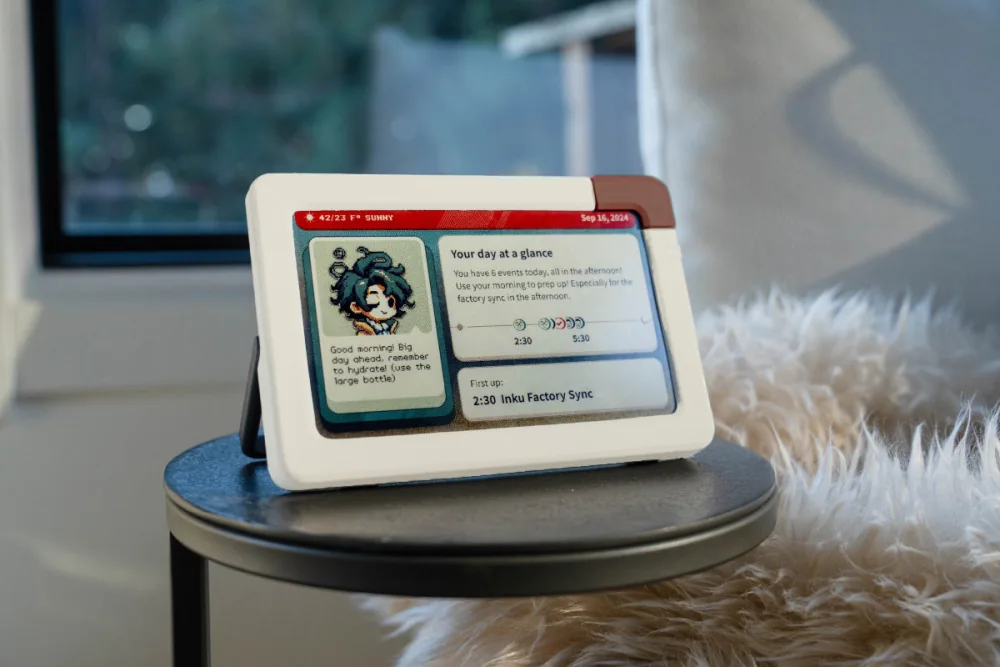
- For a compact bedside or close desk position, consider the smaller footprint. For a deeper desk, consider the larger viewing area.
- Measure the available space and consider who can see the event titles.
What the e-paper screen changes about daily use
The appeal is persistence: e-paper holds an image between updates, so a calendar can remain visible without an LCD-style continuously lit panel. That does not mean the information is always current. A retained image can look perfectly normal after a connection problem. Check the source calendar for a last-minute change, especially before travel or pickup.
- Inkboard advertises Wi-Fi, USB-C charging and up to 30 days between charges. Treat battery life as a manufacturer limit rather than a guaranteed charging interval.
- Plan a charging location and reliable network coverage. A long battery claim is not a refresh-time guarantee.
Connect calendars without confusing aggregation with two-way sync
Inku lists Google Calendar, Outlook, Apple Calendar, Todoist, TickTick, Notion, Google Tasks, Microsoft To Do, Apple Reminders and CalDAV/ICS connections. Bringing these names into one overview is useful, but the connection method determines what can be changed and where. An imported feed, a device calendar and an authorised account need not behave alike.
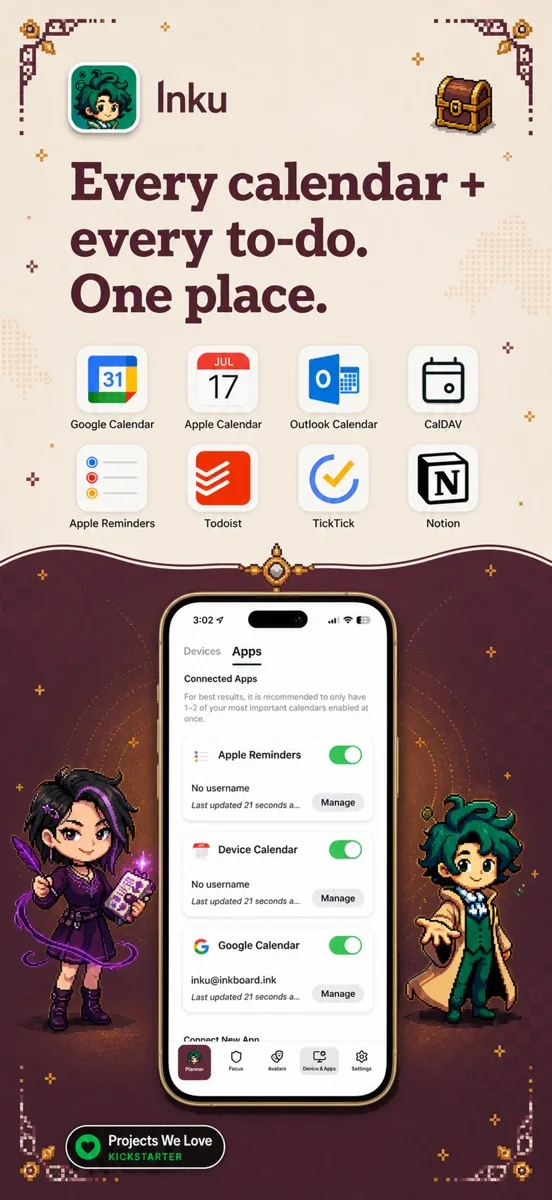
- Start with one calendar and an ordinary event. Compare its title, time zone and date with the source, then change one occurrence of a recurring event.
- Add task lists only after the calendar view is understandable. Several overlapping work and personal feeds can create duplicate-looking plans.
- If you edit in the app, confirm that the intended source calendar contains the saved result. Seeing an item in an overview is not proof of a write-back.
Personalise the character, theme and frame separately
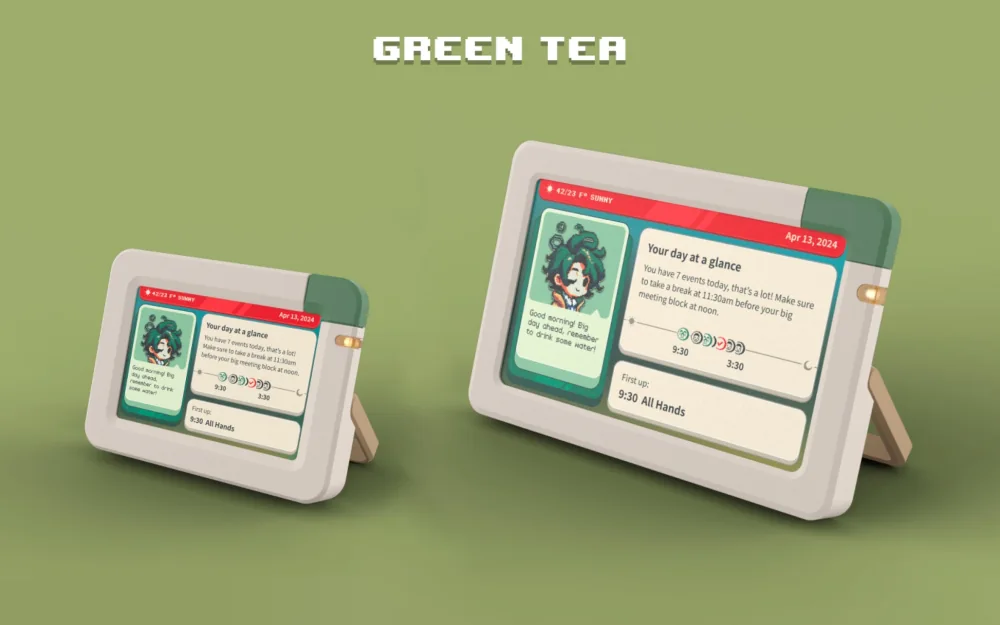
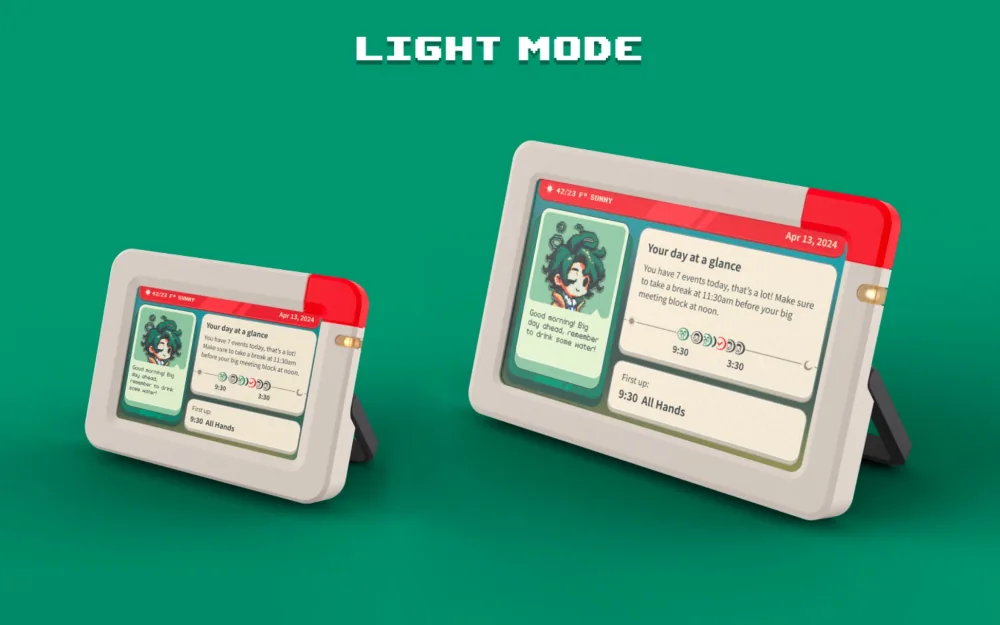
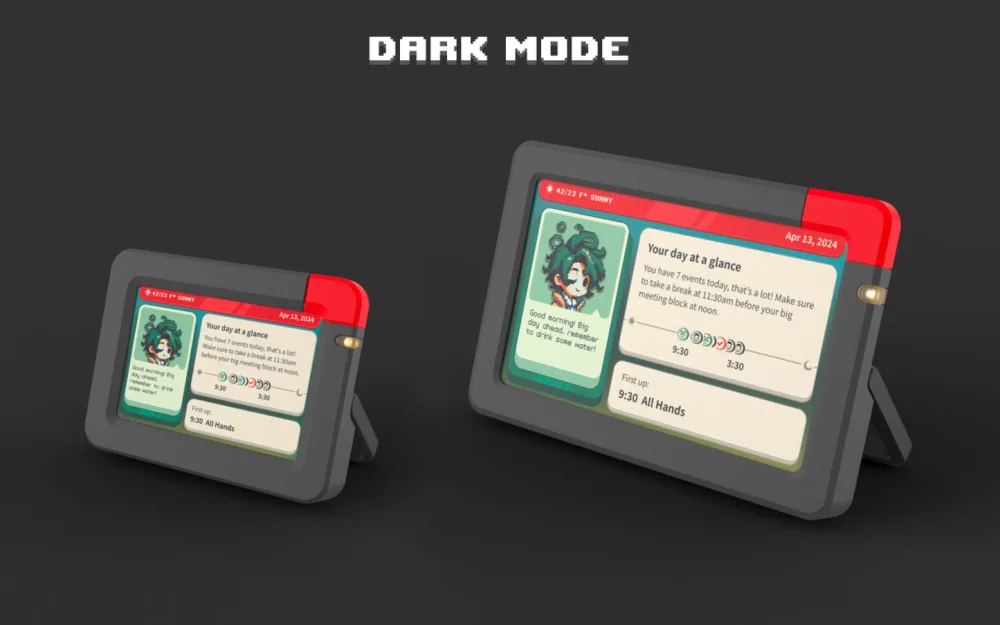
Inkboard offers Calendar Red, Green Tea, Coffee and Dark Mode frame colourways, alongside OG, Plantcore and Dungeon interface themes. It also describes using a pet or person’s image for the companion. A frame colour and a software theme are separate choices: the Dark Mode colourway name does not, by itself, describe a particular night-time screen setting.
- Character commentary can be playful, with an optional Roast Mode. Choose the tone for the person who will actually read it each day.
- For a gift, the appeal is a familiar companion next to the schedule. Obtain permission before uploading someone else’s image.
AI summary, avatar and task execution are different jobs
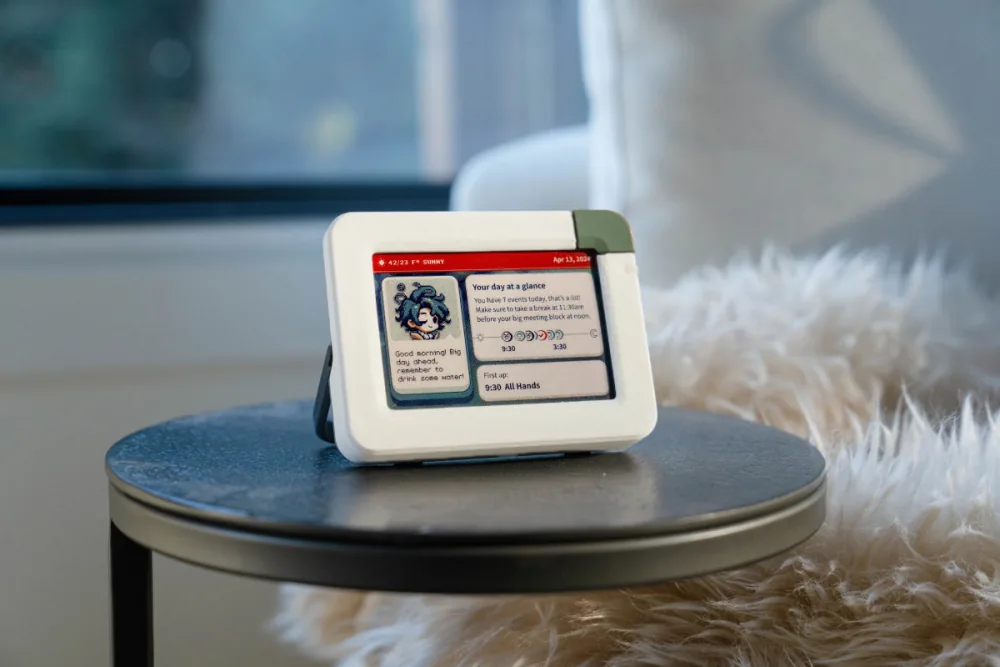
The app presents AI summaries and personalised character commentary. An illustrative busy morning might become a short digest with a playful remark. That can make a planner more inviting, but the exact event remains the authority. A sentence about a meeting is not a confirmed reschedule, and a pickup reminder is not agreement about who will drive.
- Choose a companion style that helps you look at the plan. Personality does not replace accurate times or explicit responsibility.
- For shared household work, decide who owns each calendar or task; the avatar does not supply that agreement.
What does the hardware price cover?
The hardware offer includes lifetime companion-app access, while the full standalone iOS experience uses a subscription or trial. Apple also lists optional purchases, including a $4.99 Whimsy Pack 100. These purchase paths should not be added together automatically. Keep the hardware entitlement with your receipt and distinguish it from an app-only subscription.
- At the selected large device’s $275 US price on October 28, three years starts at $275 before tax and extras, with no assumed app renewal. One optional $4.99 pack would make that $279.99.
- Do not buy an extra subscription merely because the App Store lists one. Confirm the paired hardware account’s access and the optional item’s terms.
What changed in iOS 2.0.6?
The October 25 release adds Tide, a wave-style planner, optional phone-time markers and device battery/charging history by day or week. It also lists improvements to task reminder placement, overnight events and calendar connections. These are iOS app changes; the notes do not announce Tide on the e-paper screen.
- Tide changes how a day is visualised. It does not by itself allocate tasks, resolve clashes or contact another family member.
- Use the day or week battery history to see charging patterns over time.
Personal images and privacy: what belongs on this screen?
The personal artwork supports the companion experience. If your goal is a family-photo slideshow or video, choose around that workflow rather than treating avatar customisation as evidence of photo-frame quality. For planning, consider both the service’s access to your calendar and what a visitor can read on the desk.
- Inkboard says calendar data is processed for AI and derived content is held for up to 24 hours. Its policy separately covers account, telemetry, analytics and habit data; the short summary window does not cover every category.
- Begin with non-sensitive events, review account permissions and disconnect calendars you no longer use. Physical screen placement matters even when account security is strong.
Delivery and returns matter for a personalised gift
The current shipping policy covers the US and Australia, with free shipping, 1–3 business days of processing and an estimated 6–12 days after dispatch. Those are policy estimates, not a delivery promise for every colour or batch. The store advertises the second batch as shipping; check the selected configuration before paying.
- General change-of-mind returns are excluded. That makes an uncertain desk-size or style choice a more consequential gift decision.
- The policies give different damage-reporting windows: shipping says 14 days and refunds says 30 days. Report damage promptly with photos and the order number rather than relying on the longer window.
- Defect handling is separate from changing your mind, and the refund policy preserves statutory rights.
Inku planning and app access
Understand the companion before choosing the screen.
Explore what Inku summarises, what you pay for and how the latest app update changes daily use.
Features and software
- Inku: summaries, companionship and actionsSeparate a helpful day overview from changing a calendar.
- Inku hardware access and paid extrasCompare hardware ownership with the standalone app.
- Inku companion appCalendar connections, access and the paired device.
Updates and choosing a format
- Inku iOS 2.0.6 updateTide, phone-time markers and battery history.
- Choose a personal or shared displayDecide who needs to see and change the schedule.