
Skylight Calendar complaints: 7 checks before you buy
Eight public Reddit discussions checked against Skylight support: subscription surprises, sync limits and household workflow trade-offs.
On this page
Why it matters
The useful question is not whether Reddit likes Skylight. It is whether your must-have workflow works on your account, device and plan. In these discussions, disappointment often begins where an included feature, a paid extra and an expected behavior sound like the same thing. Seven checks below turn those differences into questions you can answer before committing to a display.
What this community review can tell you
A wall calendar can include chore checklists while charging for star rewards, and support calendar syncing without promising the same editing path for every provider. Those distinctions explain more than a blanket verdict that the device is good or bad. We reviewed eight public r/skylightcalendar discussions, including both critical and positive comments, and checked the feature claims against official documentation on October 18, 2026. This is an October community analysis, not an announcement of a new Skylight defect.
- The selected threads contain discussions from 2025 and 2026. They were found through complaint, regret, subscription, sleep and sync searches, so the sample favors people seeking help. Seven is an editorial grouping, not a ranking by frequency or severity.
- Accounts and purchase histories were not independently verified. Replies in the same thread are not independent incident reports, and a repeated complaint does not establish a failure rate or an unresolved problem today.
- This report covers public Reddit material, not private Facebook conversations. It does not test hardware, measure latency or establish which software version each contributor used.
1. The chore feature you wanted may be a paid extra
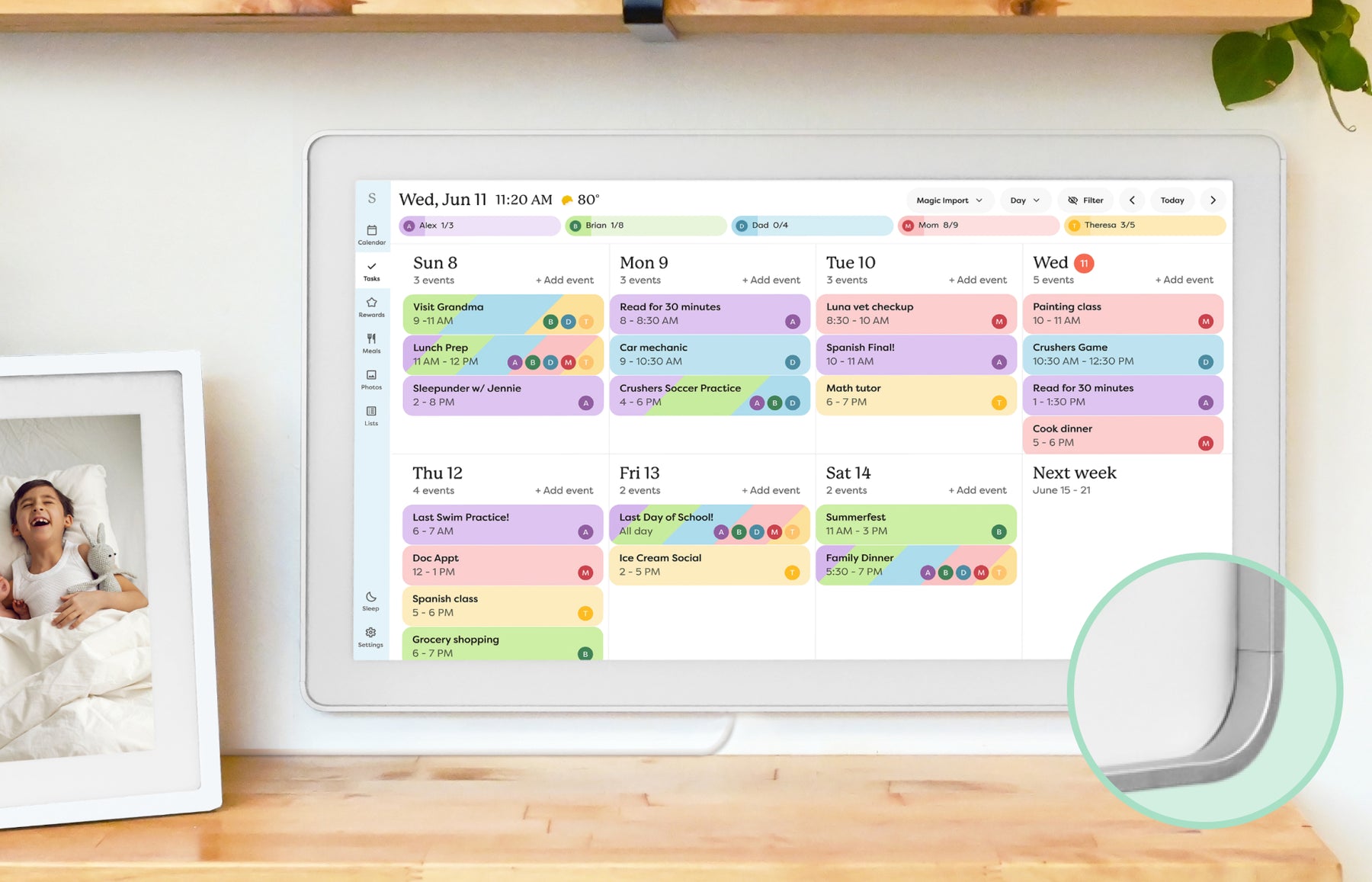
A subscription discussion shows a prospective buyer struggling to distinguish the features pictured in marketing from those included without Plus. The important distinction is specific: Skylight lists calendar editing and syncing, chores and routines, and shared lists as basic features. Rewards, meal planning, Sidekick scanning and photo/video display sit in the paid tier. Paying for hardware does not automatically include every workflow shown beside it. That does not make the free calendar unusable; it means that a family buying for reward stars faces a different cost decision from one buying only for shared events.
- Before buying: make a list of the actions you need, especially assigning reward stars, importing school notices and planning meals. Check each action against the current included/paid list.
- Evaluate recurring cost alongside hardware and your actual use. Our Skylight Plus guide examines that value question in more detail.
Sources: Reddit: subscription expectations · Skylight: included and subscription features
2. Seeing an account logo is not the same as two-way editing
Sync discussions mix several problems: an event not appearing, an event not updating, and an event created on the display not returning to the original account. Those are different tests. Skylight now documents Apple iCloud two-way sync, including the need to assign a new event to the linked iCloud calendar. Its Outlook instructions describe importing selected Outlook calendars and note that work or school access depends on organization settings. They do not establish an identical return-editing workflow. An old comment saying that Skylight cannot sync both ways should not override the current provider-specific instructions.
- Before buying: identify the real account and calendar, not just the app name. A company Microsoft account, a personal account and a subscribed school feed can have different permissions.
- During your trial: add, edit and delete a disposable event from each end, and test a recurring event and a shared calendar. Get workplace approval where required; do not bypass an administrator’s restrictions.
Sources: Reddit: Calendar Events Don’t Sync · Skylight: Apple iCloud two-way sync · Skylight: Outlook connection instructions
3. A calendar that connects once may still need troubleshooting
The June 2, 2026 discussion describes lost connections, events that would not delete and lists that differed between the device and phones. Replies also include a report of improvement after reinstalling and restarting, while other contributors continued to report problems. This is evidence that particular users experienced friction, not proof of a current service-wide outage. Normal refresh delay also needs separating from a failed connection: Skylight’s iCloud documentation allows up to 15 minutes for an incoming event update. That window is specific to the documented iCloud path, not a promised limit for every account or list.
- Before relying on the screen: compare a change in the original calendar, the Skylight app and the physical display. Record which step failed, the time and the connection method so support can distinguish delay from a broken link.
- For important appointments, keep the original calendar accessible until the setup is dependable. Do not make a private family calendar public merely because an anonymous workaround says to do so.
Sources: Reddit: June sync and list reports · Reddit: Calendar Events Don’t Sync · Skylight: Apple iCloud two-way sync
4. Screen light and sleep schedules need a room-level check
In a February 16, 2026 thread, one household reported that an early kitchen-screen wake time disturbed a nearby bedroom and asked for different weekend hours. That is a placement and scheduling concern, not evidence that every unit lacks dimming. Skylight’s General Settings documentation, updated October 7, explicitly describes automatic brightness and a manual brightness slider. A separate 15-inch support article identifies a light sensor. Sleep Mode can turn the display off on a schedule and wake it with a tap. The blanket claim that Skylight has no light sensor is therefore not supported by the sources checked.
- Before mounting: view the exact model in its intended position after dark. Check automatic brightness, a comfortable manual setting, sleep times and the device time zone.
- If you need different sleep schedules for weekdays, weekends or school holidays, confirm those controls on the current software. The October 13 photo screensaver schedule is a separate feature; it does not establish identical Sleep Mode options.
Sources: Reddit: weekday/weekend sleep request · Skylight: General Settings · Skylight: the 15-inch light sensor · Skylight: Sleep Mode
5. A large touchscreen does not replace every phone action
A July 2026 discussion includes frustration about standing in front of the display but still needing the phone app. There is a concrete documented example: Skylight’s Rewards instructions say rewards and stars are created, edited and managed through the app, while the Calendar shows progress and allows redemption. That is a genuine workflow distinction for a household expecting full setup from the wall screen. It does not establish that all calendar or chore actions require a phone, or that every future software version will behave the same way.
- Before buying: walk through one complete routine, from creating a chore and assigning stars to viewing progress and redeeming a reward. Note which person needs an app account.
- If phone-free administration or a particular voice command is essential, confirm that exact action rather than assuming it from the touchscreen or an assistant logo.
Sources: Reddit: touchscreen and app expectations · Skylight: Rewards on the app and display
6. Imported calendars can make profiles feel cluttered
A profile discussion describes the surprise of seeing calendars for activities appear alongside household members. That confusion is real in the report, but it should not be repeated as an unfixable current defect. Skylight’s Profiles and Labels guide, updated September 9, 2026, explains merging imported profiles and converting a profile into a label when it represents a subject rather than a person. It also warns that deleting a profile can remove associated information and unsync linked calendars. A crowded profile list calls for understanding the structure before deleting entries.
- Before importing everything: decide which colors represent people, which represent topics such as holidays, and which calendars each person needs to see.
- Use the current merge and label instructions for your setup. Read the deletion consequences first; removing a duplicate-looking profile is not necessarily cosmetic.
Sources: Reddit: imported calendar profiles · Skylight: Profiles and Labels
7. The screen may add another system instead of replacing one
The January regret discussion includes a person who wanted a general organizer but found another tool to maintain, alongside replies from households that liked the visible calendar. A May value discussion also contains positive accounts: one contributor described meal planning working well because the household already maintained recipes and shared lists. These reports suggest a fit question, not a diagnosis or a promise of behavior change. A screen can make a shared routine visible; it cannot establish that everyone will enter events, check the display or stop using competing lists.
- Before buying: name the system you expect to replace, who adds events and who checks them. Compare with a shared calendar or the tablet you already own before buying another screen.
- During the return window: use the few routines that matter most. If one person still copies everything into several systems, the workflow has not yet delivered the simplification you wanted.
Sources: Reddit: Regret · Reddit: Is Skylight worth it?
When these complaints should change your buying decision
Pause if your purchase depends on an unconfirmed account permission, a phone-free task that currently needs the app, a paid feature you do not want to fund, or a display arrangement that does not suit your room. If you want a visible shared calendar and accept the documented setup and plan boundaries, these complaint threads alone are not a reason to rule Skylight out. Read the product research for the broader fit assessment, and use the setup checklist to turn the seven concerns into a short trial. The accounts here do not prove that another brand will be more reliable.
- Already having problems? Describe the exact provider, event or task, device model and software version to support, with personal details removed from screenshots. A thread can suggest a question; it cannot diagnose your account.
- Buying a different smart calendar? Repeat the same checks. Compare account permissions, paid tools, screen behavior and household fit rather than treating a competing logo as proof that those tradeoffs disappear.
Sources and evidence
Sources checked . Community analysis of eight public Reddit threads and current official documentation. Self-reported experiences are not verified purchases, a representative survey or a hands-on reliability test. Private Facebook groups were not accessed.
- Reddit: Regret — January 2026 discussion and replies; mixed accounts of setup, adoption and value, not verified purchases.
- Reddit: subscription expectations — Public 2026 discussion of included versus paid features. A prospective buyer’s account is not a hardware test.
- Reddit: Calendar Events Don’t Sync — Older setup discussion with 2025–2026 comments. User explanations and suggested workarounds are not independently verified diagnoses.
- Reddit: June sync and list reports — June 2, 2026 discussion and subsequent replies include failures, support responses and an improvement report; no current outage inference.
- Reddit: weekday/weekend sleep request — February 16, 2026 household account and replies. This is not a current feature matrix for every model.
- Reddit: touchscreen and app expectations — July 2026 discussion includes dissatisfaction about phone dependence and voice expectations; not proof of current hardware specifications.
- Reddit: imported calendar profiles — Older public discussion with 2026 replies; compare with the newer official profile controls.
- Reddit: Is Skylight worth it? — May 2026 discussion includes favorable calendar-only and meal-planning experiences as well as criticism.
- Skylight: included and subscription features — Official basic/Plus distinction, checked October 18, 2026; current regional prices and checkout terms are separate.
- Skylight: Apple iCloud two-way sync — Updated June 16, 2026; documents linked-calendar assignment and an incoming-update window of up to 15 minutes.
- Skylight: Outlook connection instructions — Updated June 16, 2026; selected-calendar imports and organization-dependent authentication. No promise of every Outlook return-editing scenario.
- Skylight: General Settings — Updated October 7, 2026; documents automatic and manual brightness. Actual controls depend on the device and software.
- Skylight: the 15-inch light sensor — Model-specific support article identifies a light sensor on the 15-inch Frame or Calendar; not a test of every generation.
- Skylight: Sleep Mode — Official scheduled sleep and tap-to-wake instructions, checked October 18, 2026.
- Skylight: Rewards on the app and display — Updated January 8, 2026; distinguishes paid access and app-based management from device viewing and redemption.
- Skylight: Profiles and Labels — Updated September 9, 2026; merge/convert controls and deletion consequences, checked October 18.