
Software-tested editorial review · Updated October 16, 2026
Zenframe Display Review: Software, Specs & Score
Zenframe earns 7.9/10 for its connected family workspace: calendar, meals, shopping, kids routines and a useful contextual assistant. Our software checks found working public-calendar subscriptions and approval-based shopping actions. Display and Mini run the same software, with calendar direction and the optional ongoing Family cost the main tradeoffs.
Quick answer
- Best fit: European families who want calendars, meal plans, shopping, kids routines and a contextual AI assistant in one household workspace.
- Skip if: Households that require external-calendar edits to return to the family planner, or want meals, routines and AI without an ongoing Family plan.
- Main buying check: Compare calendar support, subscription boundaries, setup style, and current store availability before purchase.
Still choosing a display? Compare family digital calendars by workflow, paid features and buying limits to see where this option fits alongside other approaches.
Before you buy
Answers to the questions buyers ask first.
Which Zenframe display should you choose?
The 15.6-inch Display has an IPS 1920×1080 touchscreen and costs €329 on the European page checked October 16, 2026. The 10.1-inch Mini has a 1280×800 touchscreen and costs €229. Both come in black or white, include a wall mount and table stand, and run the same family software. Choose by viewing distance and available space.
What did SmartFrameLab test in Zenframe?
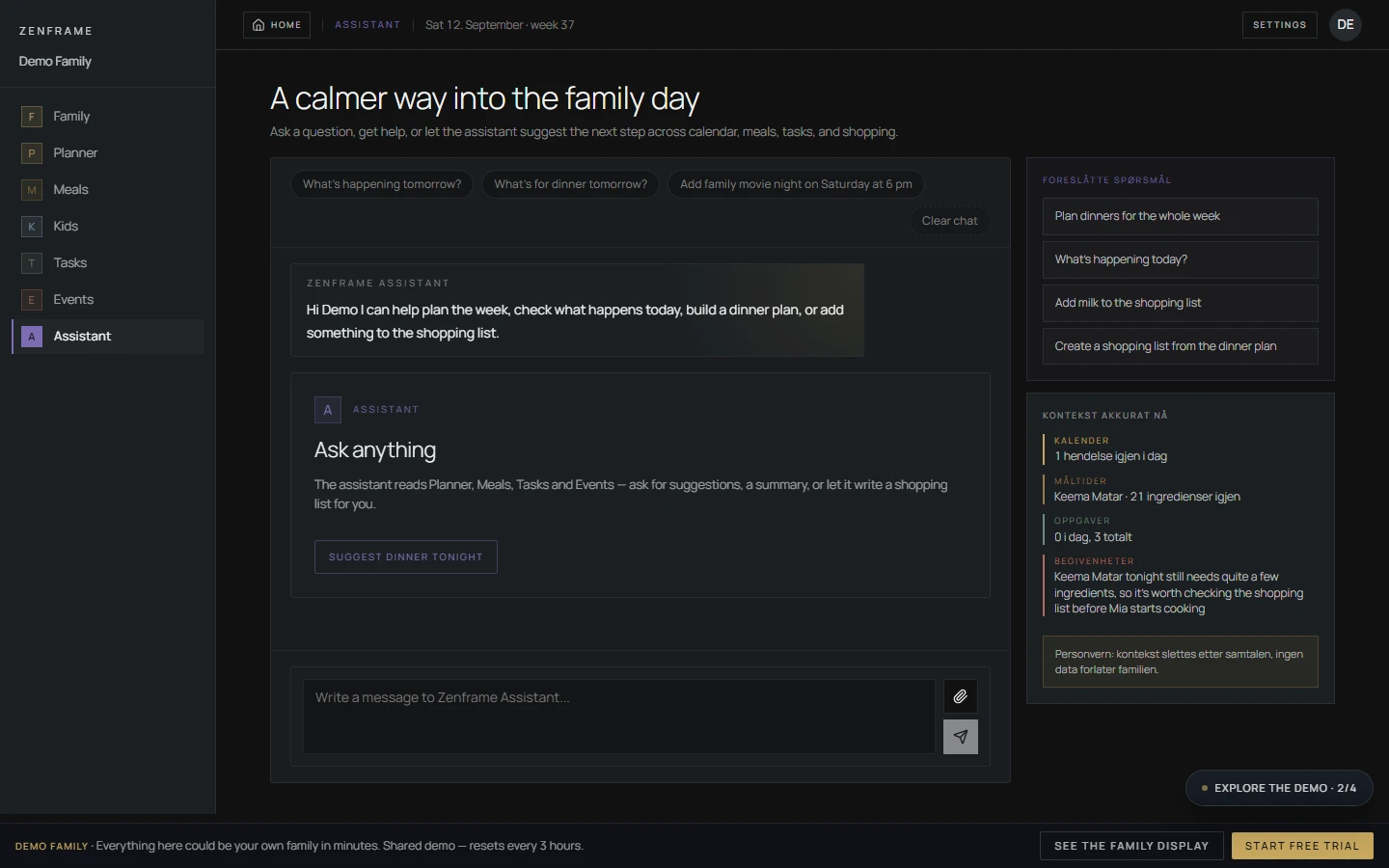
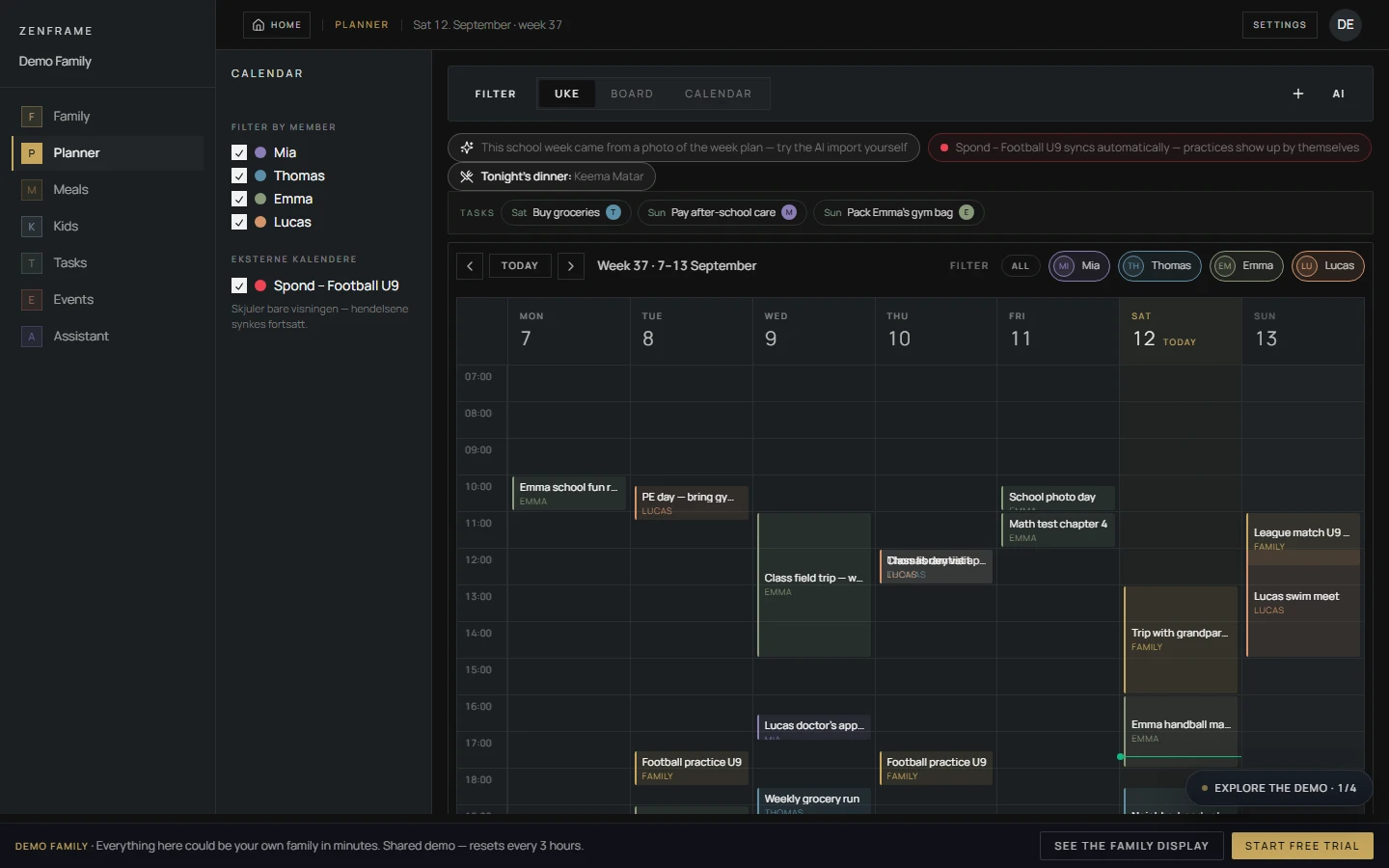
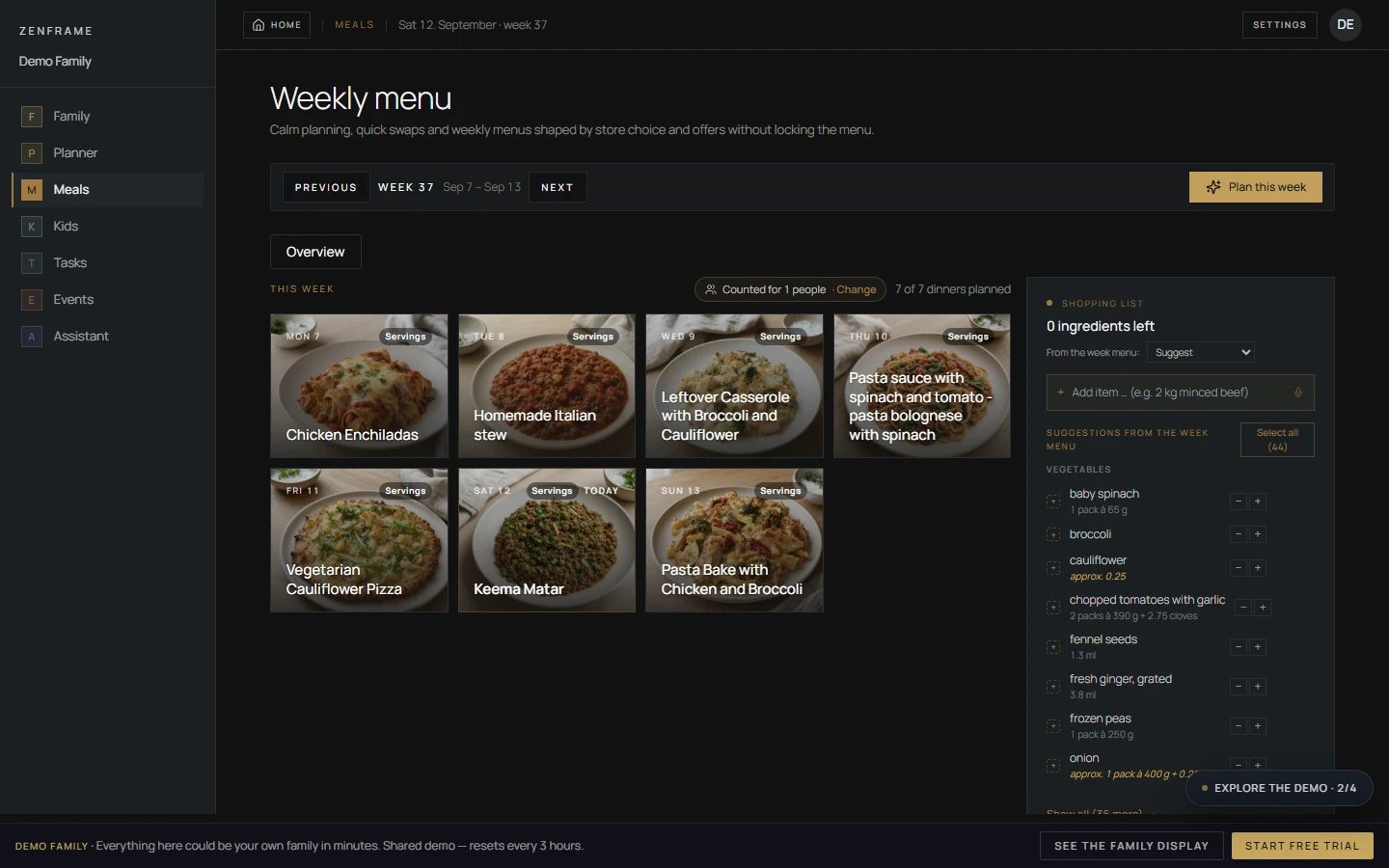
In our September 13 reviewer-account session, we explored the calendar, meals, tasks, kids, events and Assistant areas, checked a contextual AI answer, approved a shopping-list action that saved two liters of milk, imported a synthetic school notice and connected HTTPS and webcal subscriptions. Temporary test data was removed afterward.
How does Zenframe connect Google, Apple and Outlook calendars?
Incoming calendars use read-only connections: Google through OAuth, Apple/iCloud and Outlook through calendar subscriptions. In its October 15 response, Zenframe specifies app 1.9.1 or later for exporting Zenframe-created events: open Connections, select an existing iCloud, Google or Exchange/Outlook calendar on the phone, grant calendar permission and choose the family or personal event scope. Destination edits do not return to Zenframe and may be overwritten; imported events are not sent back to their source.
What changed after the software test?
Zenframe’s October 15 response reports family-language onboarding, approval proposals for ambiguous image imports and family-timezone handling for relative dates across Assistant actions and imports. It also describes display-to-phone voice calls included in Family, kids viewing their own calendar day, and added support for Austria, Ireland and Czechia. These are dated manufacturer updates; our direct software observations remain from September 13.
What happens after the included Family year?
The European Display page checked October 16, 2026 lists optional Family at €8.99/month after the included 12 months, without an automatic paid start. Calendar, photos, clock and weather remain free. Keep Family if the household uses meals, tasks, kids routines, AI and family calling; confirm the current regional terms at checkout.
Why does Zenframe receive 7.9/10?
The editorial score weighs calendar connections, family workflow, photo usefulness, AI and subscription value using official specifications and our software observations. Its connected planning tools are the strength; limited external-calendar write-back, recurring Family cost and a secondary photo role are the main tradeoffs. The five-dimension explanation below shows the basis for the assessment.
Research path
Where Zenframe fits next.
Move from this review into the comparison, best-pick, and guide pages that clarify the buying decision.
Product watch
- Zenframe Family Display Product WatchDisplay and Mini specifications, connected family software, calendar export, calling and the latest dated updates.
Buying guides
- Family Command Center or Calendar Frame?Choose a shared home screen by the problem it must solve: visible schedules, task ownership, family photos, or a configurable information wall.
- Smart Frame Subscription Costs ExplainedHow to compare free features, paid plans, AI extras, and ongoing household value before choosing a smart frame.
- Google Calendar Dashboard Wall Display GuideBuild the screen view first: compare Google Calendar dashboard templates and real home examples, then choose wall-display hardware.
- Apple Calendar Family Display GuideHow Apple and iCloud Calendar households should evaluate smart wall displays, shared calendars, setup paths, event colors, and family workflow fit.
Product media
Product and series references
6 images Model and size references.
Buying path
How to use this review before clicking through
Software experience and evaluation scope
We used a dedicated reviewer web account on September 13, 2026, checking connected planning modules with seeded family data. This review combines those observations with official specifications checked October 16 and Zenframe’s October 15 written update. The score reflects those software observations and the documented product features.
- The calendar, meals, shopping, tasks, kids, events and Assistant modules were available in the reviewer workspace.
- A contextual answer matched the visible family plan, and a shopping action saved the requested quantity after approval.
- Public calendar subscriptions connected, displayed events, synchronized manually and could be removed cleanly.
Display and Mini: the useful specifications
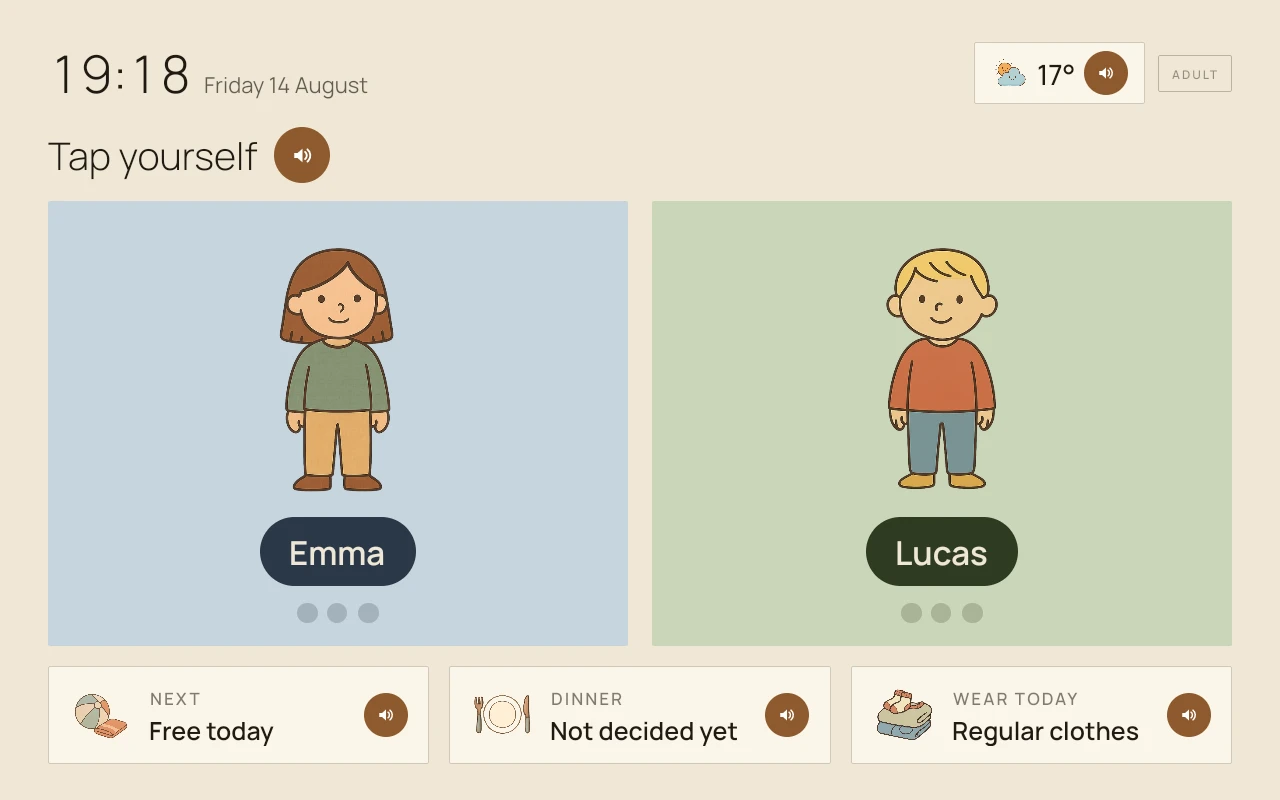
The two models run the same family software. The larger Display suits a main shared planning surface; Mini offers a smaller screen for a hallway, shelf or child’s room. The official European product page supplies the following specifications.
- Display: 15.6-inch IPS touchscreen, 1920×1080, €329.
- Display Mini: 10.1-inch touchscreen, 1280×800, €229.
- Both: black or white frame, Wi-Fi, included power cable, wall mount and table stand.
- Zenframe’s September manufacturer brief additionally lists RK3566 hardware with Android 13 kiosk software, 4GB RAM for Display and 2GB for Mini; these details come from that dated brief.
Calendar subscriptions and phone-calendar export
Two public feeds, using HTTPS and webcal, connected during our software check and showed all-day events. Imported titles and times were read-only, while a household annotation could be added. Calendar direction matters more than the list of supported provider names.
- Google’s connection opened with read-only event and calendar-list permissions; our session did not complete Google account import.
- Zenframe documents Apple/iCloud and Outlook inbound connections through subscriptions. Apple/iCloud uses a public ICS link rather than native CalDAV.
- The October 15 setup instructions specify app 1.9.1 or later: Connections → select an existing phone calendar → choose family or personal events. iOS and Android require calendar permission.
- Export covers Zenframe-created events. Destination edits do not flow back and may be overwritten; incoming subscribed events are not written back.
- Zenframe states a roughly 30-minute import refresh and recurring-event support. Our reviewer session covered manual sync; the roughly 30-minute refresh and recurring-event support are Zenframe’s specifications.
AI that works with the family plan
The assistant has access to the same calendar, meal, task and shopping context used elsewhere in the workspace. In our session, it answered from the visible plan and waited for approval before saving a shopping item with its quantity.
- A synthetic school notice produced the expected date, child assignment and bring-along note.
- That September import saved directly and kept its title and note in Norwegian. Zenframe later reported family-language import handling and proposal cards for shared files; its October 15 update specifically describes approval proposals for ambiguous images.
- On October 15, Zenframe reported that relative dates such as today and tomorrow now use the family timezone across conversations, planning tools and imports. Norwegian school-term, sports-fixture and shift-roster document imports deliberately retain Norwegian-time handling.
- These reported corrections supersede the earlier report that some relative-date calculations still used Central European time. These corrections are manufacturer-reported.
Meals, routines and keeping in touch
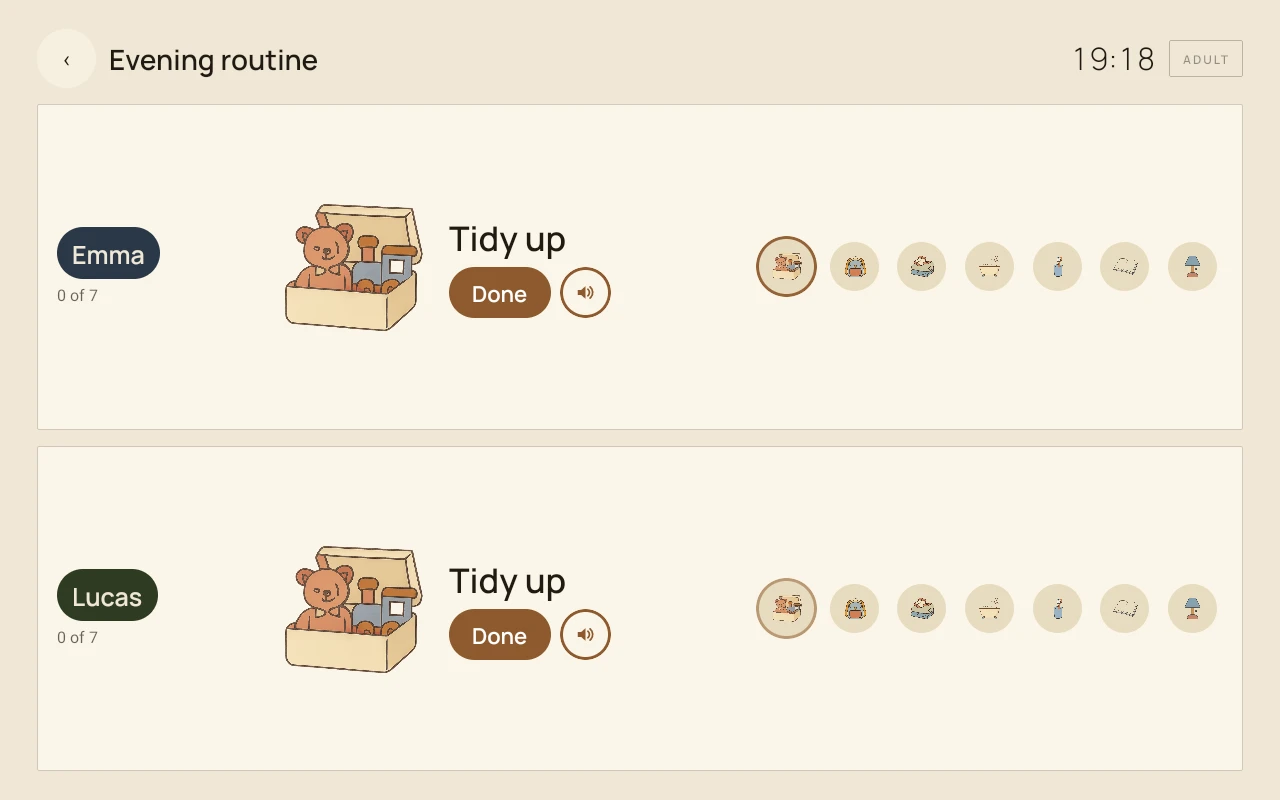
The useful idea is the connection between meal planning, shopping, calendars, tasks and kids routines, rather than a calendar with unrelated extras. Reviewer access confirmed the web modules; the October 15 update describes new family communication and child-facing calendar tools.
- Meal plans and shopping sit beside the same family calendar and member context.
- Zenframe reports display-to-phone voice calls in both directions, included in Family at no extra charge and enabled by default. The official Display page describes approved contacts.
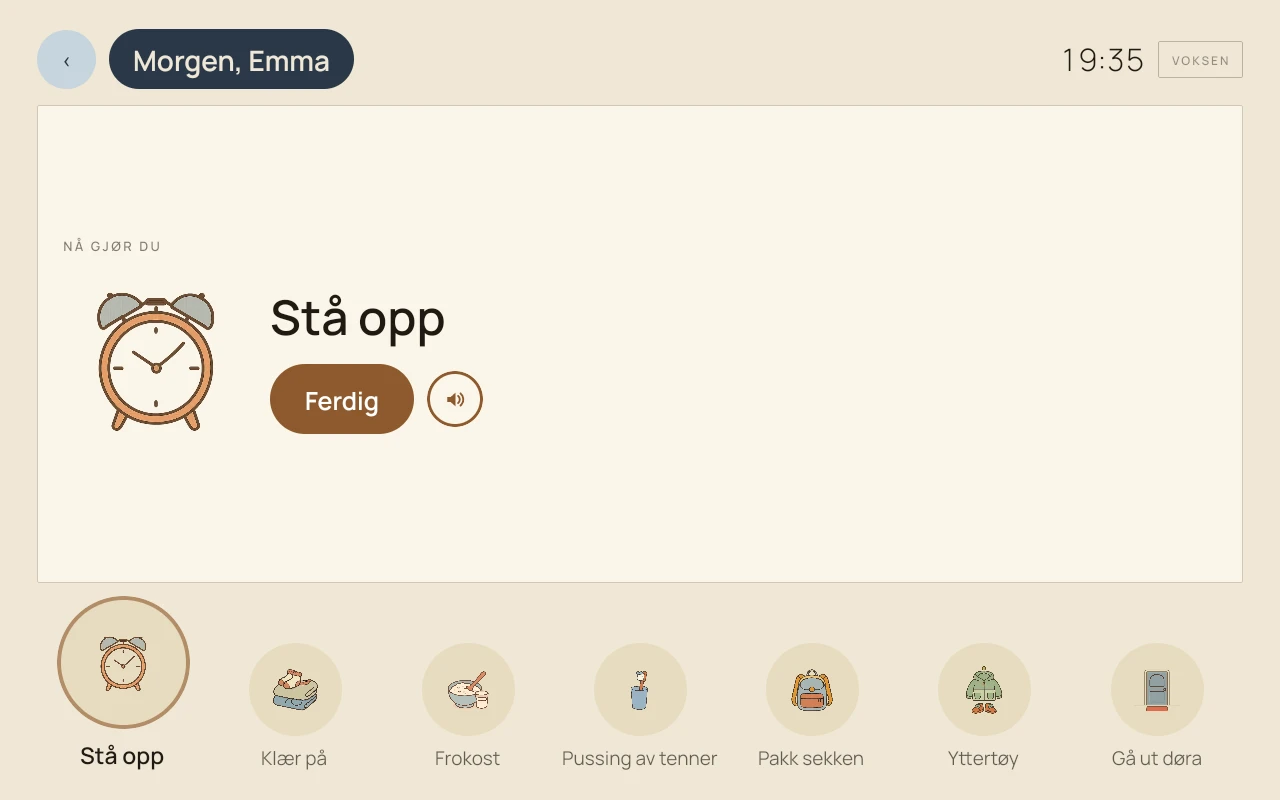
- The manufacturer says kids can see their own day in Kids mode and leave through a PIN-protected exit.
- Zenframe reports support for Austria, including state-specific holidays and school breaks, plus Ireland and Czechia. Check local calendar coverage and ordering eligibility separately.
Family costs and the free fallback
The European Display page checked October 16 lists 12 months of Family included, followed by an optional €8.99/month. Calendar, photos, clock and weather stay free. There is no automatic paid start according to the page.
- At the checked monthly price, two further years of Family add €215.76 after the included first year.
- Using the listed €29 shipping, a three-year Display budget is €573.76 and Mini is €473.76 with two paid Family years, before any additional checkout tax or extras.
- If you mainly need calendar and photos, the free fallback changes the value calculation; if you rely on AI, meals, routines and calling, budget for Family.
Privacy and calendar permissions
The reviewer account exposed controls for logs, proactive AI, family memory and per-member sharing. Before connecting personal calendars or importing family documents, read the store disclosures and privacy policy alongside the permissions requested in the app.
- Google Play discloses collection and sharing of personal information, photos/videos and other categories, encryption in transit and a deletion-request option.
- The Norwegian App Store page checked October 16 lists contact information, user content, identifiers, usage data and diagnostics linked to identity. Store privacy labels are developer-provided disclosures.
- A public iCloud subscription link can expose the calendar to anyone holding that link. Share only the calendar needed and revoke the link when it is no longer wanted.
How the five scores add up
Our 7.9/10 overall score is an editorial judgment of household fit, supported by the five dimensions below. Scores describe usefulness and tradeoffs; they are not customer-star averages or laboratory measurements.
- Calendar Sync — 7.6/10: working public-feed subscriptions and a documented phone-export route, limited by read-only incoming events and the absence of destination-edit return.
- Family Workflow — 8.7/10: calendars, meals, shopping, tasks and kids routines share one workspace; calling and child-day views extend the documented household role.
- Photo Frame — 7.0/10: photo display is a useful free secondary role on both touchscreen sizes, rather than the main reason to choose this family planner.
- AI / Agent Readiness — 8.3/10: observed contextual answers and approved shopping writes offer practical value; import-language, approval and timezone corrections remain manufacturer-reported updates.
- Subscription Value — 7.8/10: a full included year, optional continuation and a useful free fallback balance the ongoing €8.99/month for advanced family tools.
Who should choose Zenframe?
Shortlist Zenframe when you want a connected family workspace and value European household context. Choose Display for the main shared screen or Mini for a smaller space; both run the same tools. Compare another approach if full external-calendar write-back or avoiding every recurring charge is essential.
- Check the exact size, colour, delivery country and checkout total. The product page lists a 14-day return window and stock-dependent shipping from Bergen.
- The strongest fit is a household that will use meals, shopping, routines and AI alongside the calendar.
- For a photography-first purchase, compare dedicated photo frames; for configurable information displays, compare dashboard platforms.
Specifications and sources
Official sources + hands-on software checks Source baseline: October 16, 2026
Official Display specifications and European prices checked October 16, 2026, combined with the September 13 reviewer-account session and Zenframe’s October 15 written update. The five-dimension editorial score uses documented capabilities, observed workflow value and explicit calendar and paid-feature limits.
- Direct software observations are dated September 13. The October 15 correspondence supplies app 1.9.1 export instructions, family-timezone corrections, onboarding/import changes, calling, Kids mode and new market support.
- The official Display page confirms screen specifications, included mounting, European prices and the optional Family price; availability remains variant- and country-dependent.
- The original school-notice test found language and confirmation issues. Zenframe’s later update reports corrections to those workflows.
- Apple’s Norwegian App Store and lookup API were checked directly on October 16. The listing discloses identity-linked data; the API lists iOS version 1.13.0 released October 12.
- Images are supplied by Zenframe. The hallway image includes background/light edits and blurred names; gallery images are interface captures.
Who it is best for
European families who want calendars, meal plans, shopping, kids routines and a contextual AI assistant in one household workspace.
Who should skip it
Households that require external-calendar edits to return to the family planner, or want meals, routines and AI without an ongoing Family plan.
What stands out
- Calendar, meals, shopping, tasks, kids routines and AI share one family workspace
- Tested shopping action waited for approval and saved the requested quantity
- HTTPS and webcal subscriptions displayed all-day events and supported manual sync
- Both sizes include wall and table mounting; calendar and photos remain available without Family
Tradeoffs to consider
- Edits to exported events in another calendar do not return to Zenframe and may be overwritten
- Meals, routines, AI and family calling depend on Family after the included year
- Apple/iCloud inbound subscriptions use a public calendar link, so access to that link matters for privacy
- A family organizer with photo display, rather than a dedicated photography-first frame
Feature notes
| Screen | Display: 15.6-inch IPS 1920×1080 touch; Mini: 10.1-inch 1280×800 touch. Black or white, with wall mount and table stand included. |
|---|---|
| Calendar | Google read-only OAuth and calendar subscriptions; app 1.9.1+ export of Zenframe-created events to an existing phone calendar, without destination-edit return. |
| Photo frame | Photo display stays free with calendar, clock and weather after the included Family year. |
| AI / agent | Contextual planning and approved shopping actions observed; October 15 manufacturer update reports family-timezone calculations, language onboarding and import proposals. |
| Subscription | 12 months of Family included; optional €8.99/month afterward on the European Display page. No automatic paid start. |
Final recommendation
Zenframe earns 7.9/10 for its connected family workspace: calendar, meals, shopping, kids routines and a useful contextual assistant. Our software checks found working public-calendar subscriptions and approval-based shopping actions. Display and Mini run the same software, with calendar direction and the optional ongoing Family cost the main tradeoffs.
Official European Display page checked October 16, 2026: €329 Display, €229 Mini and €29 shipping. Twelve months of Family are included; continuation is optional at €8.99/month. Confirm the selected variant, tax, delivery country and checkout total.