
Product Watch · unscored / Updated November 2, 2026
Amazon Alexa Photo Frame: Worth It for Prime Members?
Amazon
A dedicated photo display with voice search and Amazon Photos. Compare the 90-day assistant offer, sharing permissions and everyday limits before buying.
The Alexa Photo Frame is most compelling when Amazon Photos and an eligible Prime membership are already part of the household. Voice retrieval can make a large collection easier to enjoy; it adds less value to a small, manually chosen slideshow. Consider a different photo frame if moving libraries or managing another account would create more work, and choose a calendar display for household scheduling.
Quick answer
- The October 28 announcement lists Black at $199.99 and real Birch or Walnut at $229.00. Announcement prices and a selected current retail variant can differ.
- Ninety days of Alexa+ are included. Continued advanced-assistant access is separate from basic photo storage; Prime includes it, and Amazon also offers a standalone Alexa+ option.
- Shared photo management is unusually broad: collaborators can manage other collaborators. Invite people as trusted co-managers, not merely as occasional senders.
Product media
Alexa Photo Frame · 10.1-inch visual evidence
2 product images
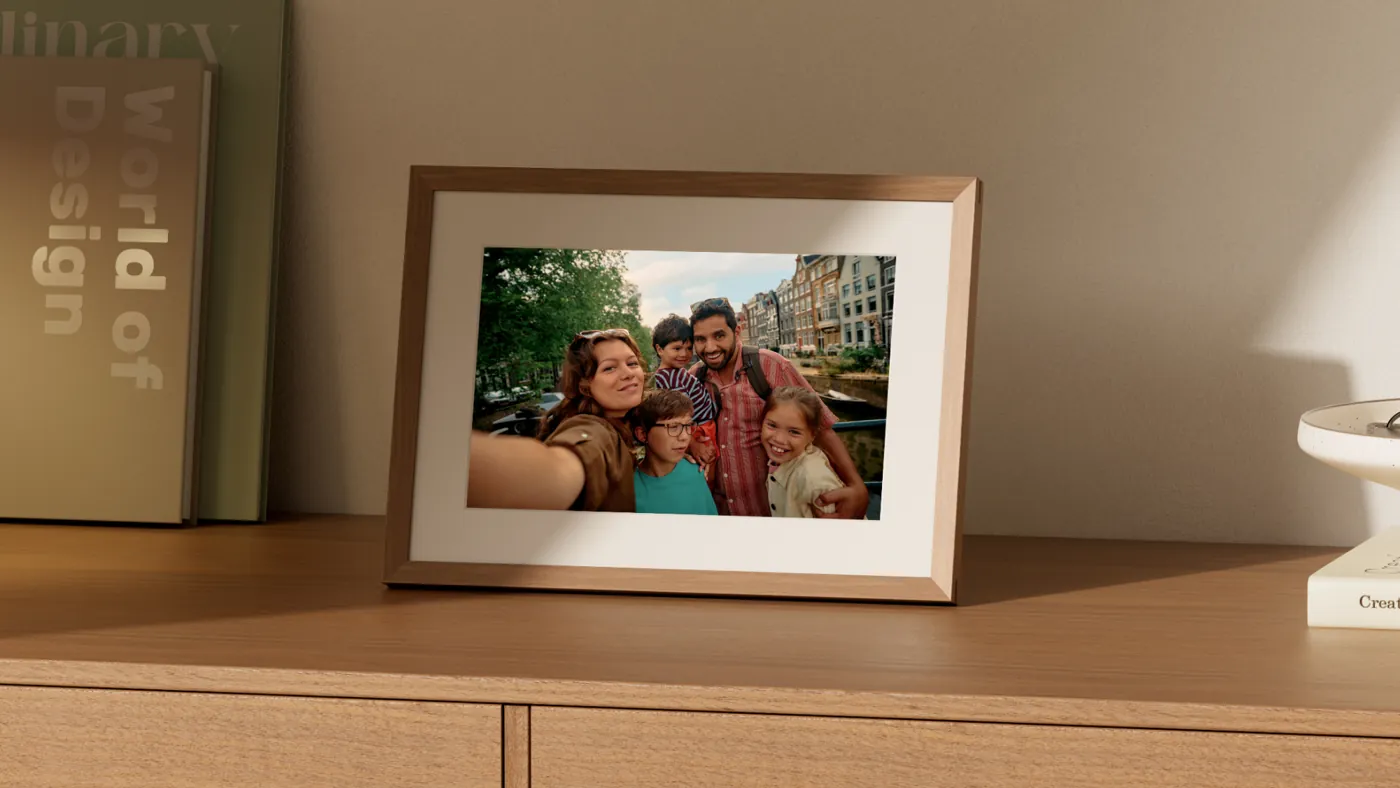

Source-backed watch notes
Product details
Updated November 2, 2026
Worth considering for an Amazon Photos household
The strongest reason to choose this frame is not the Alexa name on the box. It is having a photo library you already maintain become easier to enjoy. A family already backing up into Amazon Photos has less migration work than one whose shared albums live entirely in Google Photos. Asking for a memory can also be useful when someone remembers the occasion but cannot find the album. If you only want a quiet rotation of a few favourite photographs, those advantages become less important. Choose around the person who will keep the pictures current, not just the person receiving the screen. A basic slideshow is a different purchase from a voice-searchable family archive.
The 90-day offer is not a lifetime assistant plan
Amazon includes 90 days of Alexa+ with the frame and includes Alexa+ with Prime. Its assistant support also gives non-Prime customers a standalone Alexa+ Standard option, so “Prime required after the trial” is too narrow. Keep the photo account and the assistant entitlement separate: Amazon Photos gives ordinary accounts 5 GB shared across photos and videos, while eligible Prime and standalone Alexa+ subscribers receive unlimited full-resolution photo storage in supported countries. Do not treat unlimited photos as unlimited video storage. For a household that would keep Prime anyway, the assistant can have no extra subscription charge; for someone joining solely for the frame, the membership is part of the purchase.
| Your situation | What to budget |
|---|---|
| Already keeping an eligible Prime membership | Hardware, tax and power; Alexa+ is an included benefit, not a separately priced frame plan. |
| No Prime; using the ordinary photo allowance | The account has a 5 GB photo/video allowance. Advanced assistant access after the introductory period needs a separate eligible entitlement. |
| Joining for voice search or a large library | Add the chosen membership or standalone subscription renewals to the hardware cost; do not count the introductory period as permanent access. |
U.S. launch context, checked November 2, 2026. Account, country and renewal terms determine access. Rates and included benefits can change; the introductory offer is not permanent access.
Moving a Google Photos library is more than selecting a new frame
The documented upload route is Amazon Photos, including a Camera Roll option for pictures not already in that library. Auto-Save supplies fresh phone photos; a selected Highlights collection can then keep adding suitable images to the frame. That is different from connecting a Google Photos shared album directly. If your family uses Google Photos, first decide which originals you want copied into Amazon Photos and who will maintain the second library. A photo visible in a phone app is not necessarily an original file stored locally on that phone. Start with a small collection and keep your existing archive rather than moving the only copy of your family photographs.
A missing picture can be a selection decision, not a failed upload
Amazon’s curation instructions distinguish Highlights from individually added photographs. Highlights favour clear pictures and smiling subjects and leave out documents, screenshots and blurry shots. For exact control, the documented alternative is to add individual photos. That matters for older family photographs: the slightly blurred picture of a relative may be more important than a technically better recent image. When a particular memory is absent, check the collection’s selection before repeatedly uploading it. A more attractive automatic slideshow does not prove that every photograph you care about will appear. Image recognition also has account and location limits; availability in one person’s library is not a promise for every gift recipient.
Voice notes are shared memories with shared permissions
The current support workflow records a note in the Amazon Photos app, then plays it from the frame by touch or voice. It is not an instruction to record directly on the frame. More consequentially, everyone on the frame can hear the notes, and collaborators can add a note even to someone else’s photo. The deletion controls differ: deleting a note on your own photo places it in Trash for 90 days, while removing a note from another person’s photo is permanent. The app offers a download option before deletion. A spoken story can make a gift more personal, but keep a separate copy of an irreplaceable recording and avoid attaching anything intended for only one listener.
A collaborator is more than a sender
Amazon’s collaboration guide says every collaborator can view all frame photos, see the activity feed and manage other collaborators. That includes inviting or removing people, including the person who originally invited them. A sharing link can be used by anyone who has it and expires after seven days. Removing someone also removes the photos, collections and voice notes they supplied from the frame. This is a stronger permission model than a one-way family photo inbox. It can work well for a small trusted group, but it deserves an explicit conversation before extending invitations to a large family chat. Decide who maintains the collection and saves originals before someone leaves the group.
Preloading a gift does not remove the recipient’s setup
The setup guide uses the Amazon Photos app and a QR code. Preparing a gift lets the giver select photographs and create a gift code; the recipient still connects the frame to Wi-Fi, signs into the app and enters that code. Make sure the code reaches the right person before wrapping the frame. Someone giving a frame to a parent should also decide whose account and paid benefits will support the ongoing experience. “My Prime membership includes it” is not a complete setup plan for another household’s account. Keep the first collection small enough to check together, and invite the actual contributors rather than assume preloading establishes their permissions.
The useful hardware detail is how it behaves after dark
The launch describes a roughly ten-inch anti-glare touch display with light sensing; the retail model name specifies 10.1 inches. The settings guide documents adaptive colour and a Night Mode that turns the display off when the room is dark, with adjustable hours. Those controls answer a practical photo-frame question: whether a living-room display becomes an unwanted light at night. They do not establish measured glare reduction, colour accuracy or a perfectly smooth dimming transition. Before choosing a permanent shelf position, consider reflections from your own windows and whether the frame will be viewed from a chair or while walking past. The setup instructions call for the supplied power adapter, so plan for a nearby outlet rather than a cordless picture frame.
Alexa does not make this an Echo Show calendar
Amazon’s frame settings explicitly exclude video and motion-photo playback. The screen does not show weather, timer, alarm or now-playing information. It can show paired photos, but the guide provides no control to resize those pairs. This keeps the display focused, while limiting what it can replace. Echo Show owners should also separate this dedicated device from the similarly named Photo Frame mode: Amazon documents an up-to-three-hour photo session for Echo screens. That is an Echo-mode limit, not evidence of a three-hour timeout on this frame. A family looking for editable schedules, chores or video calling should start with a suitable calendar or smart display instead.
Alexa Photo Frame versus Aura or Skylight: start with the library
Put Alexa Photo Frame on the shortlist if Amazon Photos is already your home for pictures and voice retrieval is something the recipient will actually use. If the goal is a simple family slideshow and you would rather avoid adding an Amazon account or assistant, compare Aura’s photo-sharing approach. “Skylight” needs a model name: a Skylight photo frame is not the same product as Skylight Calendar, and Frame Plus is not Calendar Plus. For a kitchen schedule, the dedicated Alexa frame solves the wrong job. For a photo gift, compare the recipient’s setup, contributor permissions and recurring features, rather than compare a calendar screen’s overall score with an unscored photo frame.
Related reading
Choose by your library and the job at home
Compare a photo gift with a household calendar, and check the accounts that keep it useful.
The new device
- Amazon Photos versus Google Photos for a frameChoose automatic albums or selected-file delivery before changing libraries.
- Alexa Photo Frame launch, prices and included offerThe October 28 announcement and current U.S. pricing context.
Photo sharing and household displays
- Aura LCD photo-frame optionsA photo-first alternative to compare.
- Google Photos frame setup by brandDirect album links and manual uploads are different workflows.
- Calendar display versus Echo ShowChoose a screen for photos, planning or broader smart-display tasks.