
How to Sync Google Photos to a Digital Photo Frame
Follow the right setup for Aura, Nixplay, Cozyla, Pix-Star, Skylight or Frameo. See which connections update albums automatically and which send only the photos you select.
On this page
Quick answer
- Aura currently documents automatic Google Photos album sync. Nixplay documents it for Lite and Plus subscribers, through its mobile app.
- Cozyla Frame’s whole-album Google Photos sync has been discontinued. Its replacement is a manual selection and upload. Skylight and Frameo offer other ways to send selected photos.
- Start with a small “Frame Favorites” album. Connect or send that album’s photos, then add one extra photo to find out whether your chosen route keeps updating.
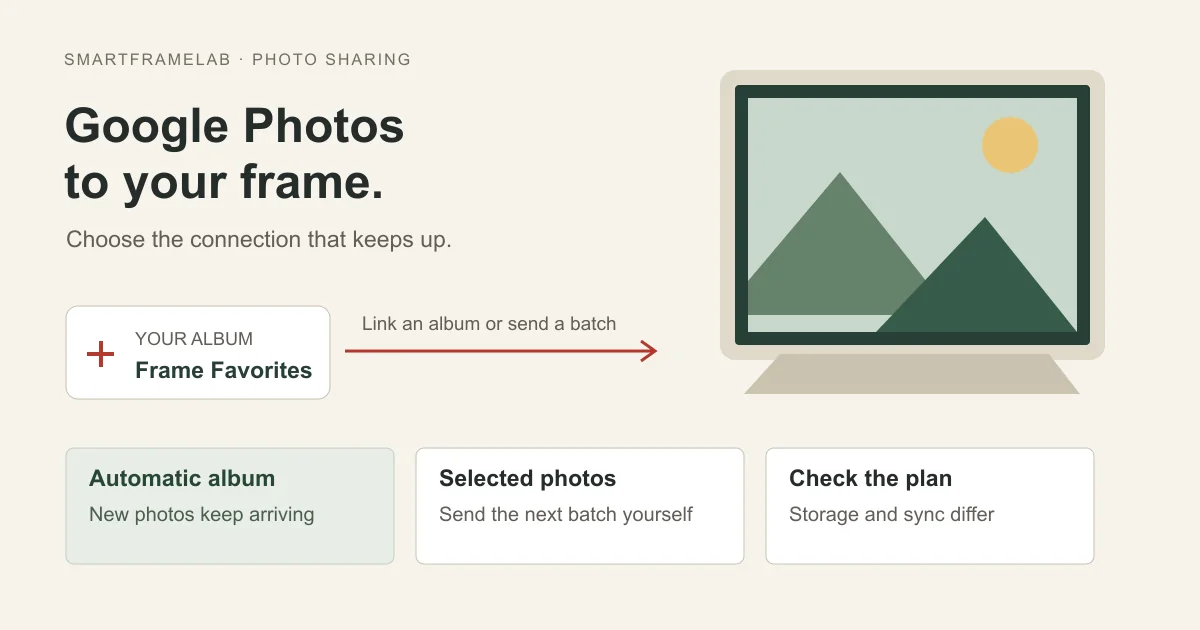
Decision map
Start with the library you already use
Choose whether you need ongoing album updates or prefer to approve each batch.
Google Photos + automatic updates
Aura, or Nixplay Lite/PlusiCloud on iPhone or iPad
Aura device album, or share selected photosA few photos from any library
Share or download, then send through your frame’s app/email routeGoogle Photos album sync means new pictures added to a linked album can reach the frame without another upload. Importing or sharing selected photos is a separate workflow: you must send the next batch yourself. Google changed its older photo-access APIs in March 2025, so older instructions may describe connections that have since changed; Google now also offers a separate Ambient API for photo-frame slideshows.
Who this suits: Owners setting up a frame they already have, or buyers choosing a display around their existing Google Photos library.
Choose your brand’s connection
Use the frame’s actual app and model name. Cozyla’s picture frames and Calendar displays, and Skylight Frame and Calendar, have different photo features. A Google Calendar connection brings in events; it does not bring in Google Photos.
| Frame or software | Google Photos route | Subscription or important limit | Sources |
|---|---|---|---|
| Aura | Automatic album sync; selected-photo sharing also available | Core photo sharing included; Google Photos videos need a separate upload route | Aura: Using Google PhotosAura LCD frame photo sharing |
| Nixplay | Automatic connected albums in the mobile app | Lite or Plus required; up to 2,500 photos per connected Google album | Nixplay: Google Photos setup |
| Cozyla Frame | Choose photos in Google Photos, return to Cozyla and upload | Whole-album sync discontinued; connecting requires the frame owner | Cozyla Frame: Google Photos |
| Pix-Star | Google Photos import advertised; current Google-specific automatic updates not established | No recurring frame subscription advertised; app uploads or attached files are alternatives | Pix-Star LUX 10 listingPix-Star FAQ |
| Skylight Frame | Download selected photos and email them as attachments | Basic email photo sharing; Frame Plus adds videos and albums | Skylight: email photosSkylight Frame Plus features |
| Frameo-powered frames | Google Photos → Share → Frameo → choose recipient frame | Core sending is free; this sends a batch rather than linking the album | Frameo: sharing from other photo appsFrameo: free sending and paid plans |
Use the instructions for your exact frame and app.
Prepare a small album before connecting
Create a Google Photos album called “Frame Favorites” and add three ordinary pictures: a landscape, a portrait and one with small detail. Confirm they are visible at photos.google.com in the Google account you intend to connect. A picture visible only on your phone may not yet be backed up.
- Keep private screenshots and documents out of the album. Everyone who can contribute to a shared album may affect what appears in the living room.
- Keep your original library and backups. A frame is a display destination, not your only archive.
Aura: connect an automatically updating album
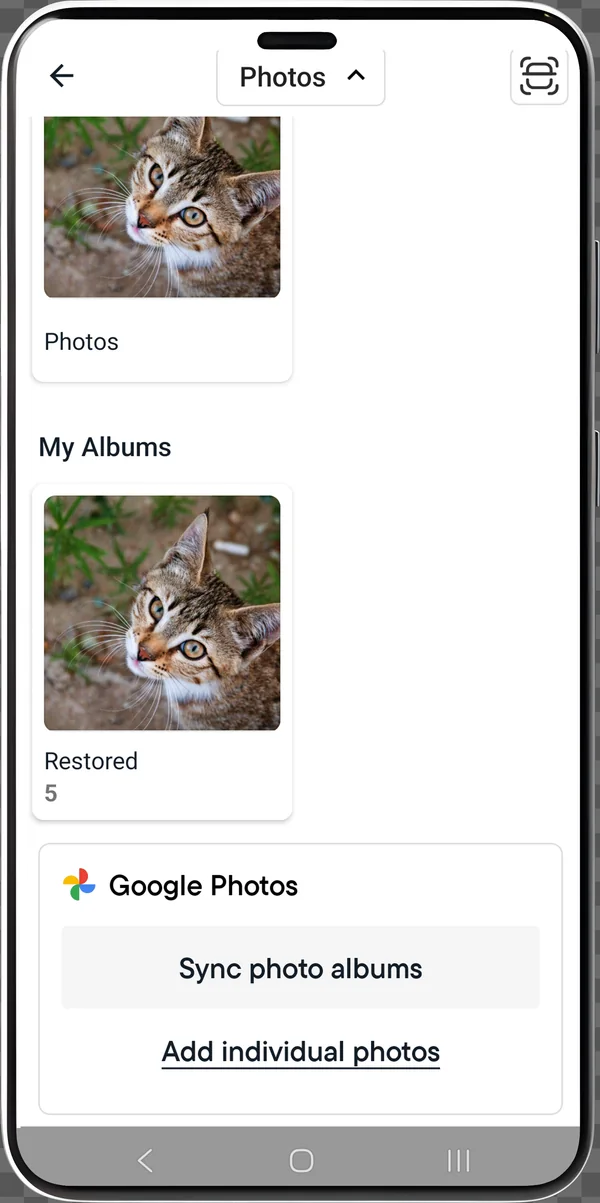
Choose “Sync photo albums” for ongoing updates.
- Select the frame → Add Photos → Camera Roll (iOS) or Photos (Android) to open album view.
- Choose Google Photos → Sync photo albums → Connect to Google Photos. Select your account and approve the photo-frame permission.
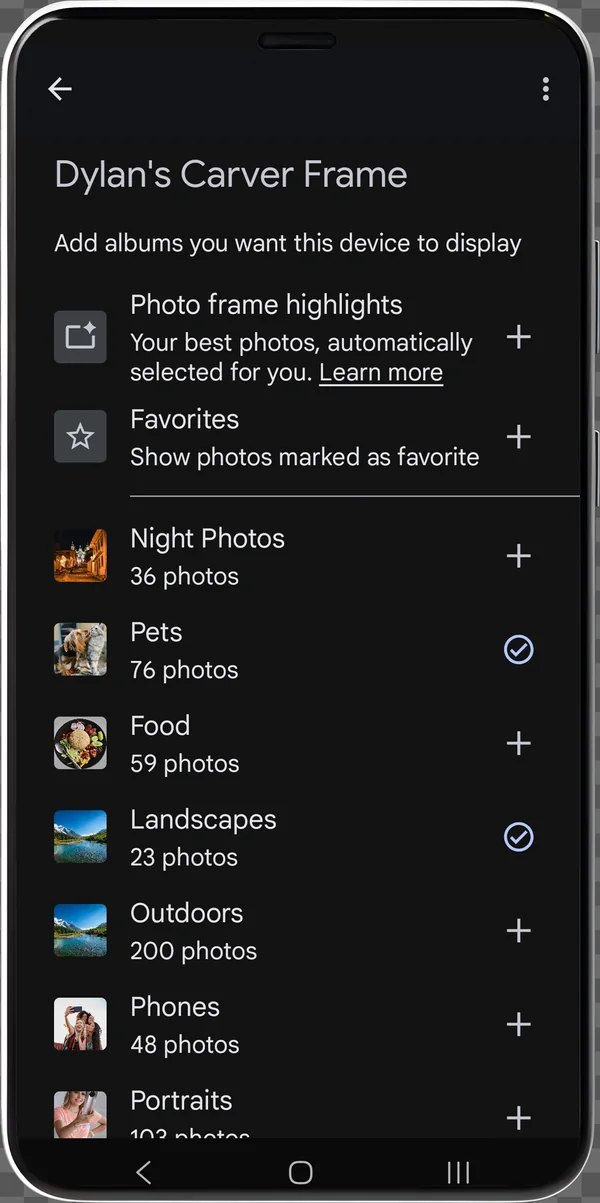
- Open Google Photos, tap + beside Frame Favorites, then return to Aura. Look for its Auto-Add banner.
- Aura estimates initial albums usually appear within an hour, sometimes up to 24 hours.
- Google Photos video upload is not supported through this connection. Use the device-library sharing route instead.
Sources: Aura: Using Google Photos
Nixplay: create a Connected album in the mobile app
Google Photos requires Nixplay Lite or Plus. The web app does not support setting up this connection. Our Nixplay review compares the free allowance, model features and long-term plan cost.
- Open the Nixplay mobile app → Albums → + → Create a new album → Connected → Google Photos.
- Choose your Google account and approve the requested access. Select the album or offered category.
- Name the connected album, tap Continue, switch on the recipient frame or frames, then tap Done.
- Nixplay states that connected Google albums update automatically and allow up to 2,500 photos each. Its setup page does not specify a guaranteed Google Photos update interval.
Sources: Nixplay: Google Photos setup
Cozyla Frame: select and upload photos manually
Cozyla’s picture-frame support page explicitly says whole Google Photos album sync was removed. Already downloaded pictures remain unless deleted or the frame is wiped.
- As the frame owner, open Cozyla’s Settings → Account → Connect to Google Photos and complete Google sign-in.
- Choose Add photos/album → Upload from Google Photos → Continue to Google Photos.
- Select the pictures, tap Done, return to Cozyla, choose the destination album/device and tap Upload.
- Repeat the selection for later photos. The connected account does not turn this workflow back into automatic album sync.
- For a Cozyla Calendar display, follow its exact-model screensaver instructions instead. Calendar+SE is excluded from the cited Google Photos method; Google Photos videos must first be downloaded for Local Album playback.
Sources: Cozyla Frame: Google Photos · Cozyla Calendar+: screensaver setup
Pix-Star: check web albums, or send actual files
The current Pix-Star LUX 10 listing names Google Photos import and Dropbox auto-sync separately. Its broader linked-album claims do not establish current Google-specific automatic updates. The Pix-Star review explains that distinction, remote multi-frame management and local playback. If Google Photos is unavailable or sign-in fails in your web account, send the photo files through the app, web uploader or email.
- Sign in to your registered Pix-Star web account and inspect its external/web-album options. If Google Photos is offered, follow its sign-in and album-selection prompts.
- If that connection is missing or fails, download selected Google Photos images and upload the files through Pix-Star, or attach them to an email to the frame’s @mypixstar.com address.
- A Google Photos sharing email can contain a link rather than image attachments. Pix-Star says it cannot import those link emails; attach the downloaded pictures themselves.
Sources: Pix-Star LUX 10 listing · Pix-Star FAQ
Skylight and Frameo: share the pictures you choose
For Skylight Frame, save the selected Google Photos pictures and attach the files to an email addressed to the frame. Frame Plus adds videos, captions and albums. Calendar photo screensaver entitlements are separate.
- For Frameo, pair your phone with the frame first. In Google Photos, select pictures → Share → Frameo, choose the frame, complete the send flow and tap Send photo.
- If Frameo is absent from the share menu, save the pictures to the phone and select them in Frameo. Core sending is free; optional paid plans cover other capabilities. See the Frameo buying guide for hardware and plan differences.
Sources: Skylight: email photos · Skylight Frame Plus features · Frameo: sharing from other photo apps · Frameo: free sending and paid plans
Check updates, missing photos and picture quality
Once the first batch appears on the frame, add a fourth picture to Frame Favorites without sending it again. A linked album should bring it over; a manual import will require another send. Time both actions if update speed matters to your family.
| What you see | What to check | Sources |
|---|---|---|
| Album missing in the connection screen | Check the Google account, cloud backup and selected album. In Aura, switch from individual-photo view to album view. | Aura: Using Google Photos |
| Aura album selected but not yet visible | Allow the initial-sync window described above; larger albums take longer. | Aura: Using Google Photos |
| A few Aura photos absent | Auto-Add can filter suspected duplicates, blur or inappropriate content; compare an individual upload before assuming the connection failed. | Aura: adding and removing albums |
| Pix-Star email arrives without pictures | Send image attachments, not a Google Photos album link. Check the @mypixstar.com address. | Pix-Star FAQ |
| Cloud photo absent from Frameo’s gallery | Share it from Google Photos, or save a local copy and select it in Frameo. | Frameo: sharing from other photo apps |
Compare the received landscape and portrait on the frame itself: check cropped faces, rotation and fine detail. A successful upload does not establish panel quality or preservation of the original file.
iCloud, family access and long-term cost
An iPhone owner does not have to move the whole library to Google Photos. Aura can select iCloud-synced pictures through the iPhone/iPad photo library and Auto-Add a device album. This depends on the phone’s library access; it is not a separate iCloud-account login on the frame. Frameo also supports selected-photo sharing from other photo apps.
- For a family gift, let relatives contribute to one deliberately shared album or use the frame’s contributor invitations. Do not share your Google password. Photo-album access and frame-management access are different permissions.
- Google storage and the frame maker’s plan are separate bills. Nixplay lists U.S. Lite at $19.99/year and Plus at $29.99/year. At unchanged rates, three full paid years add $59.97 or $89.97; five add $99.95 or $149.95, excluding hardware, tax, trials and Google storage. Local and in-app prices can differ.
- Aura’s core sharing and Frameo’s core sending have no required recurring plan; optional services and separate Google storage can still cost extra. Paid frame features do not guarantee an automatic Google Photos connection.
- AI photo selection can choose what gets shown; it does not repair a broken connection or prove better color or detail. A photo-frame connection also says nothing about two-way Google Calendar event editing.
Sources: Aura: computer photos and iCloud · Aura: adding and removing albums · Nixplay subscription comparison · Aura LCD frame photo sharing · Frameo: sharing from other photo apps · Frameo: free sending and paid plans
Sources
Before you finish setup
Common questions
Does paying for Google storage include my frame’s subscription?
No. Google storage and a frame maker’s paid integration are separate purchases. Nixplay’s Google Photos connection requires Lite or Plus even if you already pay Google for storage.
Will deleting a Google Photos image remove it from Aura?
For a synced album, removal is reflected on Aura, potentially a day or two later. Individually uploaded pictures require separate removal in Aura. Try a disposable test photo first.
Does Skylight Plus automatically sync Google Photos?
Frame Plus does not list automatic Google Photos album sync among its features. Send selected Google Photos pictures as email attachments; Plus adds videos, captions and albums.
Can I sync Google Photos videos the same way?
Do not assume a photo-album connection includes video. Aura’s Google Photos route excludes video uploads; use its device-library sharing route. Cozyla’s cited Calendar instructions require Google Photos videos to be downloaded before use in Local Album.
Related setup and buying guides
Choose the right frame and sharing workflow
Compare hardware, photo privacy and ongoing costs before connecting the rest of your family.
Photo sharing and ownership
- Choose a Frameo photo frameMatch the hardware, app and free or paid sharing tools.
- Photo-frame privacy checklistCheck contributors, account access and your original photos.
- Understand subscription limitsSeparate storage, new uploads and continuing album updates.