
Photo sharing and cloud ecosystems / Updated November 2, 2026
Amazon Photos vs Google Photos: Which Digital Frame Fits Your Library?
Choose a frame around your existing photo library. Compare automatic albums, manual sharing, subscriptions and ways to keep your originals safe.
Choose the route that your family will keep using. Amazon Photos is the most direct fit for Alexa Photo Frame. Google Photos automatic albums point toward Aura or Nixplay Lite/Plus. For mixed libraries or occasional selected pictures, manual sharing can be more flexible than moving the whole archive. A cloud logo alone does not tell you whether new photos will keep arriving.
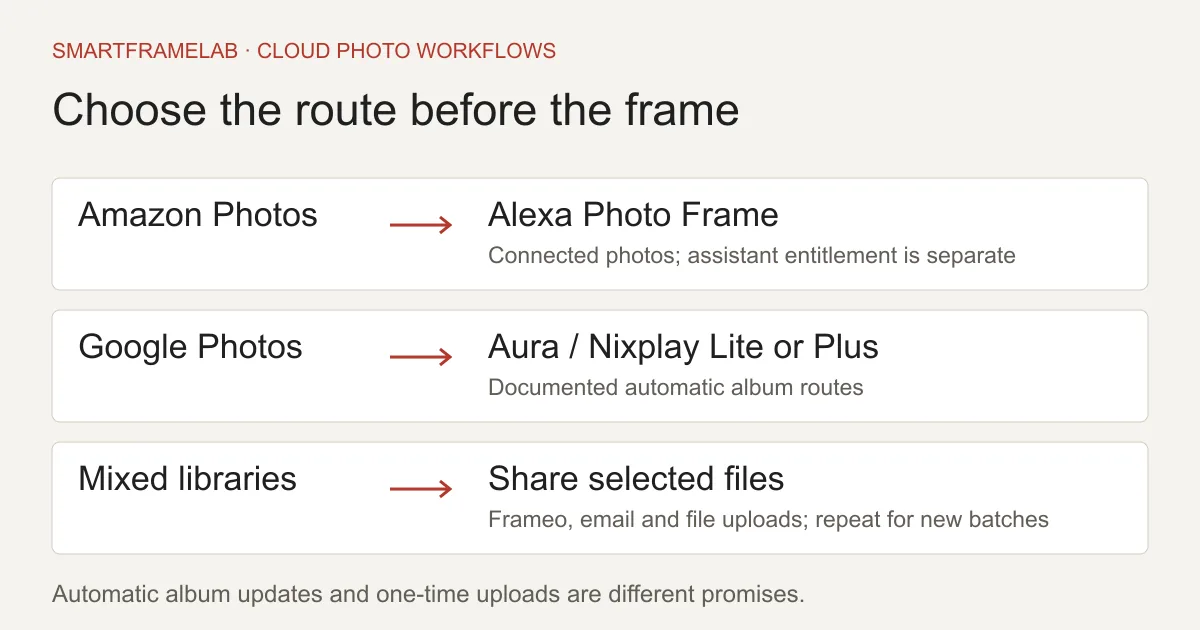
Quick answer
- Aura supports Google Photos album sync as well as its own frame service; those are not mutually exclusive.
- Nixplay’s Google Photos connection requires Lite or Plus. Frameo and Skylight file sharing are different from an automatic Google album.
- You can often keep a frame when changing photo libraries by sending selected files through a supported route. Keep independent originals either way.
Related reading
Compare the products and setup options
Related reviews
- Nixplay Modern 10.1-inch W10K ReviewExisting Nixplay families, or photo sharing with portrait rotation and wall mounting.
- Pix-Star LUX 10 (10.4-inch) ReviewFamilies sending photos to several homes, especially when the recipient wants to watch the slideshow rather than manage another phone app.
Watch notes and guides
- How to Sync Google Photos to a Digital Photo FrameFollow the right setup for Aura, Nixplay, Cozyla, Pix-Star, Skylight or Frameo. See which connections update albums automatically and which send only the photos you select.
- How to Choose a Frameo Digital Photo FrameCompare Pastigio, MAXANGEL, BIGASUO and Pexar options, avoid app mix-ups, and check local storage, optional subscriptions and gift support before buying.
Software & devices
Follow the app behind the display
Explore the software for app workflows, and the device profile for its screen, setup and buying details.
Remote photo sharing and connected albums. Google Photos requires Lite or Plus.
Devices discussed in this article
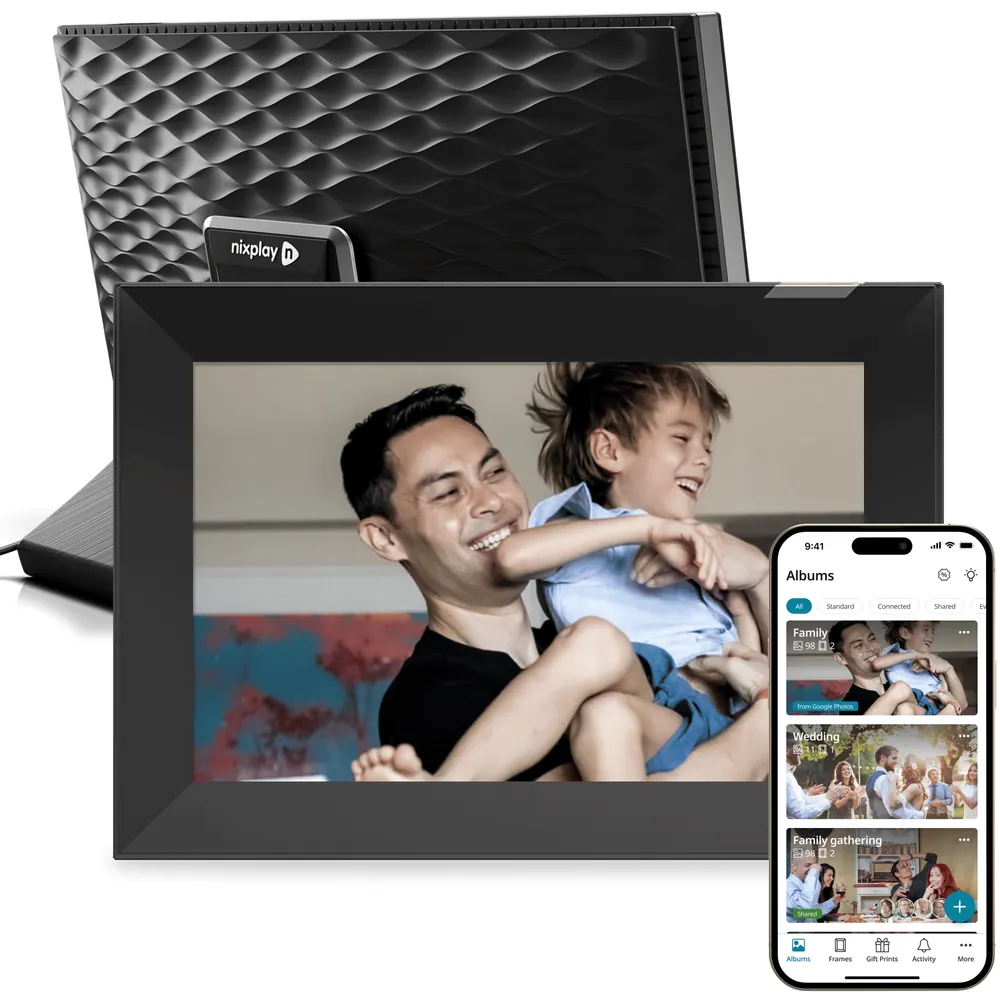 Nixplay Modern 10.1-inch W10K
App, email and web photo management, including remote multi-frame administration.
Devices discussed in this article
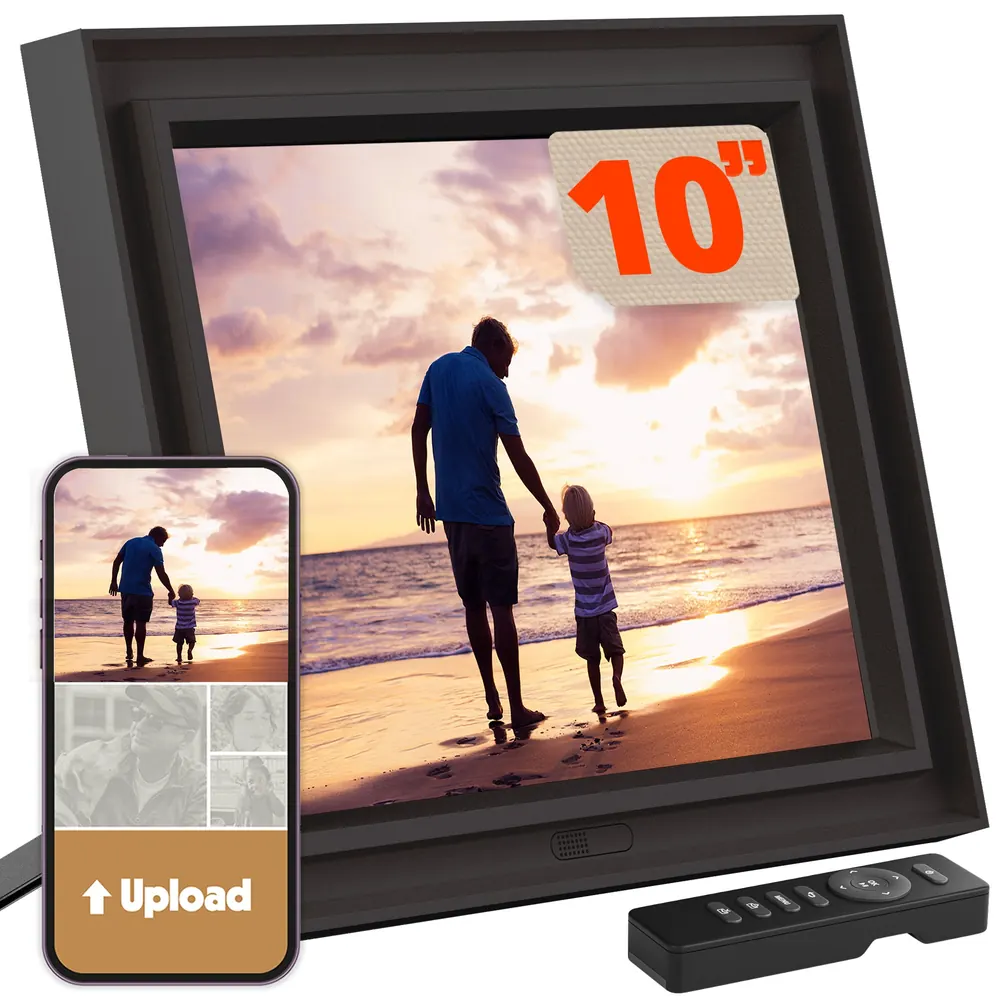 Pix-Star LUX 10 (10.4-inch)
Feature matrix
Which route will deliver the next photo?
Feature study Manufacturer photo-transfer, plan and backup instructions checked November 2, 2026; account and exact-model rules apply.
| Device or app | Documented route | Buying consequence | Sources |
|---|---|---|---|
| Alexa Photo Frame | Amazon Photos selected pictures or collections; fresh images can flow through Auto-Save and Highlights. | A Google Photos shared album is not the same connection. Plan any copying and account entitlement. | Amazon: photo delivery to Alexa Photo FrameAmazon: Photos storage and supported features |
| Aura | Google Photos whole-album Auto-Add, or individual uploads. | Automatic updates are available; the Google route does not upload videos. | Aura: Google Photos album sync |
| Nixplay | Google Photos connected albums through the mobile app. | Lite or Plus required; up to 2,500 pictures per connected album. | Nixplay: Google Photos connection |
| Frameo-powered hardware | Share selected files from Google Photos, Amazon Photos or other apps into Frameo. | The next batch needs another send; it is not an automatic album connection. | Frameo: sharing from Google, Amazon and other photo apps |
| Skylight Frame | Send image attachments to the frame’s email address. | Download/send the actual files; do not confuse a shared cloud link with attached pictures. | Skylight: email photo attachments |
| Pix-Star | FAQ describes saving Google Photos files, then sending through the app or email; external-album options are separate. | Check the exact provider in the account before buying for automatic Google updates. | Pix-Star: file delivery, web albums and backup |
| Cozyla picture frames | Current instructions replace whole Google album sync with manual selection and upload. | Do not apply an old automatic-sync promise to the current frame app or to Calendar models. | Cozyla Frame: Google Photos changes |
Routes checked November 2, 2026. A completed sign-in or imported batch is not evidence that later album additions arrive automatically.
The first question is who will send next month’s photographs
A frame can be easy to set up and still become work for the person supplying the pictures. If a parent receives new photos only when you select and send another batch, the useful question is whether you will keep doing that after the novelty fades. Automatic album delivery changes that routine, but it also gives the source album more influence over what appears. Start with the collection the family already maintains, then choose whether the frame should follow it continuously or receive a deliberate selection. You do not need to move an entire library merely to send ten favourite photographs. The smaller, more sustainable workflow often matters more than which cloud has the larger storage allowance.
Amazon Photos: the natural route for the new Alexa frame
Amazon documents a frame workflow using its Photos app, selected images and collections. Auto-Save supplies new phone pictures; a Highlights collection can keep feeding suitable images to the display. A Camera Roll picker also supplies selected pictures not already in Amazon Photos. That does not turn a Google Photos album into a live source for the frame. A household already using Amazon Photos avoids much of the copying work, while a Google-first household needs to decide whether maintaining a second destination is worthwhile. Our Alexa Photo Frame Watch covers account ownership, collaborator permissions and the difference between selected photos and automatic curation. Echo Show is a separate smart-display product, even though it also uses Amazon’s photo ecosystem.
Google Photos: choose the album connection, not just a Google logo
Aura documents whole-album Auto-Add: later additions to a linked Google album are sent onward. It also allows selected-photo uploads, which behave differently when pictures are removed. Its Google Photos connection excludes video uploads. Nixplay likewise documents automatic connected Google albums, but requires Lite or Plus and limits each connected album to 2,500 photos; setup is through the mobile app, not the web app. These are concrete reasons to shortlist a connection. They are more useful than assuming every frame with Google sign-in delivers the same behaviour. Once you have chosen the route, our Google Photos setup guide walks through the app steps without making you repeat the buying decision.

A maker’s cloud and a Google connection can both be present
“Aura uses its own cloud” is not a reason to rule it out for a Google Photos household. The source library and the service delivering pictures to the device are different layers. The same distinction matters when comparing subscriptions: paying Google for storage does not pay Nixplay for its connected-album feature. A successful sign-in only proves the account can be connected; it does not prove every album will update, that videos are supported, or that the device can recover without the vendor. Think about the full chain from source photo to the receiving screen. That makes it easier to identify which account needs attention when the library has a new picture but the frame does not.
Mixed-cloud families do not necessarily need to change frames
Frameo explicitly documents sharing from Google Photos, Amazon Photos and iCloud Photos into its app. It is a selected-file handoff, followed by the normal send process, rather than a permanently linked cloud album. That can be exactly the right compromise when relatives keep photos in different services. Skylight Frame’s email route similarly accepts attached image files. Pix-Star’s FAQ tells Google Photos users to save the pictures and send files through its app or as email attachments; an album-link email is not the image itself. These routes require more repeated action, but they also make changing the source cloud less disruptive. The frame can stay while the sender changes how the next batch is prepared.
Old integration advice can outlive the connection
Cozyla’s picture-frame support page says whole Google Photos album sync has been discontinued and describes selecting photos for upload instead. Downloaded pictures remain unless removed or the frame is wiped. That is a real example of a connection changing while the hardware continues to work. Google changed older photo-library API access in March 2025, and now documents an Ambient API specifically for display experiences. Neither development proves that every brand currently supports automatic albums. For Pix-Star, separate broad external-album claims and older Google-specific tutorials from the file-delivery route in the current FAQ. The exact account screen and a fresh-photo check are stronger buying evidence than a years-old list of supported logos.
Price the account, the frame service and the person doing the work
Google’s ordinary account allowance is up to 15 GB shared with Drive and Gmail. Amazon’s ordinary Photos allowance is 5 GB for photos and videos; eligible Prime and standalone Alexa+ customers receive unlimited full-resolution photo storage in supported countries, with video limits remaining separate. These are library costs, not guarantees of a particular frame integration. An existing Prime household should count only costs it would add for the frame, while someone joining for this purchase needs to count the renewal. Nixplay’s U.S. Lite and Plus annual prices illustrate the second bill: $19.99 and $29.99 add $59.97 and $89.97 over three complete paid years at unchanged rates, before hardware, tax, trials and separate cloud storage.
| Route | Separate ongoing decision | Sources |
|---|---|---|
| Amazon Photos → Alexa Photo Frame | Prime includes Alexa+; a standalone assistant option also exists. After the included 90 days, check the account entitlement you will maintain. | Amazon: Photos storage and supported featuresAmazon: Alexa+ access optionsAmazon: Alexa Photo Frame launch |
| Google Photos → Aura | Core Aura sharing has no subscription fee; Google storage and the supported media route remain separate. | Aura: included sharing and offline useAura: Google Photos album sync |
| Google Photos → Nixplay | Lite or Plus is needed for the connection, even if Google storage is already paid. | Nixplay: Google Photos connectionNixplay: membership prices and limits |
| Either cloud → selected-file sharing | Repeated sending can avoid a second automatic-album dependency, but takes someone’s time. Core Frameo sending is free; paid features are separate. | Frameo: sharing from Google, Amazon and other photo appsFrameo: core sending and paid services |
Plan and workflow evidence checked November 2, 2026. This compares service boundaries, not hardware bundle prices or future renewal guarantees.
Photo quality starts before the upload
An original-quality archive is valuable, but a frame can display only the file it receives, in the composition and resolution its screen supports. Google distinguishes Original quality from Storage saver, which compresses and may resize pictures. Copying a smaller version into a second cloud does not recreate the missing original detail. Avoid using a screenshot of a photograph as the migration file. Compare an actual portrait, a landscape and a group photo near the edge of the frame: check faces, rotation and borders rather than equating successful delivery with good presentation. Video is another separate decision. A cloud may store a clip even when a frame, integration or account plan will not play it.
A shared album and a frame-management invitation grant different access
Choose the least broad permission that supports the family routine. Someone contributing to a shared source album does not always need permission to manage the frame itself. On Alexa Photo Frame, for example, collaborators can manage other collaborators, not merely send a photograph. Before linking a whole library, make a small display album and agree who may add, remove or invite. Keep a sensitive photo out of the test collection. A photograph added correctly to the cloud may still be absent from an automatically selected slideshow, and a photograph removed from a linked album may later disappear from the receiving device. Those behaviours deserve a small, reversible check rather than an assumption that every vendor copies and deletes the same way.
Local playback, external backup and original files solve different failures
Cached pictures can keep a frame useful during a short connection problem. A removable-media input can provide another way to load photographs. Neither automatically gives you a recoverable original archive if the frame breaks or its service closes. Frameo documents external-storage backup on compatible hardware, covering photos and connections; the actual model must have suitable storage support. Pix-Star documents local SD/USB use and copy/export operations, with behaviour that depends on how pictures reached the device. Keep independent originals outside the frame and practise recovery with a few non-sensitive files before depending on the display as the family’s only copy. Our owner-complaints article explains why an upload failure, a changed entitlement and lost local access need different remedies.
The four-photo check before committing to an ecosystem
Use four ordinary photos to learn what the connection actually does. Send three through the documented album or file route and wait until they appear on the receiving device. Add the fourth to the source album without sending it separately. Automatic album delivery and manual uploads should now behave differently. Then use a disposable copy to check removal, keeping the original elsewhere. This does not measure a panel or establish future service reliability; it reveals whether the family’s intended weekly routine matches the connection being purchased. A retailer demonstration using a preloaded slideshow cannot answer that question for your account.
- For a linked album, watch for the fourth photo to arrive through the connection; allow the maker’s stated refresh window.
- For a manual route, expect to select and send the next batch again. That is a workflow choice, not necessarily a fault.
- If a new picture is missing, check backup completion, album selection, permissions and curation before replacing the frame.
Which ecosystem should you choose?
Keep Amazon Photos at the centre when your household already maintains it, values the eligible membership benefits and wants the Alexa frame’s retrieval experience. For a Google Photos shared album that relatives will keep adding to, start by comparing Aura’s documented album route with Nixplay’s paid connection. For a deliberate monthly selection from several libraries, a Frameo or file-upload workflow can be more flexible than moving everyone into one cloud. Do not buy a new frame solely because a sender changes photo apps. Buy when the intended delivery method, screen, permissions and recovery options fit better. If the primary need is appointments and chores, make a separate calendar-display decision: Google Photos support says nothing about Google Calendar event editing.