
On this page
Quick answer
- Try the TV route if the television is already visible during breakfast and bedtime, and adults are happy to edit appointments on their phones.
- Choose a dedicated screen if the calendar must stay visible while someone watches TV, or children need to walk up and tap their chores.
- Luana website annual billing totals $239.97 over three paid years. A basic Calendar 2 at the listed $319.99 costs $80.02 more before tax and electricity. Plus changes the comparison.
Compare five billing routes over three years
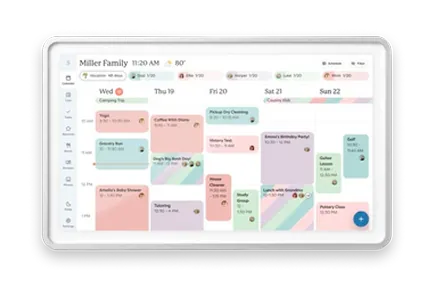
A low monthly headline and an annual total describe different payment choices. Luana lists $7.99 per month or $79.99 per year on its website. Its Black Friday article separately quotes $99.99 a year for subscribing through Amazon on Fire TV. Check the billing route before pressing Subscribe. On Skylight’s U.S. Classic page, the no-Plus option is $319.99. The $299.99 offer includes one free month, followed by $79 annual Plus billing.
| Purchase path | Calculation | Total | Sources |
|---|---|---|---|
| Luana website, annual | 3 × $79.99 | $239.97 | Luana pricing, TV support and trial |
| Luana website, monthly | 36 × $7.99 | $287.64 | Luana pricing, TV support and trial |
| Luana via Amazon, annual | 3 × $99.99 | $299.97 | Luana Black Friday comparison and Amazon billing price |
| Calendar 2, purchased without Plus | $319.99 hardware; no optional Plus payments | $319.99 | Skylight Calendar 2 Classic without Plus |
| Calendar 2 with three annual Plus charges | $299.99 + 3 × $79 | $536.99 | Skylight Calendar 2 Classic without PlusSkylight Calendar Plus features and price |
Existing compatible TV assumed. Excludes tax, electricity, accessories and a new streaming device. Luana totals cover three full paid years, excluding its trial. The Skylight example counts annual charges at months 1, 13 and 25 after the included month. It is a cash-outlay comparison, not identical paid-service durations.
What does the saving buy you?
Against Calendar 2 with Plus, Luana website annual billing saves $297.02 in the example. Against the basic Calendar 2, the gap is $80.02. That second comparison matters if appointments, chores and lists are enough. Skylight includes those core tools without Plus. Its paid tier adds rewards, photo and video screensavers, Magic Import and meal planning. Luana includes routines, stars and a photo screensaver, while its cost page says it has no meal planning.
- If you already own a working calendar screen, its purchase price is a sunk cost. Compare the optional service you would stop paying for with the new TV subscription before considering a switch.
The calendar is read-only on Luana’s TV
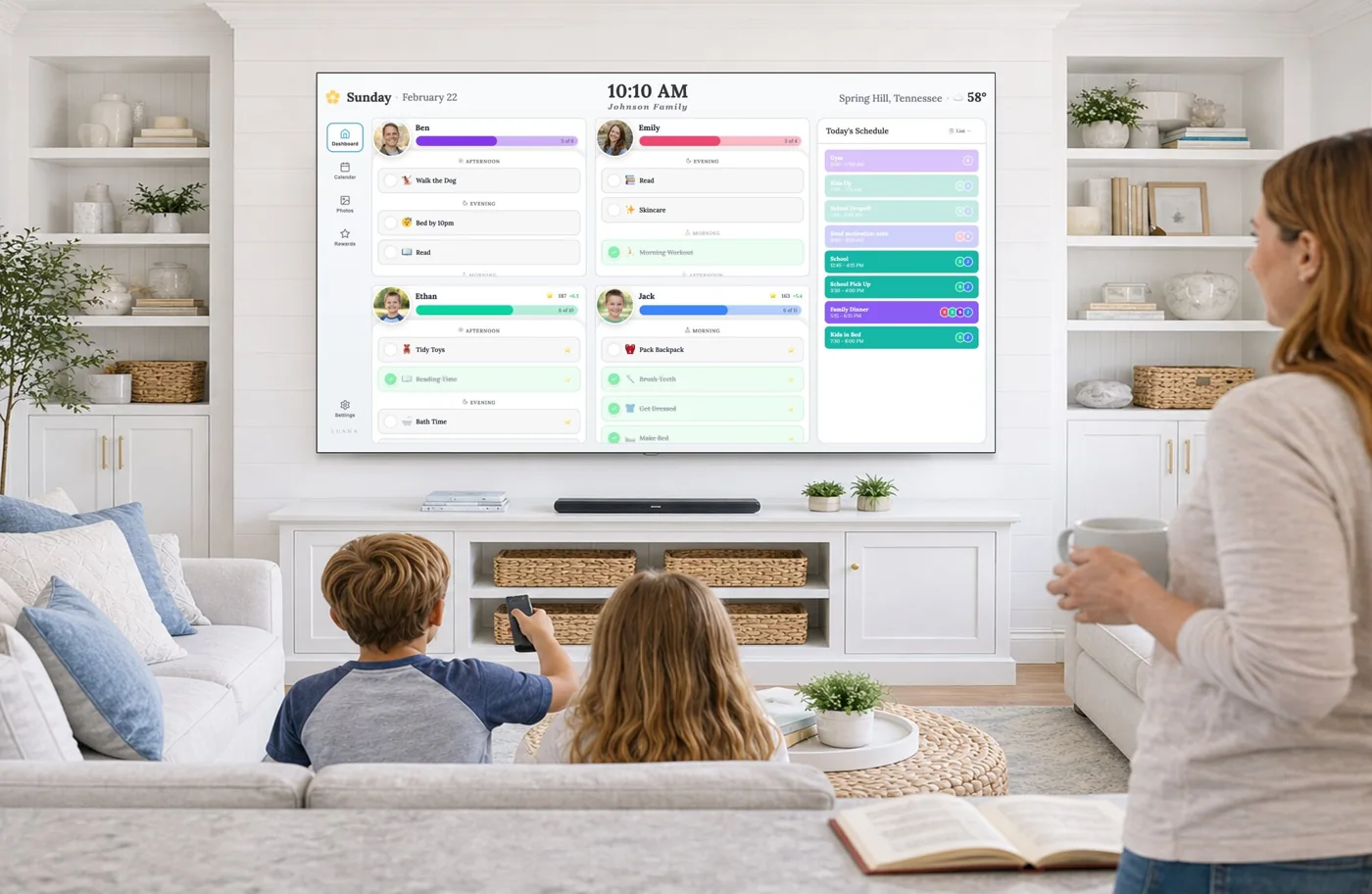
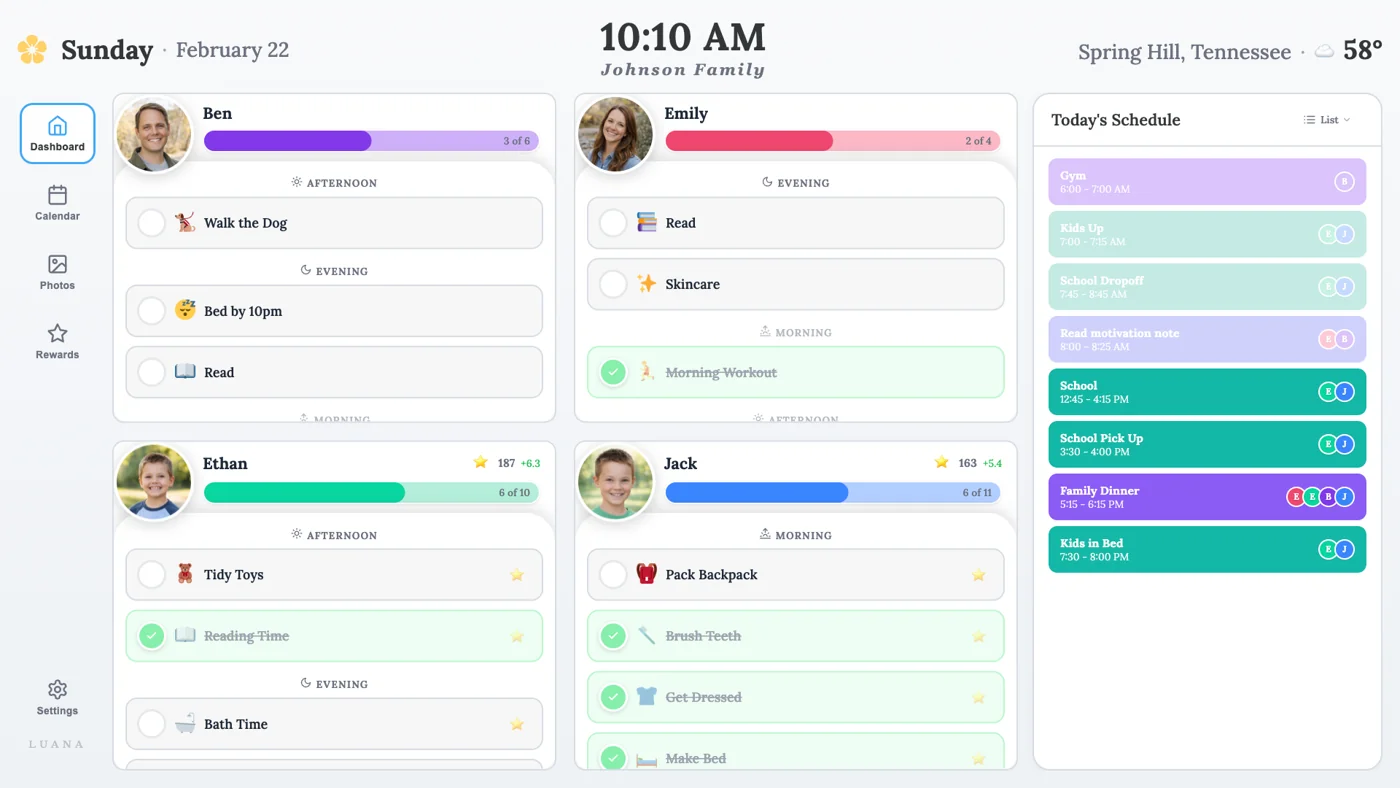
Luana’s homeschool page describes Google, Apple and Outlook calendars as read-only on the television. Adults change appointments in the source calendar, while children can check off routine items using the remote. Those are separate actions. A completed checklist item does not complete or edit a calendar event. Luana groups routines into morning, afternoon and evening, without clock-time routine blocks.
- For a pickup that changes from 4:00 to 4:30, edit the original calendar and make sure both phones and the TV show the new time. Keep the source calendar as the place everyone changes plans.
- Skylight documents two-way Google and iCloud connections, while several other providers use inbound feeds. Use our calendar sync comparison when write-back is a deciding feature.
The remote has to be where the child is
At breakfast, a child might find their name, open the morning list and check off getting dressed. A remote can make that possible without a phone. It can also be under a cushion or in another person’s hand. Put it in a predictable spot and let each child try the actual navigation. A touch calendar earns its extra cost when walking up and tapping the next task takes less effort than finding and operating a remote.
- Try the same morning checklist on a day when someone wants cartoons. If the family cannot agree when the calendar owns the TV, screen size will not solve the disagreement.
- A television in a separate lounge may be less useful than a small screen on the route to the kitchen. Place the information where the family already pauses.
Supported TV does not mean always visible
Luana advertises Roku, Fire TV, LG, Google TV and Samsung apps. Check the store on the exact TV and account region before paying. Google Play also has a Luana TV listing. A compatible platform name alone does not establish availability on every model year or in every country. An older television may need an extra streaming player, power socket and HDMI input.
- When the television is off, the calendar is hidden. When a streaming app or a game fills the screen, return to Luana to see the day. Its in-app slideshow does not establish that the calendar will become the system-wide screensaver or launch after every restart.
- Roku documents an optional 20-minute idle power-saving setting on selected players. Check it alongside the television’s own sleep timer. A TV’s separate Backdrops app displays art and photos; it does not establish automatic Luana calendar behavior.
Measure extra screen-on time, rather than assuming standby is expensive
The relevant energy cost is the extra time the panel stays lit for the calendar. Standby and an active dashboard are different power states. If a TV would otherwise be off, measure its calendar-mode wattage with a plug-in meter and subtract the power of the setup you would otherwise use. Include a separate streaming stick in the reading.
- Illustrative example only. A 70W difference for eight hours a day is 204.4kWh per year. At $0.20/kWh, that is $40.88 a year or $122.64 over three years. Those are assumed inputs, not measurements of Luana or Skylight.
- If you only open the calendar for a short breakfast check, use that shorter duration. If the TV was already on, count only the additional use caused by the calendar. Use your utility’s marginal rate.
A slideshow and a backup are different purchases
Luana’s terms include a photo screensaver with up to 100 photos. On a large TV, portrait pictures may occupy only part of the panel or need a crop. Try a face near the edge, a dark indoor photo and a vertical image before making it the main family photo display. Keep originals in your own photo library.
- Luana’s terms ask owners to configure display protection and avoid prolonged static content. Follow the TV maker’s guidance, especially for a panel susceptible to image retention.
- Skylight’s photo and video screensaver needs Plus. For families mainly buying a photo display, our photo-cloud comparison helps match the frame to the library they already use.
Use the trial to answer five household questions
Luana offers a 14-day trial without a credit card to start. Use the exact TV, remote and family calendars that would stay in service. This trial is most valuable before committing to annual billing.
- From the TV fully off, time how long it takes to reach the calendar. Repeat after watching a show and after restarting the streaming player.
- Leave the dashboard untouched through the longest breakfast or homework session. Check whether a slideshow, system screensaver or power-saving timer takes over.
- Move a spare event on one phone. Check the other phone and the TV, then confirm that the correct family member and time appear.
- Briefly disconnect Wi-Fi when no one needs the connection. Check what remains visible, whether actions are saved, and whether everything recovers after reconnecting.
- Have each child finish the morning list with the remote. At the end of the week, ask whether the screen actually replaced any repeated reminders.
What happens when you cancel?
Luana’s published website terms say subscriptions renew automatically and cancellation keeps access through the end of the billing period. They also offer a refund within 14 days of the first payment. The terms describe monthly Stripe billing, while the current website also sells annual access and the vendor quotes an Amazon rate. Read the terms shown for your chosen billing route and use its cancellation controls.
- Keep your original calendars and photos outside the service. The terms retain your ownership of uploads, but they do not establish a full export or a permanent free TV dashboard after cancellation.
- For a shared living-room screen, show only calendar details and photos everyone in the room should see. A private work calendar is often better kept on personal devices.
Which should your family choose?
- Try Luana first if you already have a supported TV in a useful room and want a low-cost way to test visible routines.
- Choose Calendar 2 without Plus if calendar viewing, editable supported calendars and touch chores are enough.
- Compare Calendar 2 with Plus if you will use its import, rewards, meals and photo features regularly.
- Keep a working setup if the main reason to switch is a promotional saving that disappears once billing, extra screen time and daily effort are counted.
Common questions
Does Luana need a Chromecast or casting phone?
Luana advertises TV apps for Roku, Fire TV, LG, Google TV and Samsung. Check the app store on the exact device and account region. The documented route uses a TV app; an additional streaming player may be needed on an unsupported television.
Can I edit Google Calendar from the TV?
Luana describes its TV calendar as read-only. Edit the event in the original calendar. Routine completion with the remote is separate from calendar editing.
Is Luana always cheaper over three years?
The website annual plan is $239.97 over three full paid years. The basic Calendar 2 hardware option is $319.99. Electricity, extra streaming hardware and the features you actually need can change the difference.
Related reading
Choose the right screen for your daily routine
Reviews and buying guides
- Skylight Calendar reviewThe hardware, supported calendar connections and Plus boundaries.
- Calendar sync comparisonCompare account editing with incoming calendar feeds.
- Echo Show 16 vs Skylight Calendar 2When a smaller kitchen screen should also handle streaming and Alexa.
- Photo-cloud ecosystems comparedChoose the photo route before choosing another display.
Sources
- Luana pricing, TV support and trial
- Luana routine controls and read-only calendars
- Luana Black Friday comparison and Amazon billing price
- Luana comparison and meal-planning boundary
- Luana terms, photo limit and cancellation
- Luana TV app on Google Play
- Skylight Calendar 2 Classic without Plus
- Skylight Calendar Plus features and price
- Skylight calendar sync and write-back
- Roku automatic power saving