
On this page
Quick answer
- Buy Skylight Calendar 2 if school pickups, shared schedules and per-person chores are the main jobs. Its basic tools cover those jobs without Calendar Plus.
- Consider Echo Show 16 if you already use Alexa and would also use Fire TV or smart-home controls in that room. Amazon announced it on October 28. Tom’s Guide reports a December 16 U.S. release. Check your delivery estimate before preordering.
- Keep an Echo Show 15 if its calendar and Fire TV already work for you. Amazon announced the 2024 Show 15 at $299.99 and says the 16 adds about 10% more screen area. A larger screen alone won’t fix a calendar account or permissions problem.
Can a child see and finish their own chores?
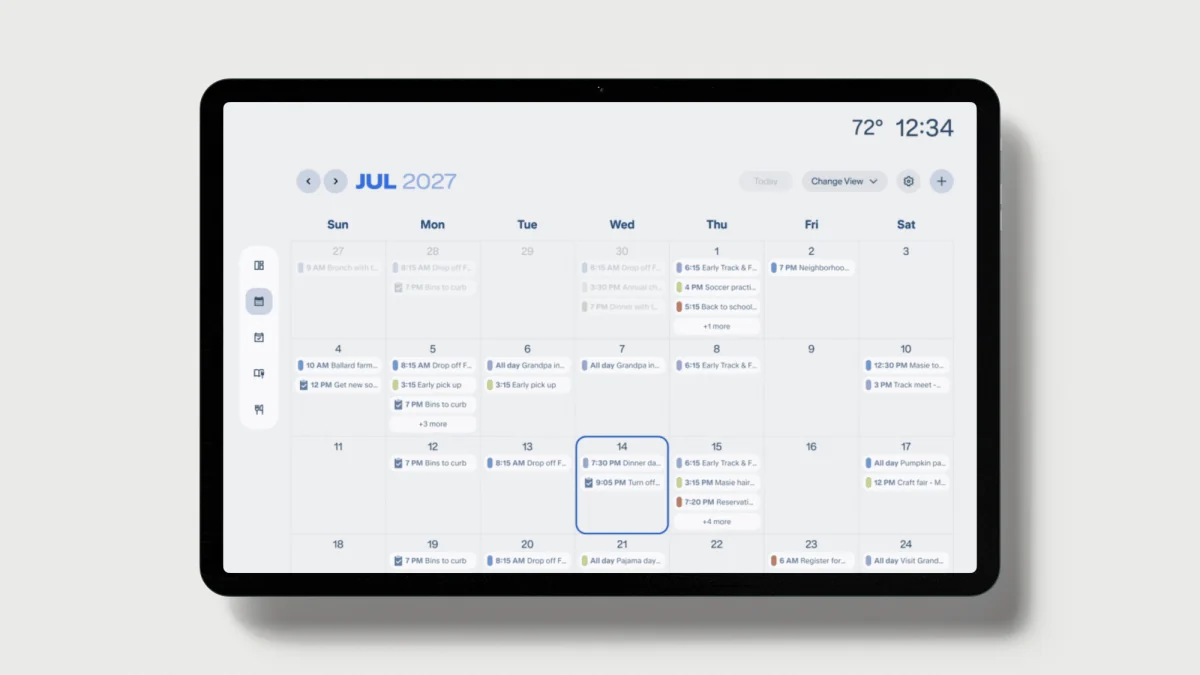
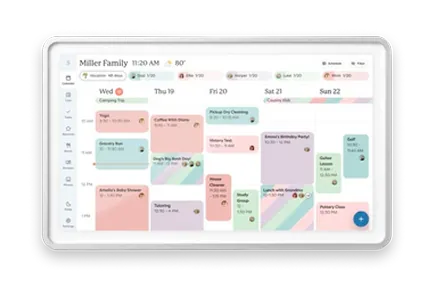
Imagine Friday’s pickup moves to 4:30 while two kids are getting ready for school. The useful screen tells each person what changed and who still needs to feed the dog. Skylight documents how to assign one task to one or more profiles, view each person’s tasks in columns and check them off at the display. An adult can also create or edit the task from the mobile app. Paying for Plus adds star rewards, not the ability to assign chores.
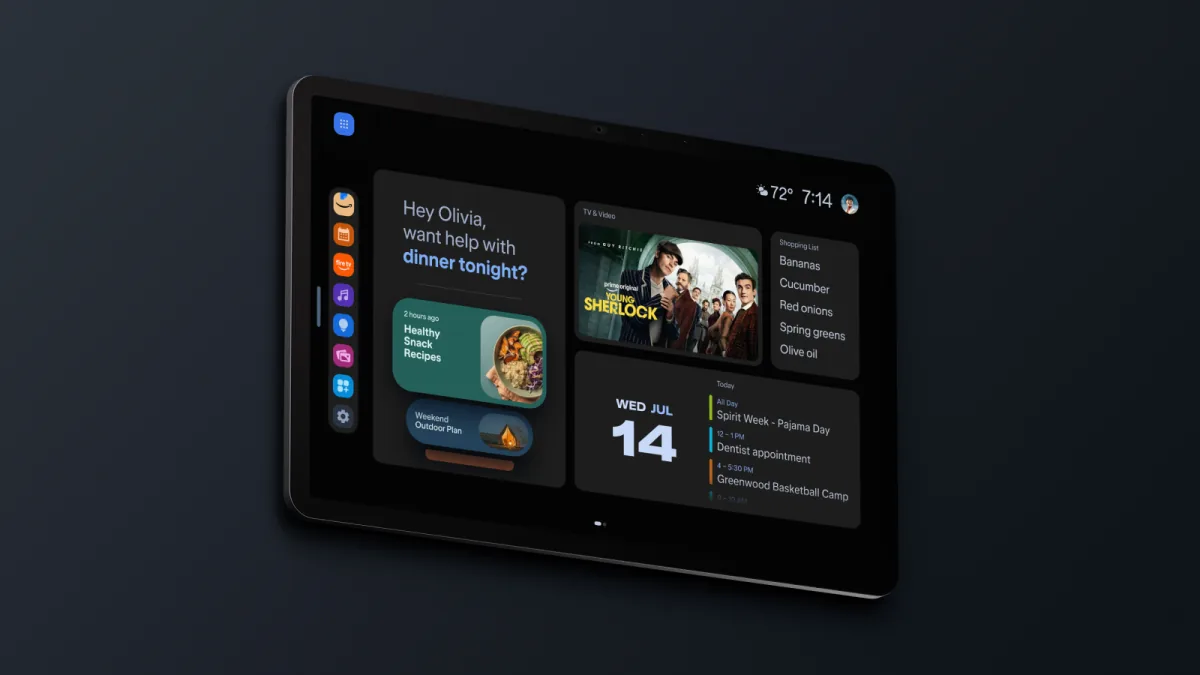
- Amazon describes Family Organizer as a home-screen style with separate areas for schedules, to-dos, meal plans and recipes. Its announcement says you can assign and track to-dos. It does not explain how individual children check off recurring chores or what another caregiver sees afterward.
- The Tom’s Guide launch demo showed the updated calendar and meal-planning tab. A demo view can show where those tools live. What matters at home is whether the day’s plan reappears after someone streams a show, opens a recipe or walks away from the screen.
- An Echo Show 15 owner in an Alexa forum described trouble bringing in an Apple calendar, while another asked for chores separated by family member with manual check-off. Those older-model accounts illustrate what to check before spending money on the 16.
Will a pickup change reach everyone’s phone?
If the kitchen screen is where people change plans, buy for write-back. Skylight documents two-way connections for Google Calendar and Apple iCloud. Its Outlook, Cozi, Yahoo and standard calendar-feed routes bring events in, so change the pickup in the original calendar when using one of those feeds. For the Outlook alternative, see the Greenlight Family Hub buying guide.
- Before preordering the Echo, open Alexa → More → Settings → Calendar and look for the exact account you use. Amazon’s Alexa help explains how to link calendars for adding, updating and deleting events and directs you to the app for its current provider list. That general support does not establish what the Show 16 organizer can edit by touch or which calendars it combines across accounts.
- Amazon says adults in Amazon Family no longer automatically share calendars across accounts. You can switch accounts or link calendars on the other account in the app. Voice ID controls which events Alexa reads for a person. For a kitchen screen, connect a shared family calendar first and keep sensitive work events on a separate calendar.
- For Outlook write-back from the wall, Greenlight documents two-way Outlook, Google and iCloud sync. Its shared calendar is included on the free plan. Editing events on the Hub requires the parent PIN.
Try one pickup change before moving the family over
Start with a spare event and one child’s recurring chore. A small trial makes wrong-calendar writes and missing family views easier to spot.
- Add a test pickup from one caregiver’s phone. Check whether both adults can see it and whether the wall view shows the right person and time.
- Move that event at the screen or by voice. Check the original calendar on the phone for the new time and make sure there is still only one event.
- Assign a repeating chore, have the child mark it done, then look at the parent’s phone and the next occurrence. On Echo, exit Fire TV and see whether the schedule is already back when you walk past.
What works for Spanish- and Chinese-speaking families?
Skylight documents U.S. Spanish, English and German menus on its calendar and apps. It says text added through the app or emailed to the calendar keeps its original language. Chinese event titles and a Chinese settings menu are separate needs. Chinese is absent from the documented interface languages.
- Amazon has documented U.S. English/Spanish switching on supported Alexa devices and warns that language choice can affect features. That is separate from Spanish support for every Alexa+ command or Family Organizer screen on the U.S. Echo Show 16. Chinese voice scheduling is also unconfirmed for this model.
- If family members use different languages, have each person try changing a date and checking off a chore in their preferred language. Look at the saved time and title on the phone afterward. A correct spoken reply alone does not tell you where the event went.
The kitchen window, the TV and the photo library
Both screens are full HD. From the sink or doorway, reflections and event text size will matter more than the 0.4-inch diagonal difference. Amazon claims more than 90% glare reduction for the optional $569.99 Nanomatte finish. That is a manufacturer claim about the finish, not a head-to-head reading test. Skylight documents adjustable text size and density, automatic brightness and an ambient light sensor.
- Echo Show 16 makes more sense where you would actually use a small Fire TV or control lights and cameras. Leave room for the separate stand if it goes on a countertop. Both displays need outlet power.
- Echo’s Photos style makes sense if your family already shares albums in Amazon Photos. Prime includes unlimited full-resolution photo storage, while the screen itself is full HD. Skylight’s photo and video screensaver needs Plus. If the screen needs to show pickups at a glance, consider how much time you want it to spend showing photos.
- The Echo has a camera and microphones with an on-device disable control. Calendar 2 has neither. Skylight’s Sidekick uses the companion app for photo or voice input, so it does not turn the wall screen into a hands-free Alexa alternative.
The price once you add a stand and three years of service
At list price, a standard Echo Show 16 with the basic stand is $569.98. Nanomatte with the same stand is $639.98. Amazon announced a $100 preorder offer. If it applies at checkout, the standard display without a stand costs $399.99 before tax. Skylight’s selected Classic configuration includes a tabletop stand and wall mount.
- Skylight’s free calendar, chores and lists cover the basic family workflow. Calendar Plus adds tools such as Sidekick imports, meal planning, rewards and the photo screensaver. The selected U.S. offer pairs $299.99 hardware with one trial month and a $79 annual renewal. The same Classic hardware is listed at $319.99 without Plus.
- Amazon says certain Show 16 features require Alexa+. Its launch and listing do not give a complete free-versus-paid breakdown for Family Organizer. Full Alexa+ on devices is included with Prime or available for $19.99 per month without Prime. Amazon’s free Alexa+ text chat on the web and phone does not give you the full device experience.
| Setup | Display price | Service over three years | Without add-on stand | With countertop stand | Sources |
|---|---|---|---|---|---|
| Skylight Calendar 2 Classic without Plus | $319.99 | $0 | $319.99 | $319.99 | Skylight: Calendar 2 Classic U.S. pricing |
| Skylight Calendar 2 Classic with Plus | $299.99 | $237 for three annual payments | $536.99 | $536.99 | Skylight: Calendar 2 Classic U.S. pricingSkylight: Calendar Plus |
| Echo Show 16 standard, Prime you already pay for | $499.99 | $0 additional for Alexa+ | $499.99 | $569.98 | Amazon: Echo Show 16 announcementAmazon: U.S. Alexa+ plans |
| Echo Show 16 standard, new annual Prime | $499.99 | $417 at $139/year | $916.99 | $986.98 | Amazon: Echo Show 16 announcementAmazon: U.S. Alexa+ plansAmazon Photos and Prime |
| Echo Show 16 standard, standalone Alexa+ | $499.99 | $719.64 at $19.99/month | $1,219.63 | $1,289.62 | Amazon: Echo Show 16 announcementAmazon: U.S. Alexa+ plans |
The countertop column adds the $69.99 basic Echo stand. Skylight’s included stand adds $0. Totals use U.S. list prices before tax, shipping and preorder savings. Budget separately for any Echo mounting hardware, a different stand or streaming services. Alexa+ is optional. Prime counts only when you add it for this purchase.
Which should you buy?
- Buy Calendar 2 without Plus for a kitchen schedule with documented family chore assignments. Add Plus if your household will regularly use its imports, meal planning, rewards or photo screensaver.
- Consider Show 16 if one screen would replace a small TV or make frequent Alexa and smart-home tasks easier. Wait for a fuller look at Family Organizer if reliable per-child check-off, multilingual commands or a specific calendar provider would decide the purchase.
- Keep your Show 15 if its existing widgets and Fire TV are enough. If you want a dedicated free calendar and photos with optional phone-based family safety tools, compare Greenlight’s plan terms. The 15.6-inch model lists at $299 without a plan. The location map and crash detection are paid features for new Hub-only buyers.
Common questions
Can Echo Show 16 replace a Skylight Calendar 2?
It can put a shared schedule on a kitchen screen and add Fire TV, photos and Alexa. Skylight is the more clearly documented choice if your household depends on per-person recurring chores or Google and iCloud write-back from the display.
Do I need Prime to use the Echo Show 16 calendar?
Amazon links calendars through the Alexa app and says some Echo Show 16 features require Alexa+. It has not published a complete free-versus-paid Family Organizer breakdown. Full Alexa+ on the device comes with Prime or costs $19.99 a month separately in the U.S.
Is Nanomatte included on the $499.99 Echo Show 16?
No. Amazon lists Nanomatte at $569.99 before promotions. The standard and Nanomatte versions both have 16-inch full-HD screens. Include the separate stand in your total if you plan to put it on the counter.
Related reading
Compare the other options for your kitchen
Reviews and buying guides
- Use your existing TV as a family calendarCompare remote operation, screen availability and three-year costs.
- Skylight Calendar reviewCalendar 2 hardware, the original model and what Calendar Plus adds.
- Greenlight Family Hub buying guideFree calendar and photos, Outlook write-back and paid family safety.
- Best kitchen smart displays for family calendarsWhen to keep a voice speaker and give the calendar its own screen.
Sources
- Amazon: Echo Show 16 announcement
- Amazon: Link calendars to Alexa
- Amazon: U.S. Alexa+ plans
- Amazon: U.S. Alexa multilingual mode
- Amazon: Echo language settings
- Amazon Photos and Prime
- Amazon: 2024 Echo Show 15 and 21
- Skylight: Calendar 2 Classic U.S. pricing
- Skylight: Calendar 2 specifications
- Skylight: Display controls
- Skylight: Calendar tab and Sidekick
- Skylight: Routines and chores
- Skylight: Calendar sync and write-back
- Skylight: Calendar Plus
- Skylight: Supported languages
- Greenlight: Calendar setup and permissions
- Greenlight: Family Hub plans
- Tom’s Guide: Echo Show 16 launch demo
- Reddit: Echo Show 15 and Apple Calendar
- Reddit: Per-person chores on Echo Show