
Comparison
Westsee vs Skylight: Zicalstar Software, Hardware & Buying Limits
Compare the Westsee 15.6-inch calendar using Zicalstar software with Skylight. Separate everyday planning, paid features and exact-model buying evidence.
Quick answer
Skylight remains the more established consumer reference. Westsee is a specific 15.6-inch alternative using Zicalstar software; confirm the exact device and service terms.
Quick choice
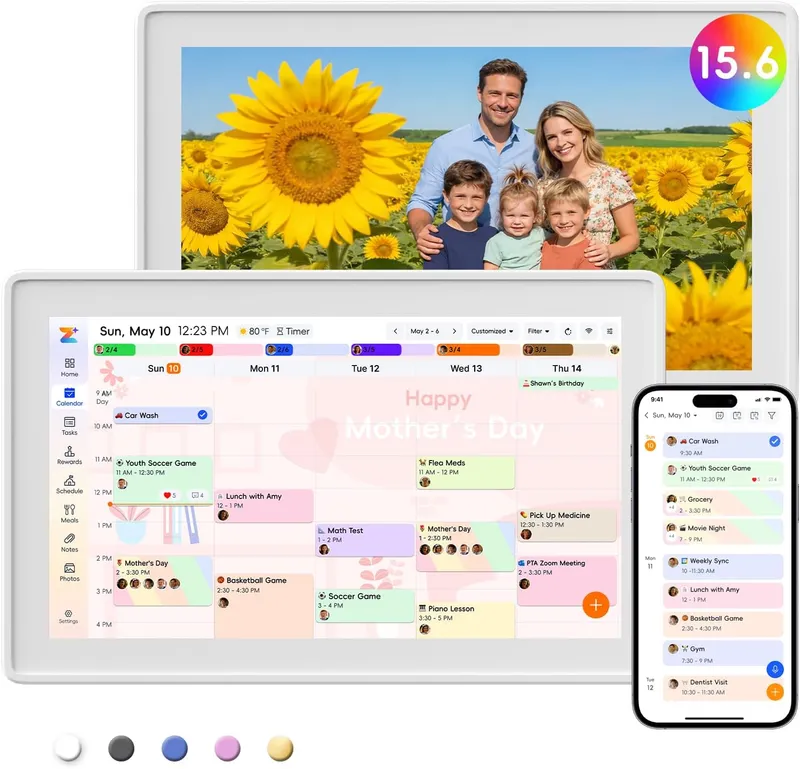
- Choose Westsee Consider Westsee for its 15.6-inch format, Zicalstar family-planning software and advertised core no-subscription workflow, after checking seller and AI terms.
- Choose Skylight Choose Skylight if an established calendar-first buying and support path is your priority, after checking the model and Plus features you need.
- Source check: Westsee: Official + retailer sources · checked October 21, 2026. Skylight: Official sources · checked October 20, 2026.
Setup, sync, and subscription pressure
| Decision point | Westsee 15.6-inch Digital Calendar (X200) | Skylight Calendar | What this means at home |
|---|---|---|---|
| Device and software | Westsee is the hardware brand. The white 15.6-inch Amazon reference is model X200, ASIN B0FPR1L223. Zicalstar is the software platform and Zical the companion app. | Skylight pairs its calendar hardware with its own companion software. Display generations and sizes have different placement and plan conditions. | Westsee uses Zicalstar software; Skylight uses its own software ecosystem. |
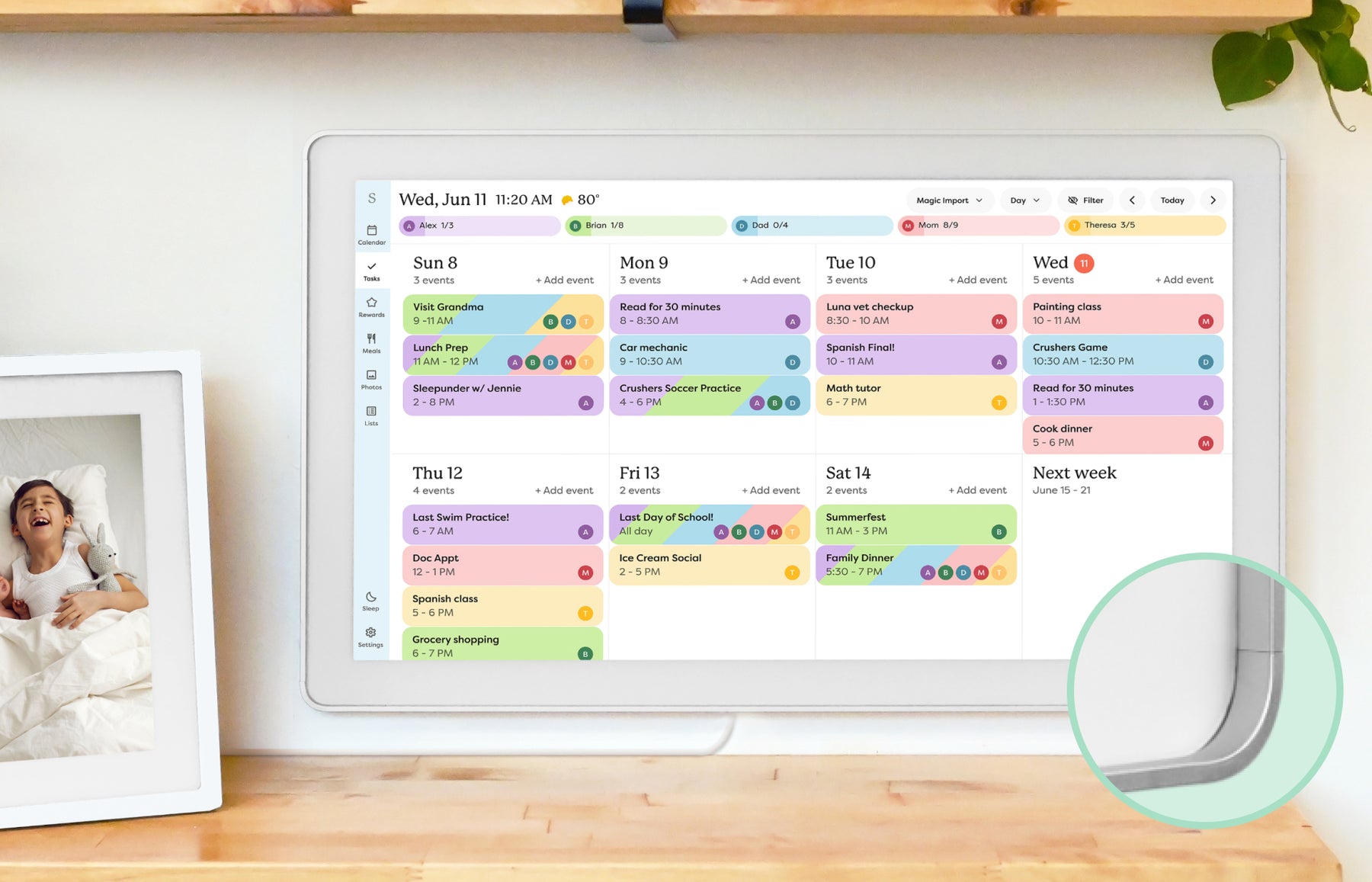
| Calendar connections | Westsee names Google, iCloud and Outlook. The Zicalstar guide documents account connections and view-only ICS; work/school permissions can restrict access. | Skylight supports multiple calendar-provider paths, with connection methods and editing limits described in the linked review. | Choose by the account and sync direction you actually use. Provider logos do not establish identical write-back behavior. |
| Household tools and cost | Westsee advertises calendars, chores, meal planning and photos without a required core subscription; AI access and firmware requirements are separate. | Skylight keeps core planning available without Plus; selected import, meal, reward and photo features depend on current Plus terms. | List the functions that must remain free and compare them against the exact offer. Neither a free app nor a core no-subscription headline establishes unlimited AI. |
| Hardware and buying confidence | Westsee lists a 15.6-inch touchscreen, 32GB, table stand and wall kit. Hardware performance and warranty duration are not independently established here. | The linked Skylight review separates Calendar 2 and Max placement, size, score scope and retailer references. | Westsee has an exact retail reference. Still confirm the color-specific ASIN, seller, return route and supported software before buying. |
- Westsee device identity and color links checked October 21, 2026. Zicalstar software guide evidence retains its October 13, 2026 source date.
- Calendar and household-planning features follow each product’s software and subscription terms.
- Price, seller availability, warranty and software entitlements can change.
Feature comparison
| Category | Westsee 15.6-inch Digital Calendar (X200) Software: Zicalstar / Zical app | Skylight Calendar |
|---|---|---|
| Best for | Families wanting a 15.6-inch calendar, chores, meals and photo display using the Zicalstar software platform and Zical companion app. | Families who want a polished shared calendar with broad mainstream support and do not want to run a DIY dashboard. |
| Calendar | Zicalstar software / Zical app. The dated user guide documents Google, Outlook and iCloud account paths and view-only ICS. | Google and iCloud have documented two-way connections. Outlook, Yahoo, Cozi, TeamSnap and URL feeds are listed under one-way support. |
| Photo frame | Westsee advertises photo sharing and slideshows; Magic Photo is a separate software availability question. | Calendar photo screensaver requires Plus. This is not the separate Skylight Photo Frame product or plan. |
| AI / agent | Zicalstar provides Zical Agent and AI Meal Planning; availability and allowances follow the software version and account plan. | Sidekick photo/voice workflows use the mobile app and require Plus; Calendar 2 has no camera or microphone. |
| Subscription | Westsee advertises no required subscription for core planning. AI allowances, premium services and future terms are separate. | Core calendar, tasks and lists are free. Selected U.S. offer checked October 20, 2026: one free month, then $79/year for Plus; verify renewal terms. |
| Source status | Official + retailer sources · checked October 21, 2026 | Official sources · checked October 20, 2026 |
Common questions
Is Westsee the same brand as Zicalstar?
Westsee supplies the physical calendar. Zicalstar is the software brand, abbreviated Zical in the companion app. Shared software does not establish the same hardware, warranty or AI entitlement across devices.
Which Westsee model does this comparison cover?
The 15.6-inch calendar, with the white Amazon X200 listing B0FPR1L223 as the exact reference. Other colors have their own retail links.
Does Westsee require a subscription?
Westsee advertises core planning without a required subscription. Agent, Magic Photo and other advanced software capabilities need separate firmware and account checks.
What is the comparison based on?
Westsee and Skylight product information, calendar features, subscription terms and dated sources.
Final recommendation
Skylight remains the more established consumer reference. Westsee is a specific 15.6-inch alternative using Zicalstar software; confirm the exact device and service terms.
Sources
Software & devices
Follow the app behind the display
Explore the software for app workflows, and the device profile for its screen, setup and buying details.

Zicalstar connects family calendars, chores, meals and photos through its Zical companion app. Documented displays include Westsee, Boyuevi, Acpouw and Bozztek calendar models.
Devices discussed in this article
Westsee 15.6-inch Digital Calendar (X200)Related reading
Compare the details
Read the reviews
- Westsee 15.6-inch Digital Calendar (X200) ReviewFamilies wanting a 15.6-inch calendar, chores, meals and photo display using the Zicalstar software platform and Zical companion app.
- Skylight Calendar ReviewFamilies who want a polished shared calendar with broad mainstream support and do not want to run a DIY dashboard.
Other options to consider
- Best Smart Calendar FramesChoose a frame-style home calendar by room fit, viewing distance, touch access and setup style—not just the largest screen.
- Best Digital Calendars for Families: Wall Displays ComparedCompare nine digital calendars for family schedules, chores and routines. Find the right wall display by calendar sync, setup and the features you will actually use.
- Best Smart Frames Without Subscription PressureA buyer guide based on published sources comparing the free core workflow, optional paid tools, exact-model limits, app polish, and support confidence behind no-subscription calendar claims.
- Best AI Photo Frames and Family DisplaysCompare photo animation and restoration with ordinary photo display, paid credits and family privacy—without confusing them with calendar AI.
Buying guides
- Smart Calendar Frame Setup ChecklistA practical first-week setup checklist for smart calendar frames, family displays, and wall dashboards that helps households verify fit, sync, and daily maintenance before the install becomes permanent.
- How Many Reviews Are Enough to Trust a Smart Calendar Frame?How to read star ratings, review counts, official-store reviews, and repeated complaints before trusting a smart calendar frame.
- Smart Frame Subscription Costs ExplainedHow to compare free features, paid plans, AI extras, and ongoing household value before choosing a smart frame.
- Digital Calendar vs Smart Photo FrameHow to decide whether you need a calendar-first display, a photo-first frame, or a hybrid family screen.