
Product Watch · unscored / Updated October 30, 2026
Looking Glass musubi: A Holographic Photo Frame Worth Waiting For?
Looking Glass
A $149 glasses-free display for a few carefully prepared memories. Compare the local conversion workflow, real owner friction and sold-out status before choosing it as a gift.
musubi is most interesting as a small, locally loaded display for a selected portrait or memorable clip. It asks more of the person preparing the gift than of the person watching it. Choose a connected LCD frame for frequent remote family updates, and a calendar display for shared schedules. The official store currently labels the first production run sold out.
Quick answer
- The official store displays $149 and “first production run sold out.” The $99 first-day Kickstarter offer is historical, not a current deal or delivery promise.
- A free Windows/macOS app prepares content locally and transfers it by USB-C. The frame has no Wi-Fi or Bluetooth; someone needs access to the device to refresh its collection.
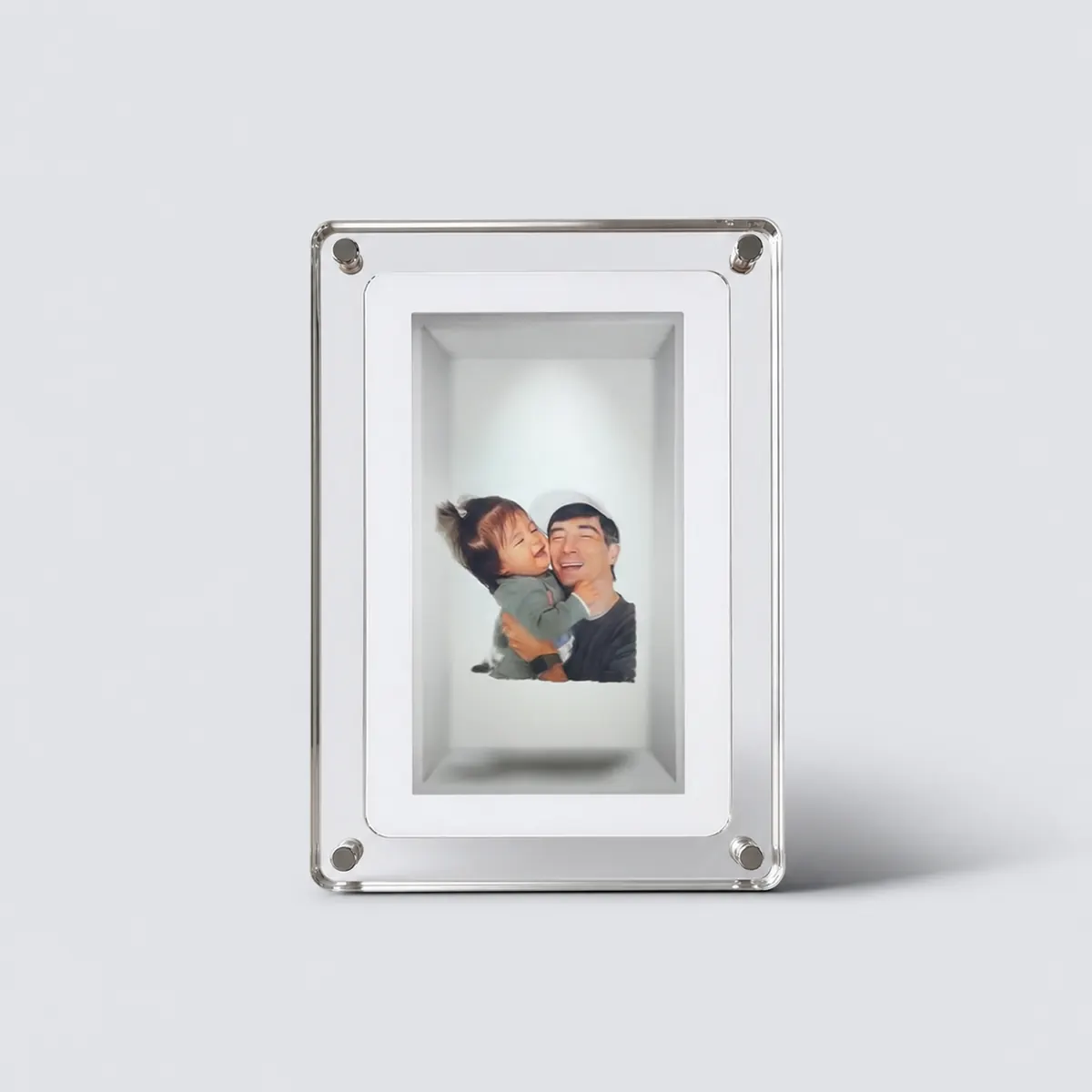
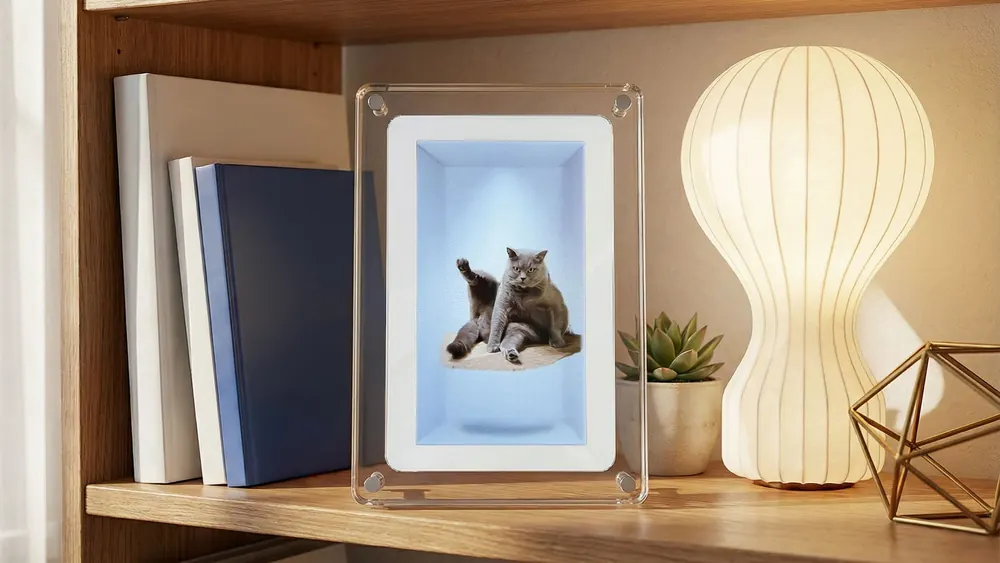
- Think of the 3D effect as an arranged view inside a frame, not a person projected into the room. Battery runtime, conversion time and convincing depth depend on conditions; the published limits are not our measurements.
Product media
musubi · 7-inch visual evidence
2 product images
Source-backed watch notes
Product details
Updated October 30, 2026
What “holographic” means here
Looking Glass markets musubi as the world’s first consumer holographic photo and video frame. That is the company’s positioning, not an independently established category record. Its Hololuminescent Display combines a display with a perceived spatial volume that several people can look at without glasses. The image remains part of the physical frame; it is not a free-floating projection you can walk around.
- Do not assume it behaves like the company’s earlier Portrait or Go light-field products. The manufacturer describes musubi as a different, single-purpose HLD product.
- The launch coverage emphasizes novelty. The more useful buying distinction is whether a small, prepared scene adds more value for you than a larger conventional slideshow.
The computer does the preparation; the frame does the playback
The documented workflow is import → process → adjust → organize → transfer. The musubi app supports common photo files including HEIC and common video containers including MOV. Longer videos need trimming before import. USB-C supplies power and data; it does not turn musubi into an external monitor.
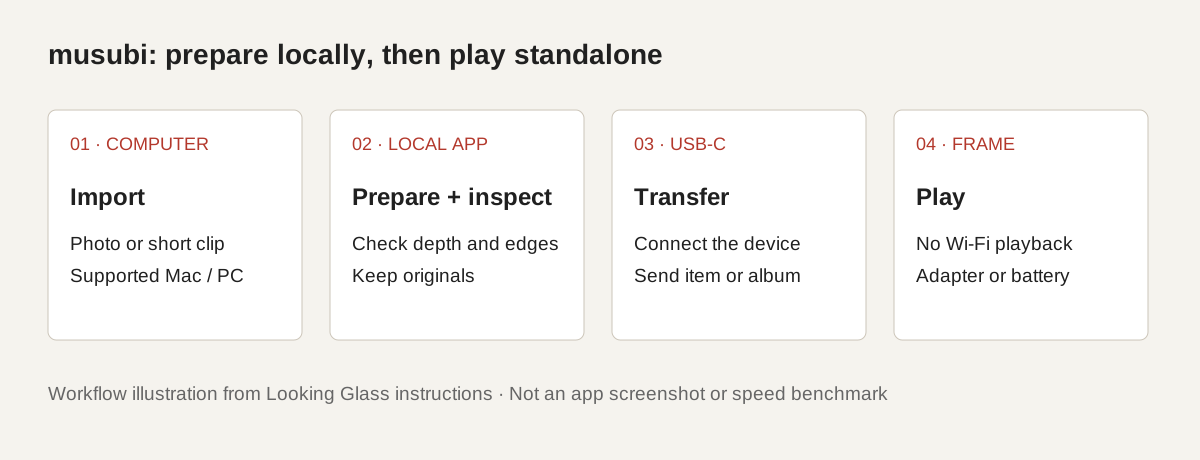
- Open the app on a supported computer, import a small collection and allow local processing to finish. Inspect the resulting depth, scale and mask controls before committing a large album.
- Choose the intended presentation and transfer the finished item or album through the app. Simply copying original camera files into a mounted drive is not the documented preparation workflow.
- The software landing page was labelled Beta and requested login for downloading when checked. “No Wi-Fi setup” describes the frame; it does not mean the initial software acquisition is account-free.
Real owner friction: depth artifacts and conversion time
In a September 19 report, owner sai described roughly one minute of preparation on an RTX 4060 Ti 16GB system, rather than an instant conversion. They also reported white gaps around a foreground subject when depth or rotation was pushed too far, and preferred restrained depth and simpler backgrounds. This is one owner’s experience, not a benchmark for every computer or picture.
- A September 11 report by the same owner initially found the effect less convincing than older Looking Glass products. A later correction acknowledged adjustable foreground depth, with excessive settings producing visible breakdown. Read those observations together.
- Our calculation from 576 × 1024 and seven inches is about 168 pixels per inch. That describes the pixel budget only; it does not measure apparent 3D sharpness, color accuracy or usable viewing angles.
- For your own sample, compare hair, glasses, fingers and overlapping people with the original photo. AI-estimated depth cannot establish the true shape of surfaces hidden in a single camera view. Keep the original files.
A 30-second clip is not a continuously reconstructed 3D movie
The official product FAQ describes a Magic Moment workflow: choose a moment, let the video play, and pause on a reconstructed holographic freeze frame. That is a different promise from reconstructing every frame as navigable 3D footage. Portrait 9:16 content is the intended fit, although other aspect ratios can be imported.
- A landscape group photo on a portrait display needs careful composition. Check the finished framing rather than assuming everyone will remain equally visible.
- The small format suits close shelf or desk viewing. A static promotional image, including the images on this page, cannot establish how the depth effect looks as a viewer moves.
Giftability: prepare the collection before handing it over
For a gift recipient who wants to switch on a display and enjoy a prepared collection, the standalone approach could be appealing. For a relative who expects new pictures to arrive from several homes each week, the computer-and-cable step becomes the main limitation. There is no documented remote contribution inbox or automatic Google Photos album connection.
| Priority | musubi fit | More suitable route when that is the main job |
|---|---|---|
| A few selected memories with a depth effect | Its central purpose; computer preparation required | Assess the effect in person when possible |
| Relatives sending new photos from elsewhere | No wireless inbox documented | A connected photo frame with the sharing method you use |
| A shared family schedule | No calendar sync documented | A dedicated calendar display |
Workflow comparison, not a side-by-side hardware test.
- Choose a willing album keeper who has a compatible computer and can physically connect the frame when updates are needed. For two households, budget preparation and transfer time for each device.
- Preload a small, carefully checked collection, demonstrate the controls, and include the adapter. Up to three hours of battery operation is temporary portability, not cordless all-day display.
- There is no documented Google/Apple calendar sync, shared chore workflow or family-planning assistant. AI is used to prepare media, not organize household schedules.
Local AI is useful, but keep a separate original library
Looking Glass says its supplied desktop app processes photos and videos locally rather than sending them to its own or third-party AI servers. That is a meaningful difference for private family media. It is a manufacturer statement; this article did not inspect network traffic or audit the application.
- Local processing does not prevent your computer’s own backup software from uploading its folders. Check where originals and exports are stored, especially on a shared family computer.
- Keep original photos and videos independently of converted files and the frame. A conversion effect is not a verified archival copy or a way to recover missing photographic detail.
Price, delivery and the real long-term cost
The March 11 announcement promised a $99 opening-day pledge and June production shipments. The shipping FAQ, updated June 9, instead estimated July. A named owner reported receiving a unit in September; that supports an individual delivery, not completion of all orders. As of October 30, the visible official store still says the first run is sold out. Do not buy against the old launch timetable.
- At a $149 hardware price and $0 required subscription under current terms, the illustrative hardware-plus-required-plan subtotal stays $149 over one, three or five years. Two frames would be $298. These are calculations, not checkout totals or a five-year service guarantee.
- Add tax, delivery, electricity, your preparation time and any computer upgrade or later battery/hardware replacement. An included cable and adapter do not remove the need for a compatible computer.
- For a secondhand unit, ask for a current playback demonstration and app-to-device transfer, then check condition, included power accessories, return rights and applicable warranty terms. A resale listing alone does not establish official supply or software compatibility.
Our buying take: a considered keepsake, not a default family frame
musubi earns a place on the watchlist because it tries a different way to revisit a small number of meaningful pictures. The practical trade is preparation effort and a small portrait display in exchange for an unusual depth presentation. A prepared gift for a curious recipient is a stronger match than a last-minute present or a constantly updated family photo feed. For everyday remote albums, start with the Google Photos setup guide; for household planning, compare dedicated calendar displays.
- Choose around the result of your own representative photos, not the company’s “world’s first” wording or a launch-price headline.
- musubi has no editorial score or Best award here.
Choose the workflow
Depth, connected albums or a family calendar?
Match the display to the job before choosing the screen.
Useful alternatives and setup
- Google Photos setup by brandAutomatic albums versus selected uploads.
- KODAK battery frame watchA portable conventional LCD alternative.
- Family calendar display guideFor visible schedules and household coordination.