
Comparison
Cozyla vs Westsee: CalendarOS and Zicalstar Software Compared
Compare Cozyla Calendar+ with the Westsee 15.6-inch calendar using Zicalstar software, separating device setup, core tools and optional AI.
Quick answer
Cozyla retains the clearer documented Android family-display route. Westsee is a specific 15.6-inch Zicalstar-powered alternative with advertised core planning without a required subscription.
Quick choice
- Choose Cozyla Choose Cozyla when its CalendarOS workflow and documented Android flexibility fit the household; verify the generation and Essential/Super terms.
- Choose Westsee Consider Westsee for the 15.6-inch X200 and Zicalstar family-planning software, after confirming the exact color, seller, firmware and optional AI terms.
- Source check: Cozyla: Official + retailer sources · checked August 29, 2026. Westsee: Official + retailer sources · checked October 21, 2026.
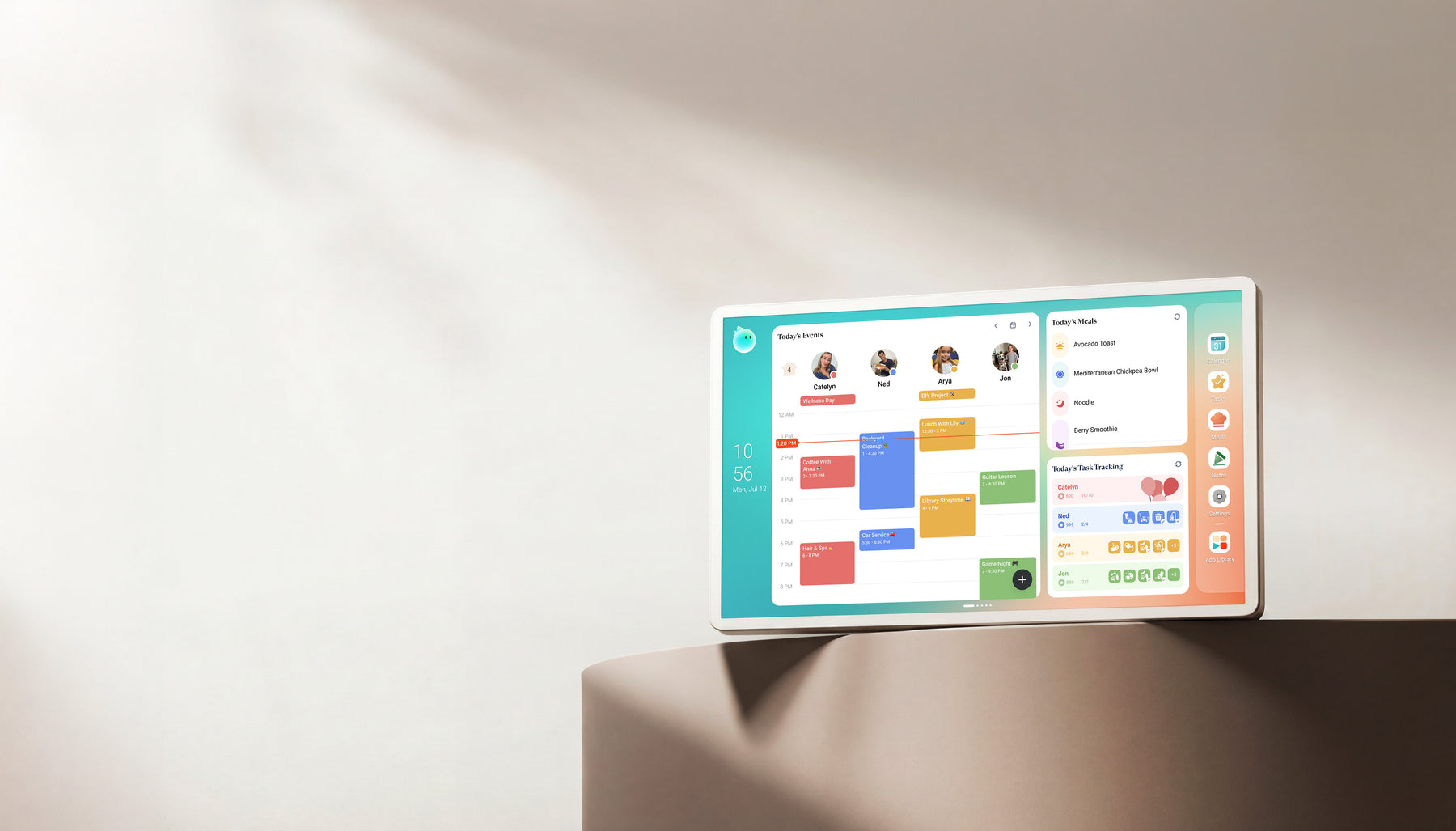
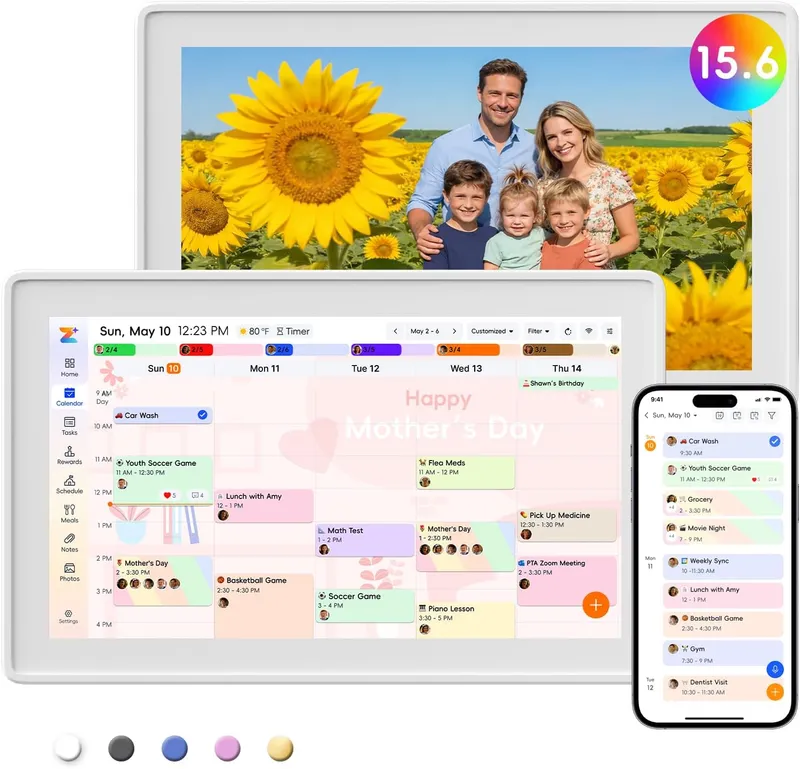
Feature comparison
| Category | Cozyla Calendar+ | Westsee 15.6-inch Digital Calendar (X200) Software: Zicalstar / Zical app |
|---|---|---|
| Best for | Homes comparing Skylight alternatives with calendar, photo, and family-display needs. | Families wanting a 15.6-inch calendar, chores, meals and photo display using the Zicalstar software platform and Zical companion app. |
| Calendar | Calendar+ 2 combines schedules, tasks, routines and meal planning. Calendar editing depends on the provider connection. | Zicalstar software / Zical app. The dated user guide documents Google, Outlook and iCloud account paths and view-only ICS. |
| Photo frame | Calendar+ 2 includes a photo/video screensaver. Personal photos and optional Super artwork are separate services. | Westsee advertises photo sharing and slideshows; Magic Photo is a separate software availability question. |
| AI / agent | Agent and Smart Import assist with planning; unlimited Agent requires optional Super on Calendar+ 2. Neo has different membership terms. | Zicalstar provides Zical Agent and AI Meal Planning; availability and allowances follow the software version and account plan. |
| Subscription | Calendar Plus 2 keeps Basic and Essential features free; optional Calendar Super adds unlimited Agent use, curated art, and full Routie Super access. Verify other models separately. | Westsee advertises no required subscription for core planning. AI allowances, premium services and future terms are separate. |
| Source status | Official + retailer sources · checked August 29, 2026 | Official + retailer sources · checked October 21, 2026 |
Final recommendation
Cozyla retains the clearer documented Android family-display route. Westsee is a specific 15.6-inch Zicalstar-powered alternative with advertised core planning without a required subscription.
Sources
Software & devices
Follow the app behind the display
Explore the software for app workflows, and the device profile for its screen, setup and buying details.

Zicalstar connects family calendars, chores, meals and photos through its Zical companion app. Documented displays include Westsee, Boyuevi, Acpouw and Bozztek calendar models.
Devices discussed in this article
Westsee 15.6-inch Digital Calendar (X200)Related reading
Compare the details
Read the reviews
- Cozyla Calendar+ ReviewHomes comparing Skylight alternatives with calendar, photo, and family-display needs.
- Westsee 15.6-inch Digital Calendar (X200) ReviewFamilies wanting a 15.6-inch calendar, chores, meals and photo display using the Zicalstar software platform and Zical companion app.
Other options to consider
- Best Smart Calendar FramesChoose a frame-style home calendar by room fit, viewing distance, touch access and setup style—not just the largest screen.
- Best Smart Frames Without Subscription PressureA buyer guide based on published sources comparing the free core workflow, optional paid tools, exact-model limits, app polish, and support confidence behind no-subscription calendar claims.
- Best AI Photo Frames and Family DisplaysCompare photo animation and restoration with ordinary photo display, paid credits and family privacy—without confusing them with calendar AI.
Buying guides
- Greenlight Family Hub: Free Plan, Safety Features and Skylight AlternativesWhat Greenlight Family Hub really includes, how its safety map works, and whether its free calendar or paid plan fits your family.
- Smart Frame Subscription Traps: 5 Checks Before You BuyThe Nixplay case shows why the free tier matters after purchase. Check photo storage, calendar sync, family sharing, AI limits and the cost of keeping the features you need.
- What Is a Smart Calendar Frame?A plain-language guide to the category between digital photo frames, wall calendars, and family command displays.
- Digital Calendar vs Smart Photo FrameHow to decide whether you need a calendar-first display, a photo-first frame, or a hybrid family screen.