
Comparison
Hearth Display vs DAKboard
A family command center compared with a configurable home dashboard for calendars, routines, photos, and household information.
Choose Hearth when the household needs managed routines, to-dos, profiles, and responsibility workflows. Choose DAKboard when someone wants to design and maintain a customizable calendar-plus-information dashboard.
Quick answer
- Winner logic: Choose Hearth when the household needs managed routines, to-dos, profiles, and responsibility workflows. Choose DAKboard when someone wants to design and maintain a customizable calendar-plus-information dashboard.
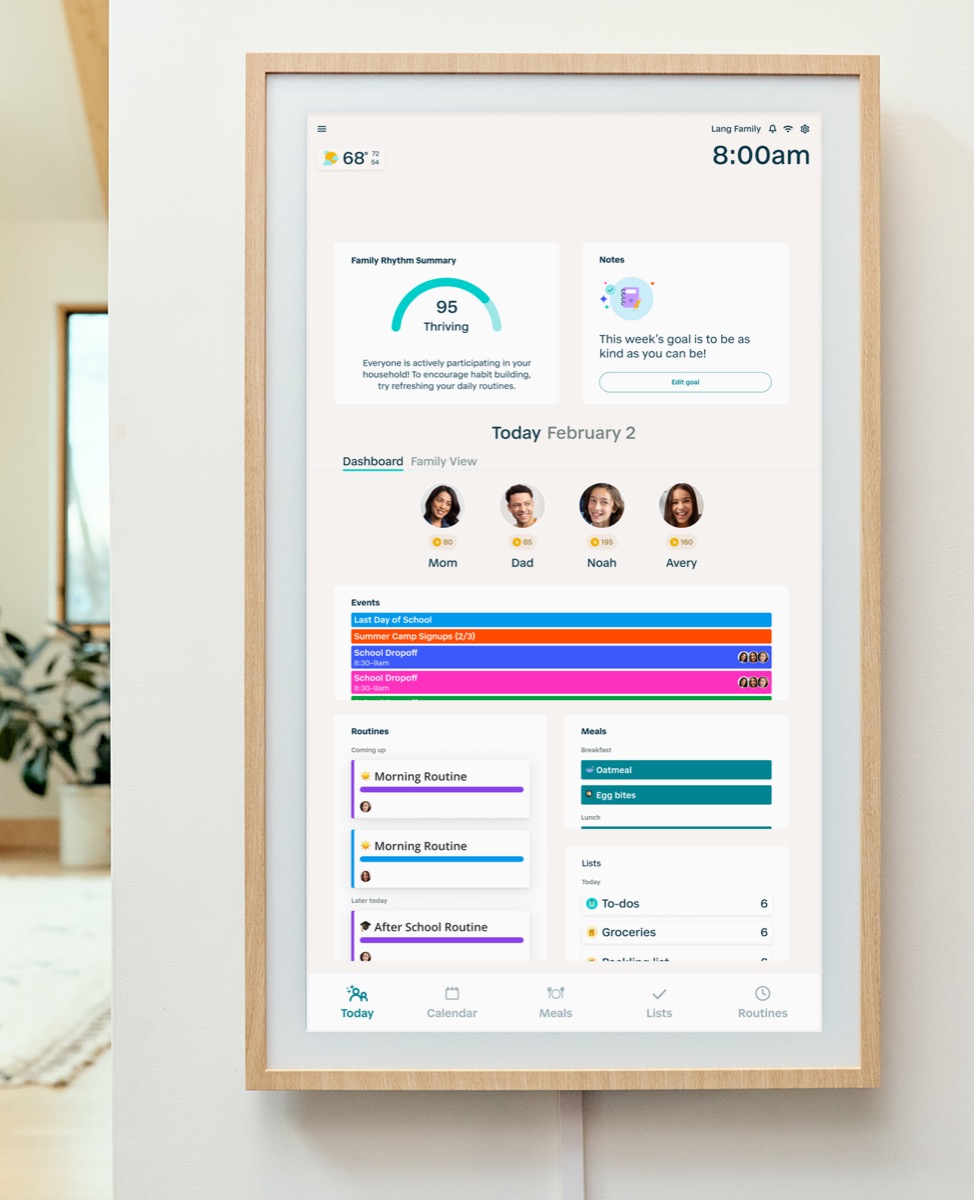
- Hearth fit: Choose Hearth if the main job is family follow-through: routines, responsibilities, shared tasks, meals, profiles, and a more guided command-center workflow.
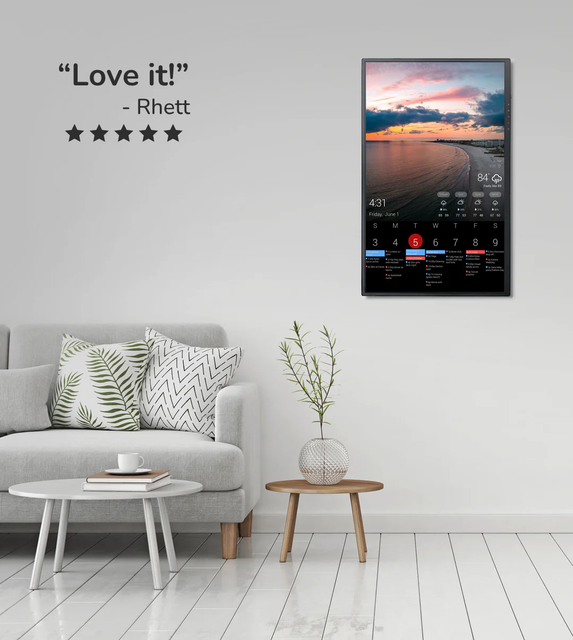
- DAKboard fit: Choose DAKboard if the main job is a custom dashboard with calendars, photos, weather, smart-home information, and flexible layouts that someone in the home is willing to configure.
- Source check: Hearth is Official sources · checked September 14, 2026. DAKboard is Official sources · checked August 29, 2026.
Decision path
Check the supporting pages before choosing.
Use these internal links to move from the side-by-side answer into product reviews, rankings, and buying guides.
Read the reviews
- Hearth Display ReviewFamilies that want routine management and a command-center style home display.
- DAKboard Display ReviewHomes that want a configurable dashboard for calendars, photos, weather, chores, or mixed household information on one screen.
Best-pick context
- Best Smart Calendar FramesThe best smart calendar frames for families who want schedules, reminders, and routines visible at home.
- Best Digital Wall Calendars for FamiliesCompare the best digital calendars and digital wall calendar displays for home by schedule visibility, chores and routines, sync, placement, subscription pressure, and source confidence.
- Best Smart Frames Without Subscription PressureA source-refreshed buyer guide comparing the free core workflow, optional paid tools, exact-model limits, app polish, and support confidence behind no-subscription calendar claims.
- Best AI Photo Frames and Family DisplaysA careful look at smart frames where AI should be judged by useful household outcomes, not buzzwords.
Buying guides
- Family Command Center or Calendar Frame?Choose a shared home screen by the problem it must solve: visible schedules, task ownership, family photos, or a configurable information wall.
- DAKboard Alternatives for Family DashboardsHow to compare DAKboard against simpler smart calendar frames, family command centers, and eCalendar-style wall displays.
- Digital Wall Calendar for ChoresA family workflow guide for choosing a wall display when recurring chores, clear ownership, child follow-through, and fewer parent reminders matter more than a longer feature list.
- Smart Calendar Frame Setup ChecklistA practical first-week setup checklist for smart calendar frames, family displays, and wall dashboards that helps households verify fit, sync, and daily maintenance before the install becomes permanent.
Quick choice
Choose Hearth
Choose Hearth if the main job is family follow-through: routines, responsibilities, shared tasks, meals, profiles, and a more guided command-center workflow.
Choose DAKboard
Choose DAKboard if the main job is a custom dashboard with calendars, photos, weather, smart-home information, and flexible layouts that someone in the home is willing to configure.
Setup, sync, and subscription pressure
This is the practical decision layer for families comparing Hearth and DAKboard. The strongest choice is not the product with the longest feature list; it is the one your household can set up, keep synced, and justify over time.
| Decision point | Hearth Display | DAKboard Display | Editorial read |
|---|---|---|---|
| Primary job | Hearth is built around household coordination: calendars, routines, to-dos, profiles, rewards, meal planning, and family-management workflows. | DAKboard is built around a configurable dashboard: calendars, photos, weather, integrations, layouts, and display management. | This is not a simple spec race. Hearth is the managed family-system path; DAKboard is the configurable dashboard path. |
| Setup burden | Hearth asks the family to adopt a command-center habit, then judge whether membership-backed features are used often enough. | DAKboard asks a user to configure layouts, data sources, hardware path, plan tier, and ongoing display behavior. | Hearth setup risk is habit adoption. DAKboard setup risk is configuration and maintenance. |
| Calendar and routine depth | Hearth should be evaluated by calendar visibility plus routines, lists, to-dos, profiles, rewards, and household ownership. | DAKboard should be evaluated by calendar display plus widgets, photos, information density, and custom dashboard control. | Choose the workflow your household will actually repeat weekly, not the interface that looks stronger in a demo. |
| Plan value | A Family Membership selection starts a 30-day trial and is required for setup. Without an active membership, Hearth lists calendar viewing, basic profile details, and settings; routines and task management require membership. | The Free plan offers one predefined screen and up to two calendars. Essential adds custom screens and up to five calendars; Plus adds unlimited calendars, screen loops, scheduling, and faster refresh. Hardware is a separate purchase. | Check the full first-year hardware and plan cost against the household job before choosing either route. |
- Based on manufacturer documentation checked September 26, 2026; we have not tested these displays side by side.
- Hearth’s membership page gives a narrower post-cancellation feature list than its product FAQ. Confirm calendar syncing and editing access with Hearth before canceling.
- DAKboard plan limits and both companies’ hardware offers can change. Confirm the current plan and checkout terms before buying.
Feature comparison
| Category | Hearth Display | DAKboard Display |
|---|---|---|
| Best for | Families that want routine management and a command-center style home display. | Homes that want a configurable dashboard for calendars, photos, weather, chores, or mixed household information on one screen. |
| Calendar | Calendar workflow should be evaluated alongside routines and tasks. | Calendar display is a core reason to consider it. |
| Photo frame | Not the primary reason to choose this product category. | Can serve photo and dashboard roles depending on configuration. |
| AI / agent | AI value should be judged by routine planning and household coordination. | Not primarily evaluated as an AI family agent today. |
| Subscription | Check which household-management features require an ongoing plan. | Plan value depends on customization needs. |
| Source status | Official sources · checked September 14, 2026 | Official sources · checked August 29, 2026 |
Common questions
Is Hearth Display better than DAKboard for families?
Hearth is usually the better fit when the family needs routines, responsibilities, profiles, and guided household follow-through. DAKboard is better when the household wants a configurable dashboard and someone is willing to maintain it.
Is DAKboard a Hearth alternative?
DAKboard can be an alternative only if the buyer wants dashboard control rather than a managed routine system. It is not a direct replacement for Hearth chores, profiles, rewards, and membership-backed family workflows.
Which product has less setup work?
Hearth has less dashboard configuration, but it still requires the family to adopt routines and membership features. DAKboard has more technical and layout setup because hardware path, integrations, screen layout, and plan tier matter more.
Can I use either display without a paid plan?
DAKboard has a Free plan with one predefined screen and up to two calendars, although the display hardware is separate. Hearth requires a Family Membership selection for setup; after cancellation, its membership page lists calendar viewing, basic profile details, and settings, but not routines or task management.
Final recommendation
The better choice depends on the screen's main job. If your family needs visible scheduling, choose the calendar workflow that feels easiest to maintain. If the screen is also a photo frame, routine board, or dashboard, weigh those jobs before chasing the highest spec.