
Comparison
Skylight vs Apolosign or Apolosign vs Skylight: Which Fits Better?
If you search Skylight vs Apolosign or Apolosign vs Skylight, the real choice is guided family-calendar simplicity versus a dual-mode Android dashboard. Compare setup, shared-calendar needs, size, free features, and exact-model fit.
Skylight is simpler for appliance-like family scheduling; Apolosign is stronger for shoppers who want Android flexibility, size choice, and detailed specs.
Direct answer
Make the first cut by household workflow.
Choose Skylight if
Your household wants one visible, shared calendar and app workflow without treating Android widgets and app selection as part of the setup job.
Choose Apolosign if
You actively want the option to use Calendar Mode or Android Mode, compare several sizes, and verify the exact Google, calendar, and app setup before buying.
Pause before either if
You have not confirmed the calendar-provider path, wall-versus-stand placement, recurring-cost boundary, and which household member will maintain the setup.
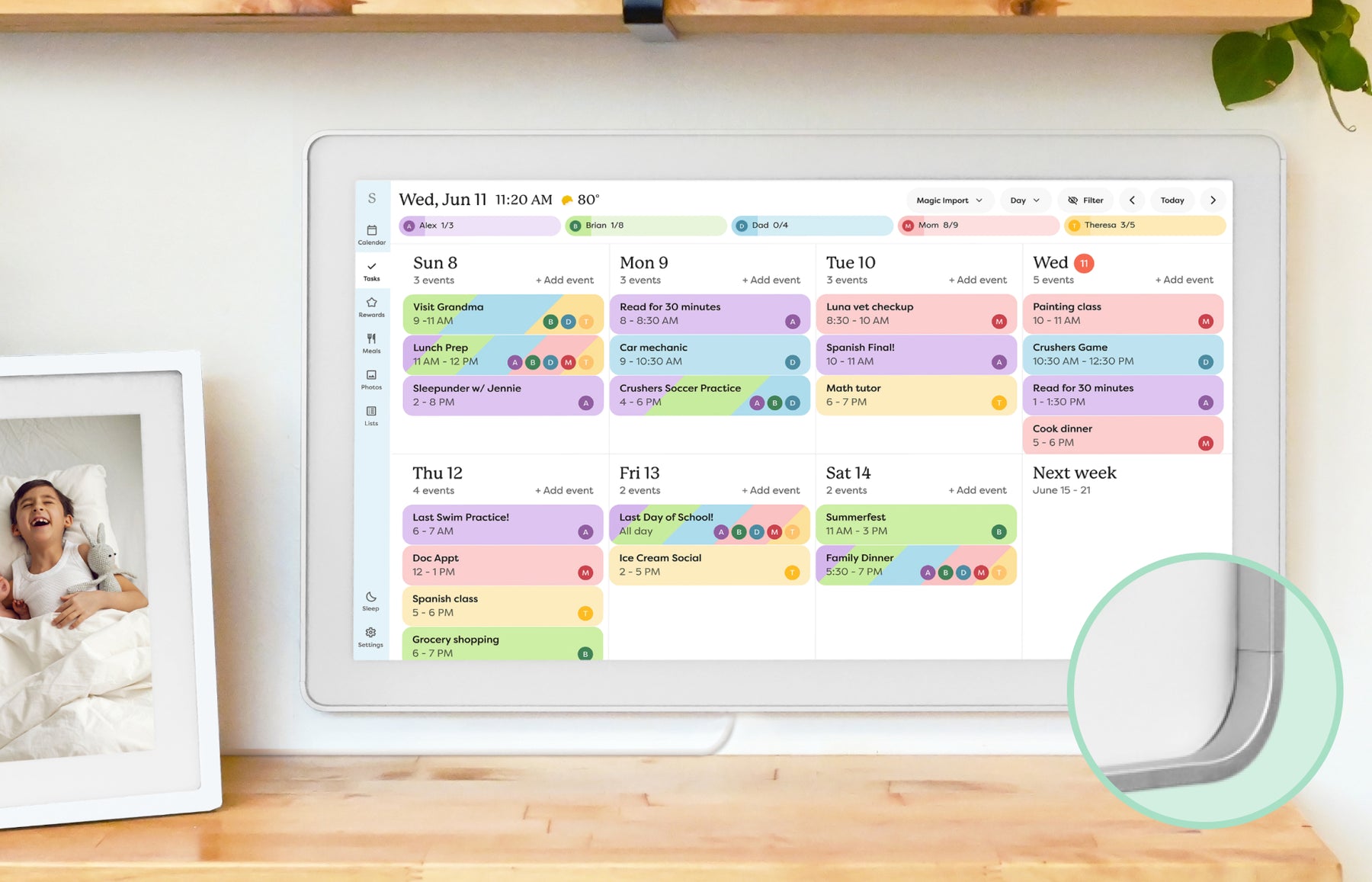
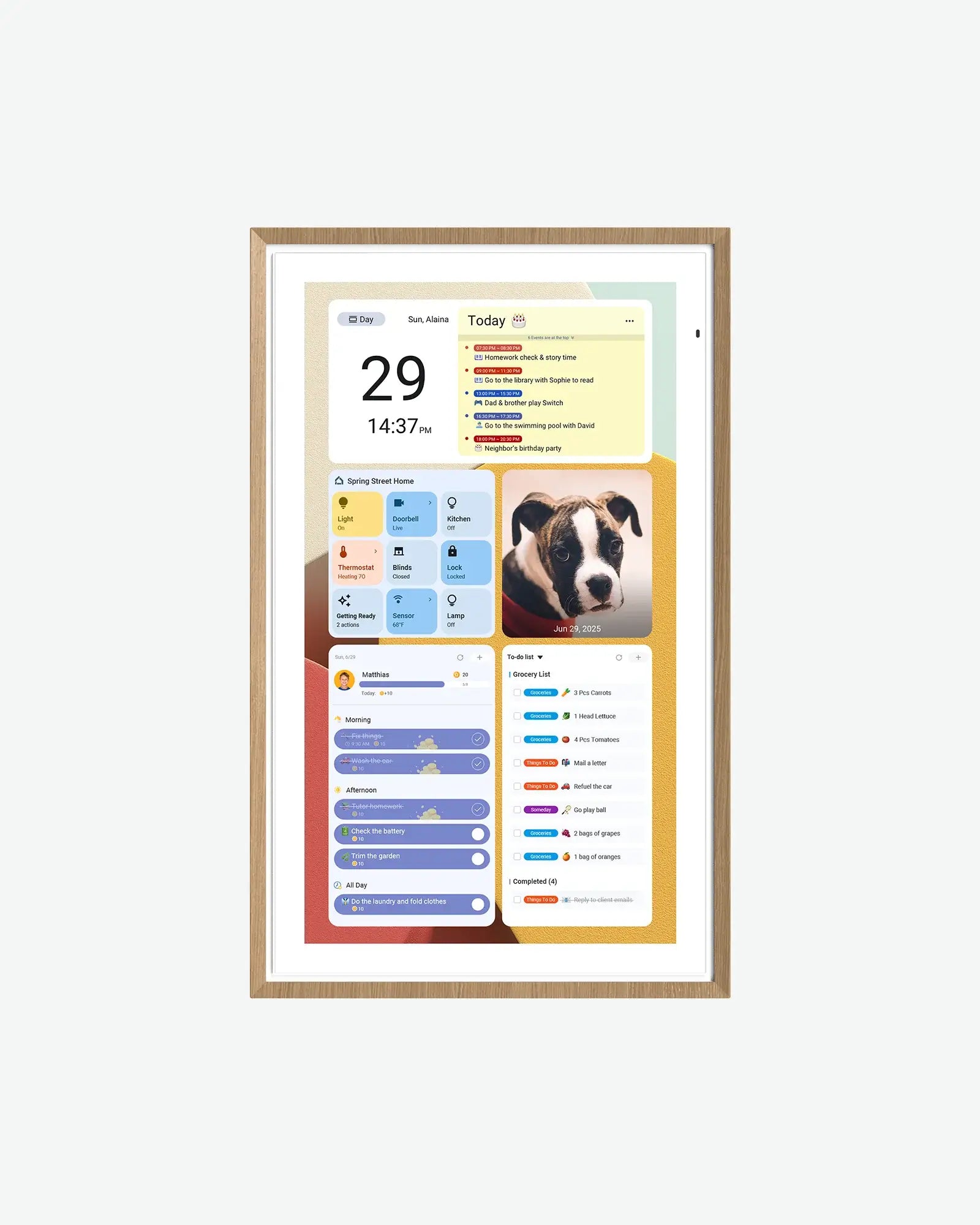
Quick answer
- Winner logic: Skylight is simpler for appliance-like family scheduling; Apolosign is stronger for shoppers who want Android flexibility, size choice, and detailed specs.
- Skylight fit: Choose Skylight if you want a more guided family-calendar workflow, broad mainstream support, and fewer decisions about dashboard mode or Android apps.
- Apolosign fit: Choose Apolosign if detailed hardware specs, a Calendar-versus-Android dashboard choice, Google ecosystem features, and model-level value checks matter more.
- Source check: Skylight is Official + retailer sources · checked August 21, 2026. Apolosign is Official sources · checked September 21, 2026.
Decision path
Check the supporting pages before choosing.
Use these internal links to move from the side-by-side answer into product reviews, rankings, and buying guides.
Read the reviews
- Skylight Calendar ReviewFamilies who want a polished shared calendar with broad mainstream support and do not want to run a DIY dashboard.
- Apolosign Digital Calendar ReviewFamilies who want a spec-transparent Android/Google ecosystem calendar display with multiple sizes and no-subscription positioning.
Best-pick context
- Best Smart Calendar FramesThe best smart calendar frames for families who want schedules, reminders, and routines visible at home.
- Best Digital Wall Calendars for FamiliesCompare the best digital calendars and digital wall calendar displays for home by schedule visibility, chores and routines, sync, placement, subscription pressure, and source confidence.
- Best Smart Frames Without Subscription PressureA source-refreshed buyer guide comparing the free core workflow, optional paid tools, exact-model limits, app polish, and support confidence behind no-subscription calendar claims.
- Best AI Photo Frames and Family DisplaysA careful look at smart frames where AI should be judged by useful household outcomes, not buzzwords.
Buying guides
- Skylight Calendar Alternatives: Choose by Household NeedLooking for a Skylight alternative? Compare the strongest paths by what your household needs instead: lower subscription pressure, routines, dashboard control, Android flexibility, photo sharing, or large-wall visibility.
- Smart Calendar Frame Without SubscriptionHow to compare no-subscription and low-subscription smart calendar frames without ignoring app polish, support, paid-feature boundaries, and ownership risk.
- Android Digital Calendars: Flexible or Too Much Setup?A buying guide for Apolosign-style Android calendar displays, Google ecosystem claims, and the setup tradeoffs families should check before buying.
- Are No-Subscription eCalendar Frames Actually Better?A practical comparison of Dragon Touch, Aluratek, Apolosign, and Cozyla through setup effort, app polish, support quality, and long-term value.
Quick choice
Choose Skylight
Choose Skylight if you want a more guided family-calendar workflow, broad mainstream support, and fewer decisions about dashboard mode or Android apps.
Choose Apolosign
Choose Apolosign if detailed hardware specs, a Calendar-versus-Android dashboard choice, Google ecosystem features, and model-level value checks matter more.
Setup, sync, and subscription pressure
This is the practical decision layer for families comparing Skylight and Apolosign. The strongest choice is not the product with the longest feature list; it is the one your household can set up, keep synced, and justify over time.
| Decision point | Skylight Calendar | Apolosign Digital Calendar | Editorial read |
|---|---|---|---|
| Setup style | Skylight presents a guided shared-calendar path: connect calendars, then manage schedules, tasks, lists, and household information from the Skylight app and device. | Apolosign presents a dual-mode choice: Calendar Mode for multi-calendar sync, chores, and rewards, or Android Mode for apps and a customized dashboard. | Skylight reduces configuration choice. Apolosign gives the buyer more control, but that makes ownership of setup and maintenance more important. |
| Calendar and family workflow | Skylight currently lists Google, Apple, Outlook, Yahoo, Cozi, Readdle, and public-sharing-link paths, plus shared schedules, chores, lists, and color-coded profiles. | Apolosign currently describes Apple, Google, Outlook, and other calendar syncing, alongside chores, rewards, meal planning, message board, and dashboard use. | Do not choose by provider names alone. Test shared-calendar visibility, recurring events, account type, and whether the family will use the extra workflow features weekly. |
| Flexibility and screen role | Skylight is the calendar-first appliance path, with 10-, 15-, and 27-inch model references on the current official landing page. | Apolosign lists 15.6-, 21.5-, 27-, and 27-inch 4K variants, with Android widgets, Google Photos, Google Home, and dashboard claims on the 15.6-inch page. | Choose Apolosign only when flexibility is an explicit household requirement. More options do not automatically improve a shared family screen. |
| Cost and plan boundary | Skylight has a clear free-versus-Calendar Plus decision: the current landing page places event import, rewards, meal planning, and photo screensaver in Plus examples. | Apolosign currently markets core calendar, chores, rewards, and Google Photos on its product page without a separate classic subscription statement, while Gemini AI and related services need feature-level verification. | A lower recurring-cost signal matters only if the exact model handles the family job without paid or unsupported compromises. Confirm live price, stock, checkout, and AI terms before buying. |
- This comparison is source-backed editorial research, not hands-on testing.
- On August 31, 2026, the official Skylight Calendar and Apolosign 15.6-inch pages were rechecked for current workflow, plan, hardware, and availability wording.
- Apolosign support documentation for some provider-specific setup paths was not available to this check. Treat exact account behavior, especially Outlook paths, as a pre-purchase verification item.
Feature comparison
| Category | Skylight Calendar | Apolosign Digital Calendar |
|---|---|---|
| Best for | Families who want a polished shared calendar with broad mainstream support and do not want to run a DIY dashboard. | Families who want a spec-transparent Android/Google ecosystem calendar display with multiple sizes and no-subscription positioning. |
| Calendar | Designed around household calendar visibility and routine coordination. | Google and iCloud have documented two-way setup paths. Outlook uses a published iCal link with one-way updates; other URL imports are read-only and may refresh later. Yahoo and Cozi appear in the compatibility list, but their exact setup needs confirmation. |
| Photo frame | Photo-frame use is part of the broader family display experience. | Google Photos and dashboard-style family display use are part of the product positioning. |
| AI / agent | AI and automation features should be evaluated by practical family tasks, not marketing copy. | Google Home and Gemini AI chat claims make it more AI-adjacent than many eCalendar-style frames. |
| Subscription | Review current free and paid-plan differences before buying. | Official pages say core calendar, chores, rewards, to-dos, and photo screensaver features are free; Gemini AI is presented separately as an optional subscription service. Verify the exact feature and model before checkout. |
| Source status | Official + retailer sources · checked August 21, 2026 | Official sources · checked September 21, 2026 |
Common questions
Is Apolosign a Skylight alternative?
Yes, but it is not a one-for-one replacement. Skylight is the more guided calendar-first reference. Apolosign is more relevant when the buyer wants a calendar plus Android-dashboard path and is willing to verify setup, provider support, and exact-model behavior.
If I search Apolosign vs Skylight instead, does the answer change?
No. Reversing the search order does not change the recommendation logic. Skylight is still the simpler calendar-first option, while Apolosign is still the better fit only when Android flexibility, widget-style control, and exact-model verification are part of the buying job.
Is Apolosign better than Skylight?
Not automatically. Apolosign can fit better when Android flexibility, detailed hardware choices, and a customized dashboard are real requirements. Skylight is usually the safer starting point when the household wants a simpler shared calendar with fewer configuration decisions.
Which is better for Google Calendar?
Both official product paths list Google Calendar support. Choose by the workflow around it: Skylight for a more guided shared-calendar appliance, or Apolosign when you also want Android dashboard options. Verify shared calendars, recurring events, and the exact account path before buying.
Does Apolosign require a subscription?
Apolosign currently presents core calendar, chores, rewards, and Google Photos on its product page without a separate classic subscription statement. That does not prove every feature is free: verify model-specific AI, app, cloud, and checkout terms before purchasing.
Final recommendation
The better choice depends on the screen's main job. If your family needs visible scheduling, choose the calendar workflow that feels easiest to maintain. If the screen is also a photo frame, routine board, or dashboard, weigh those jobs before chasing the highest spec.