
Comparison
Cozyla vs Skylight Calendar: Which Is Better for Families?
Cozyla Calendar+ 2 is the broader Android family display; Skylight Calendar 2 is the simpler calendar-first screen. Compare setup, sync, placement, and paid-feature boundaries before choosing.
Short answer: choose Skylight for the safer, simpler calendar-first setup; choose Cozyla when a broader family display and no-subscription-sensitive comparison matter more. Neither is automatically better—the exact model, calendar provider, setup burden, and paid-feature boundary decide the fit.
Direct answer
Make the first cut by household workflow.
Choose Skylight if
You want the more appliance-like shared-calendar path and are comfortable checking the current Plus boundary only for the extra features your family will actually use.
Choose Cozyla if
You want a broader CalendarOS family display with schedules, tasks, routines, meals, and more size or app flexibility, and accept a wider setup surface.
Pause before either if
You have not verified the exact model, calendar provider, mounting or stand needs, and free-versus-paid boundary for the family job you need it to solve.
Quick answer
- Winner logic: Short answer: choose Skylight for the safer, simpler calendar-first setup; choose Cozyla when a broader family display and no-subscription-sensitive comparison matter more. Neither is automatically better—the exact model, calendar provider, setup burden, and paid-feature boundary decide the fit.
- Skylight fit: Choose Skylight if you want the more recognizable calendar-first workflow, guided app setup, and are comfortable checking which advanced features sit behind Plus on the current official model mix.
- Cozyla fit: Choose Cozyla if you want a multi-size Skylight alternative with stronger smart-display ambitions and are willing to verify app polish, sync behavior, and feature boundaries before buying.
- Source check: Skylight is Official + retailer sources · checked August 21, 2026. Cozyla is Official + retailer sources · checked August 29, 2026.
Decision path
Check the supporting pages before choosing.
Use these internal links to move from the side-by-side answer into product reviews, rankings, and buying guides.
Read the reviews
- Skylight Calendar ReviewFamilies who want a polished shared calendar with broad mainstream support and do not want to run a DIY dashboard.
- Cozyla Calendar+ ReviewHomes comparing Skylight alternatives with calendar, photo, and family-display needs.
Best-pick context
- Best Smart Calendar FramesThe best smart calendar frames for families who want schedules, reminders, and routines visible at home.
- Best Digital Wall Calendars for FamiliesCompare the best digital calendars and digital wall calendar displays for home by schedule visibility, chores and routines, sync, placement, subscription pressure, and source confidence.
- Best Smart Frames Without Subscription PressureA source-refreshed buyer guide comparing the free core workflow, optional paid tools, exact-model limits, app polish, and support confidence behind no-subscription calendar claims.
- Best AI Photo Frames and Family DisplaysA careful look at smart frames where AI should be judged by useful household outcomes, not buzzwords.
Buying guides
- Skylight Calendar Alternatives: Choose by Household NeedLooking for a Skylight alternative? Compare the strongest paths by what your household needs instead: lower subscription pressure, routines, dashboard control, Android flexibility, photo sharing, or large-wall visibility.
- Is Skylight Plus Worth It? Cost, Free Features, and AlternativesDoes Skylight Calendar require Plus? Compare the current Plus cost, free calendar features, Magic Import, photos, meal planning, and no-subscription alternatives before checkout.
- Smart Calendar Frame Setup ChecklistA practical first-week setup checklist for smart calendar frames, family displays, and wall dashboards that helps households verify fit, sync, and daily maintenance before the install becomes permanent.
- No Monthly Fee Digital CalendarWhat to check when a digital calendar or eCalendar product promises no monthly fee.
Quick choice
Choose Skylight
Choose Skylight if you want the more recognizable calendar-first workflow, guided app setup, and are comfortable checking which advanced features sit behind Plus on the current official model mix.
Choose Cozyla
Choose Cozyla if you want a multi-size Skylight alternative with stronger smart-display ambitions and are willing to verify app polish, sync behavior, and feature boundaries before buying.
Setup, sync, and subscription pressure
This is the practical decision layer for families comparing Skylight and Cozyla. The strongest choice is not the product with the longest feature list; it is the one your household can set up, keep synced, and justify over time.
| Decision point | Skylight Calendar | Cozyla Calendar+ | Editorial read |
|---|---|---|---|
| App setup | Skylight is the more appliance-like path: install the Skylight app, connect calendars, then manage schedules, chores, lists, meals, and photos from one consumer workflow. | Cozyla has a broader setup surface: CalendarOS, Cozyla Agent positioning, profile-level calendar setup, and support guidance for connecting Google, Apple, Outlook, and other calendars. | Skylight is easier to explain to a household that wants less configuration. Cozyla may reward buyers who want more display flexibility, but setup proof matters more. |
| Which is better? | Skylight is better when the family wants the more familiar shared-calendar device, clearer mainstream buying path, and fewer decisions during setup. | Cozyla is better when the buyer actively wants a wider family display with calendar, photos, routines, app flexibility, and AI-adjacent feature checks. | The answer should be conditional. Skylight is the safer default; Cozyla is the stronger alternative candidate for buyers who accept more verification work. |
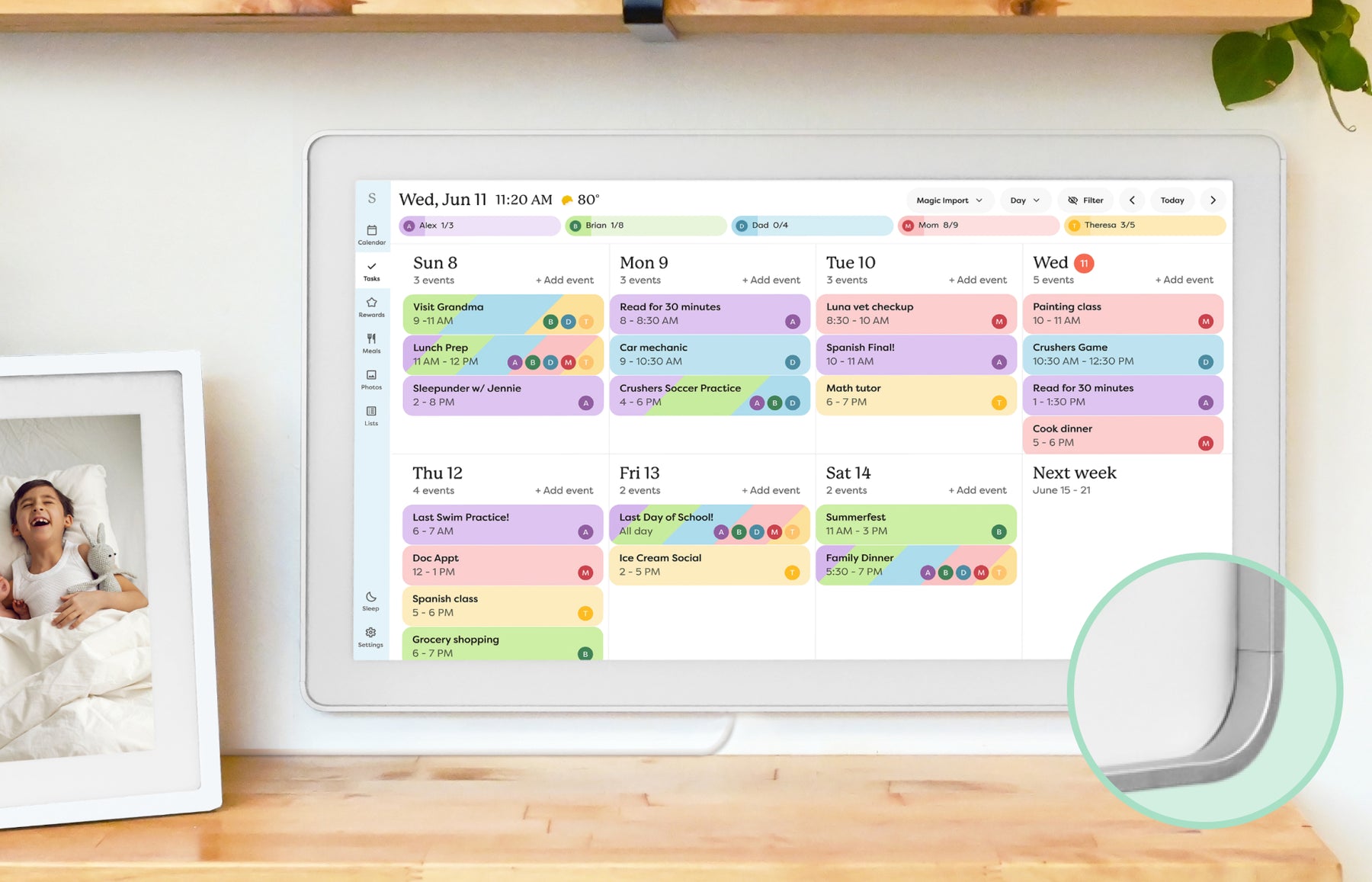
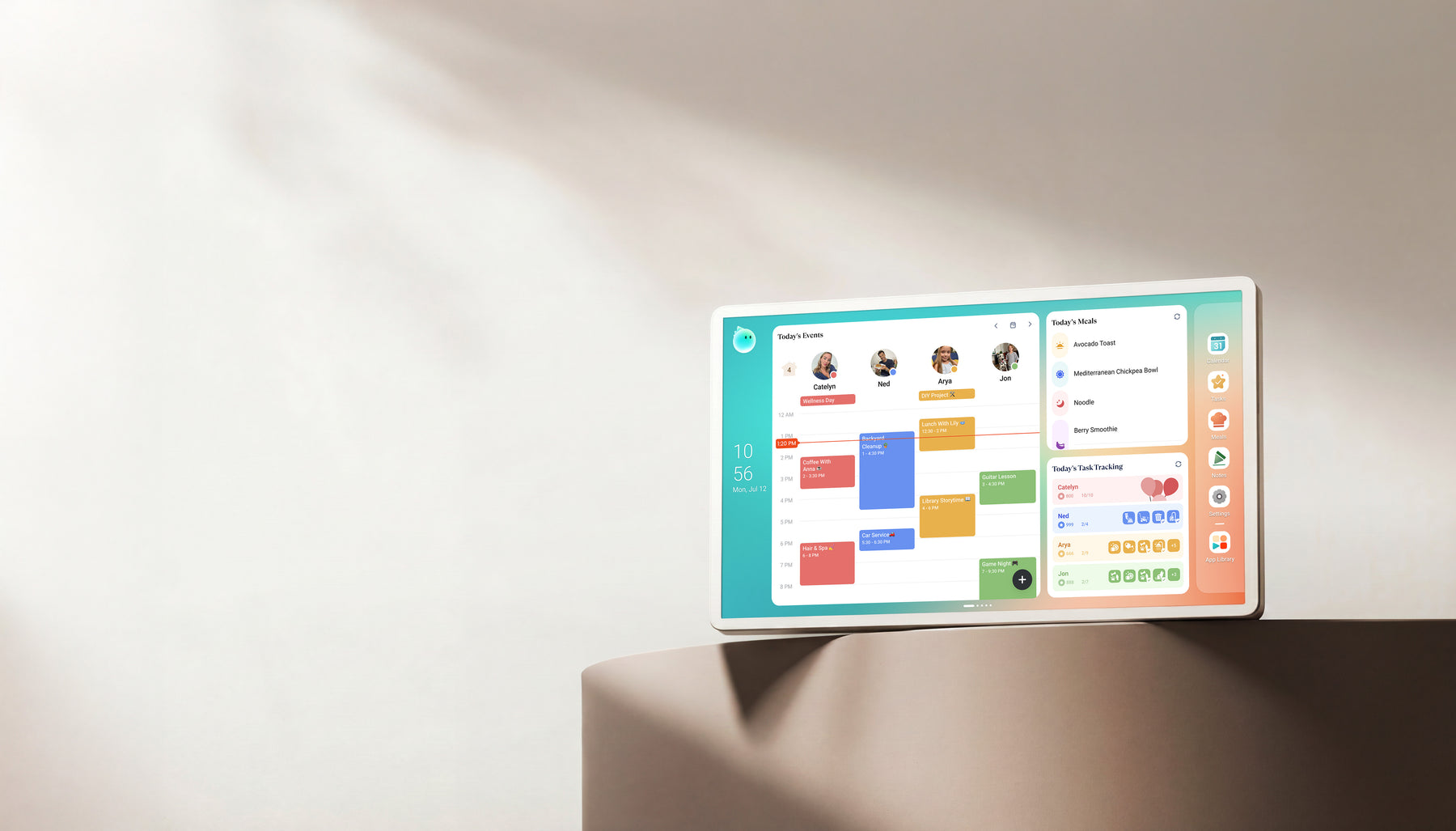
| Calendar 2 vs Calendar+ 2 | The current 15-inch Skylight Calendar 2 page lists upgraded hardware, swappable Snap Frames, a countertop stand, and a wall mount. Core calendar, list, and task tools are separated from Plus features such as meal planning, photo screensaver, and Magic Import. | The current 15.6-inch Cozyla Calendar+ 2 page describes an Android and CalendarOS display with a tabletop stand, optional wall mounting, Google Play apps, calendars, routines, meals, photos, and dashboards. | These are not like-for-like “2” models. Cozyla support also labels some newer instructions Calendar Plus 3, so do not transfer those instructions to Calendar+ 2 without confirmation. |
| Sync reliability | Skylight source notes support Google, Apple/iCloud, Microsoft Outlook, Yahoo, Cozi, and other calendar paths; support docs distinguish two-way sync from one-way sync. | Cozyla source notes support Google, Apple, Outlook, Yahoo, CalDAV, and other third-party calendar paths, but the exact setup and troubleshooting path should be rechecked before purchase. | Both should be rechecked against the family calendar provider before purchase. A broader supported-list is useful only if recurring events, shared calendars, and updates behave reliably. |
| Subscription pressure | Skylight separates included calendar, list, and task tools from Plus features. Its current selected Calendar 2 offer includes a Plus trial and states the ongoing annual price, so compare the hardware choice and recurring plan separately at checkout. | Cozyla is useful for subscription-sensitive comparison intent, but AI, agent, cloud, app, or premium feature boundaries still need feature-level verification by exact model. | Do not treat “no subscription” or “Plus included” language as an automatic win. Compare which features the household will use weekly and whether any paid boundary affects that job. |
| Best fit | Best for families that want the most familiar smart calendar frame reference and a simpler recommendation path. | Best for families comparing a wider smart-display alternative with calendar, photo, routines, and no-subscription-sensitive buying questions. | Skylight remains the cleaner default benchmark. Cozyla is the more interesting alternative when the buyer is actively comparing setup, sync, and ongoing cost tradeoffs. |
| Photo and screensaver role | Skylight presents photo and video screensaver as a Calendar Plus feature on its current U.S. plan page. | Cozyla Calendar+ 2 pages position screensaver alongside calendar, task, meal, dashboard, and app features in a broader family-display setup. | Neither should be chosen as a dedicated photo-frame replacement from this comparison alone. Use this row when photo display is a secondary family-screen job. |
- This comparison is source-backed editorial research, not hands-on testing.
- Checked September 14, 2026: Cozyla's product page identifies the 15.6-inch Calendar+ 2, while a support article updated September 1 separately says it applies to Calendar Plus 3. That label is a model-boundary warning, not evidence that Plus 3 shares Calendar+ 2 hardware, pricing, or availability.
- Checked September 14, 2026: Skylight's product page distinguishes the current 15-inch Calendar 2 from the original Calendar with refurbished memory and separates included features from Calendar Plus features.
- Skylight's product page displayed a selected Calendar 2 offer below the price announced for September 10. Treat the announcement and live offer as dated evidence, then verify the exact style, hardware version, plan, and checkout total before buying.
- Calendar-provider support is not the same as identical sync behavior. Skylight documents one-way and two-way paths by provider; Cozyla's exact Calendar+ 2 setup should still be confirmed for the household accounts that matter.
Feature comparison
| Category | Skylight Calendar | Cozyla Calendar+ |
|---|---|---|
| Best for | Families who want a polished shared calendar with broad mainstream support and do not want to run a DIY dashboard. | Homes comparing Skylight alternatives with calendar, photo, and family-display needs. |
| Calendar | Designed around household calendar visibility and routine coordination. | Best evaluated by supported calendar accounts and setup friction. |
| Photo frame | Photo-frame use is part of the broader family display experience. | Photo sharing and display quality are key differentiators. |
| AI / agent | AI and automation features should be evaluated by practical family tasks, not marketing copy. | AI usefulness depends on whether features reduce real household planning work. |
| Subscription | Review current free and paid-plan differences before buying. | Calendar Plus 2 keeps Basic and Essential features free; optional Calendar Super adds unlimited Agent use, curated art, and full Routie Super access. Verify other models separately. |
| Source status | Official + retailer sources · checked August 21, 2026 | Official + retailer sources · checked August 29, 2026 |
Common questions
Is Cozyla Calendar+ 2 a direct Skylight replacement?
Cozyla Calendar+ 2 can be a Skylight alternative, but it should not be treated as a one-for-one replacement. Skylight is the cleaner calendar-first benchmark, while Cozyla is better evaluated as a broader family display with calendar, photo, routine, app, and AI-adjacent features.
Is Cozyla Calendar+ 2 better than Skylight Calendar?
Cozyla Calendar+ 2 is not automatically better than Skylight Calendar. Cozyla is more interesting when you want a broader smart display and are willing to verify setup, app polish, and model boundaries. Skylight is usually the safer default when the household wants a simpler calendar-first screen.
What is the difference between Skylight Calendar 2 and Cozyla Calendar+ 2?
Skylight Calendar 2 is a 15-inch calendar-first display with a guided app workflow, swappable frames, and both countertop and wall-mount options. Cozyla Calendar+ 2 is a 15.6-inch Android and CalendarOS family display with a tabletop stand, optional wall mounting, and a broader app and dashboard surface. Compare provider-specific sync and paid-feature boundaries separately; the similar model numbers do not imply equivalent hardware or workflows.
Is Cozyla a good Skylight alternative without a subscription?
Cozyla belongs in no-subscription and lower-subscription-pressure research, but the important check is whether the exact model still handles calendar sync, photos, routines, and family workflows well enough without paid or unclear feature boundaries.
Which is better for Google Calendar or Apple Calendar?
Do not choose only by the supported-calendar list. Check the exact setup path, shared-calendar visibility, recurring events, color handling, and refresh behavior for the calendar provider your household actually uses.
Which is better if I want fewer subscriptions?
Start by listing the features your family will use every week: calendar sync, photos, chores, lists, meals, importing events, and remote management. Then check which of those are free or paid on the exact model you are buying. A lower subscription burden only matters if the required household jobs still work well.
Which product fits a family that wants more features?
Cozyla is the better research path when a family actively wants a broader CalendarOS display with calendars, routines, meals, apps, and more personalization. Skylight stays stronger when the simpler shared-calendar workflow is the main goal. Verify the exact model and setup boundary before buying.
Which is easier for grandparents or less technical households?
Skylight is usually the simpler starting point when the household wants a visible shared calendar with fewer category choices to manage. Cozyla can still fit, but its broader CalendarOS and app surface make exact model, setup, and support expectations more important to verify first.
Which has better photo-frame value?
Treat photo use as a secondary job in this comparison. Skylight currently lists photo and video screensaver inside Calendar Plus, while Cozyla Calendar+ 2 positions screensaver within a broader calendar-and-dashboard display. Neither statement makes one a universal photo-frame winner; check the current model and choose a dedicated photo frame when photos are the primary job.
Final recommendation
The better choice depends on the screen's main job. If your family needs visible scheduling, choose the calendar workflow that feels easiest to maintain. If the screen is also a photo frame, routine board, or dashboard, weigh those jobs before chasing the highest spec.