On this page
Should you buy the Pix-Star LUX 10?
- Consider it for a parent’s bedside or living-room shelf when one relative will manage photos and settings remotely, with USB/SD as a local fallback.
- Do not buy it on an “only Google Photos frame” claim. Aura also documents automatic Google Photos albums; Pix-Star’s current LUX 10 specification says Google Photos import, while naming Dropbox auto-sync.
- Skip it as the main family calendar or an AI assistant. A photo slideshow, clock and reminders serve a different job from a shared, editable household schedule.
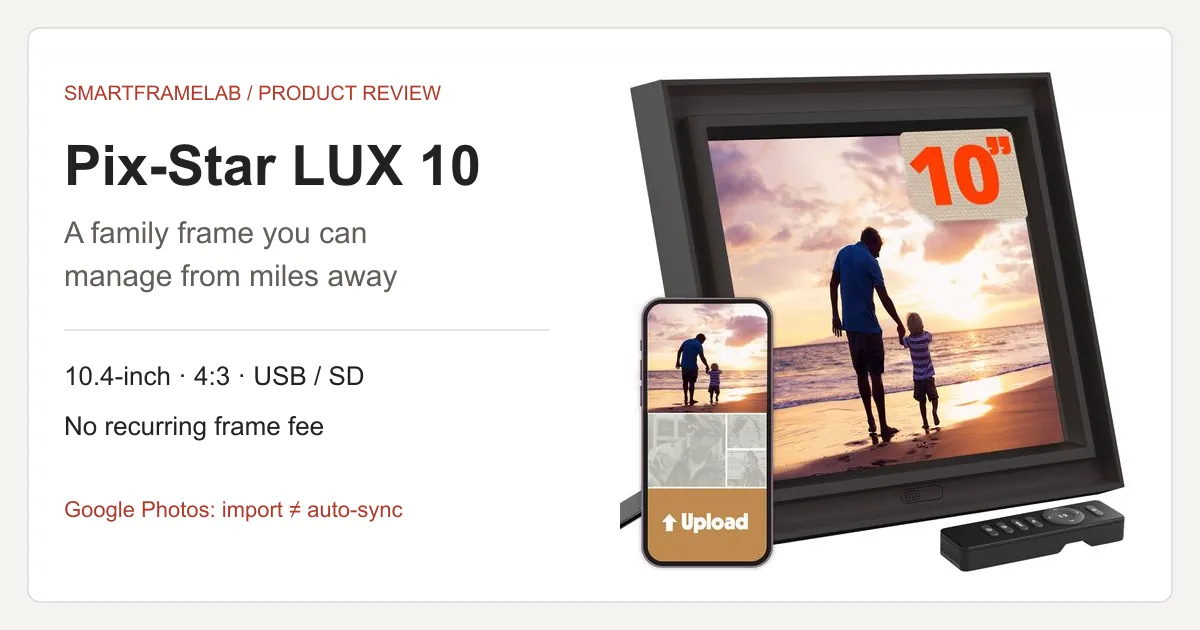
SmartFrame Score
A strong choice when one relative manages photo displays across several homes. Free remote administration and local playback are the main attractions; lower screen resolution, fiddly file selection and uncertain automatic Google Photos updates hold it back.
- Photo Frame7.4 / 10
- The 4:3 IPS screen suits matching landscape photos, with adjustable presentation and local USB/SD playback. Its 1024 × 768 resolution limits fine detail compared with higher-resolution alternatives. Sitegeek praised viewing angles but found the plastic finish less premium; portraits still need a crop or unused space.
- Family Workflow8.4 / 10
- Included web administration, individual and group email addresses, and management of up to 25 frames make remote family help unusually practical. Setup still needs an account keeper and working Wi-Fi. Fiddly NAS selection and unclear Google-specific automatic updates prevent a higher score.
- Subscription Value9.0 / 10
- Current terms include cloud storage and remote tools without a recurring frame fee; USB/SD provides a local fallback. That is a strong ownership proposition, with a two-year manufacturer warranty advertised for current LUX hardware. Free cloud remains a service commitment, not a guarantee of perpetual availability or archival fidelity.
- Calendar Sync1.8 / 10
- A calendar, clock and reminders can add context to a slideshow. The cited LUX 10 documentation does not establish external family-calendar synchronization, two-way event editing or a shared chore workflow, so this is a photo-frame recommendation.
- AI / Agent Readiness1.0 / 10
- Photo delivery, motion sensing and slideshow settings are useful automation, but the documented feature set does not establish generative photo editing, predictive scheduling or an AI assistant.
An editorial assessment of the current LUX 10 (10.4-inch), combining Sitegeek’s July 2026 hands-on review with current Pix-Star documentation. The overall score judges its family photo-sharing role, rather than averaging all five dimensions or copying another publication’s rating. Older 15-inch tests do not establish this model’s display quality. Geometry and cost examples are calculations; Google Photos authorization and sync latency were not measured by SmartFrameLab. How we score
What you get in the current LUX 10
The useful combination is remote administration plus local storage. A helper can maintain the slideshow from elsewhere; a USB drive or SD card gives the recipient a way to show pictures without depending on a live cloud connection. MP4 video playback is listed, but photo-album support should not be read as a promise of Google Photos video sync.
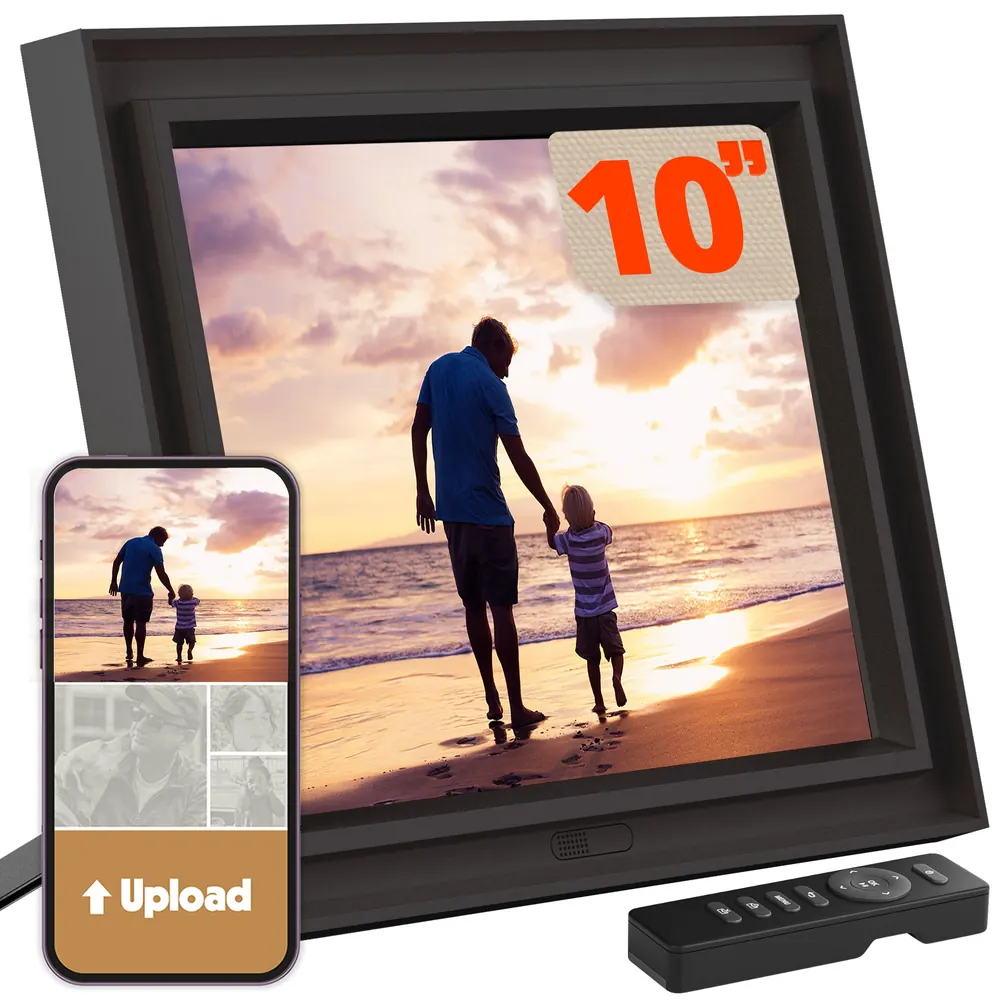
| Parameter | Current manufacturer specification | What it means at home | Sources |
|---|---|---|---|
| Screen | 10.4-inch IPS; 1024 × 768; 4:3 | Compact photo display; resolution and shape alone do not establish color accuracy. | Pix-Star LUX 10 official listingPix-Star current frame specifications |
| Storage | 16 GB internal; USB and SD-card support | Keep a local collection alongside online delivery. | Pix-Star LUX 10 official listing |
| Connectivity | Wi-Fi 6, 2.4/5 GHz; Bluetooth | Current LUX hardware differs from older single-band models. | Pix-Star LUX 10 official listing |
| Controls | Handheld remote and web management | Useful for a remote helper; check that the recipient can operate the remote. | Pix-Star LUX 10 official listingPix-Star support FAQ |
| Recurring frame plan | No monthly or annual fee advertised | Cloud and remote features are included under current terms. | Pix-Star LUX 10 official listing |
Manufacturer specifications, checked October 28, 2026. A product photograph does not establish screen quality or ease of use.
What the current-model hands-on review found
Sitegeek’s July 7, 2026 LUX 10 review praised viewing angles and found app sending and uploaded web albums worked well. Its NAS connection worked, but selecting large collections was cumbersome; the reviewer also disliked the plastic finish. These observations support convenient family sharing more strongly than a premium display or advanced NAS workflow.
- The same reviewer could not play the iPhone videos used in that test. Current official pages list different video-format coverage, so a container name alone is not a compatibility guarantee. Try a representative original clip before relying on the frame for video.
- The hands-on observations apply to that reviewer’s sample and software. They do not establish Google Photos automatic-album behavior, measured color accuracy or a multi-year reliability result.
Sources: Sitegeek: Pix-Star LUX 10 hands-on reviewPix-Star current LUX 10 specification page
Google Photos: import is not proof of automatic sync
Pix-Star’s LUX 10 page describes linked online albums that update automatically, but its detailed specification separates Google Photos import from Dropbox auto-sync. That wording does not establish a working, continuously updating Google album connection today. Our Google Photos setup guide explains the current routes across brands.
- Aura’s July 2026 instructions explicitly support automatically updating Google Photos albums. Pix-Star therefore has no exclusive claim to that feature.
- For Pix-Star, successful sign-in and a first batch of pictures would still not prove ongoing sync. Add one more photo to the source album without sending it again; check whether it reaches the frame and record the elapsed time.
- There is no independently measured Pix-Star Google Photos latency or stability result in this review. If automatic Google albums are the deciding feature, require a demonstration for the current account and model before relying on it.
- In a registered Pix-Star web account, inspect the external/web-album connections. If Google Photos is offered, follow the authorization and album-selection flow with a small, non-sensitive album.
- If the option is absent or fails, download the selected pictures from Google Photos. Send those files through Pix-Star Snap or the web uploader, or attach them to an email to the frame’s @mypixstar.com address.
- Send actual image attachments. A Google Photos album-sharing link is not a photo file, and Pix-Star’s FAQ says its email system cannot import that link.
Sources: Pix-Star LUX 10 official listingAura: Using Google PhotosPix-Star support FAQ
Two grandparents’ homes: the group address matters
Pix-Star advertises management of up to 25 frames. Its multi-frame account combines administration and a group email address, while each frame keeps its own address. For two households, that distinction is more useful than the maximum frame count.
- Use the group address for pictures everyone should receive. Use the individual address for a photo meant for just one home; the FAQ says group photo-mail is dispatched to every linked frame.
- A remote helper can adjust brightness, slideshow timing and the on/off schedule through the web account. Remote help still needs the frame online; it cannot repair the recipient’s disconnected router.
- Treat the group as a shared audience. Keep private pictures out of group uploads and keep original photos in a separate backup. “Free lifetime cloud” describes the current service offer, not a guarantee of perpetual operation.
Sources: Pix-Star remote multi-frame managementPix-Star support FAQPix-Star family sharing and cloud terms
Photo quality: 4:3 helps only when the picture matches
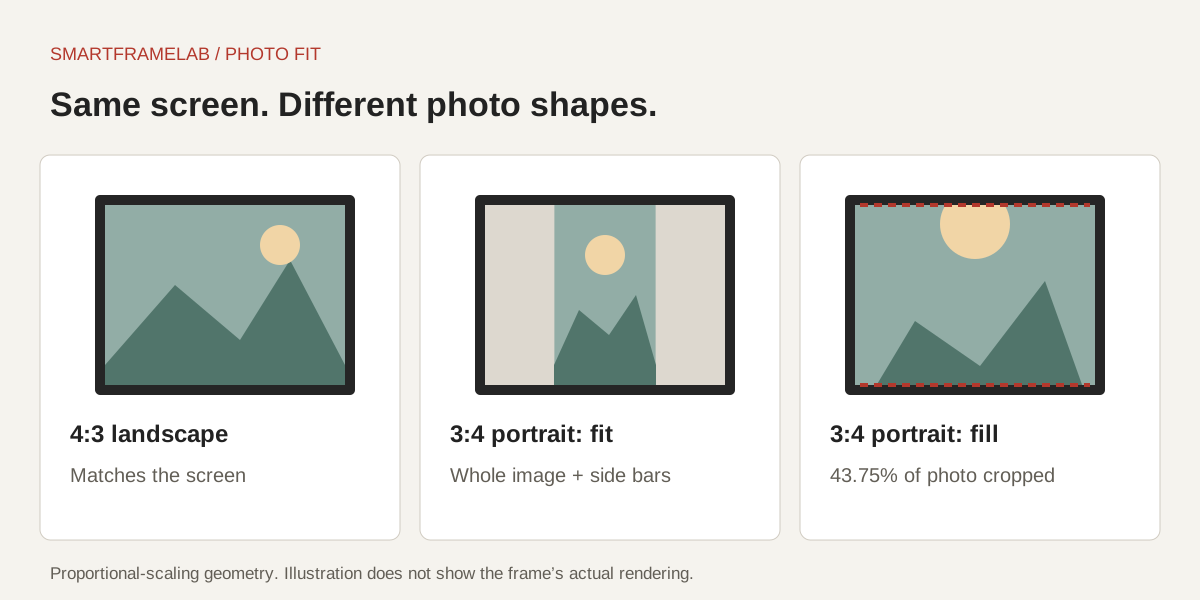
A landscape 4:3 photo matches a landscape 4:3 screen. A portrait, square image or wide panorama does not. The claim that this shape eliminates all cropping is too broad: you still choose between showing the whole image with unused space and filling the display by cropping.
- Calculated from 1024 × 768 pixels and a 10.4-inch diagonal, pixel density is about 123 ppi. This is a specification calculation, not a measured sharpness score.
- A 3:4 portrait fitted inside a landscape 4:3 screen occupies 56.25% of its area. Filling that screen instead removes 43.75% of the portrait’s area, assuming proportional scaling with no distortion.
- For a gift, try faces near the edges, a portrait and a dark indoor photo at the actual viewing distance. Check reflections and skin tones as well as whether the upload succeeds.
Sources: Pix-Star LUX 10 official listing
For older relatives, simplify the daily interaction
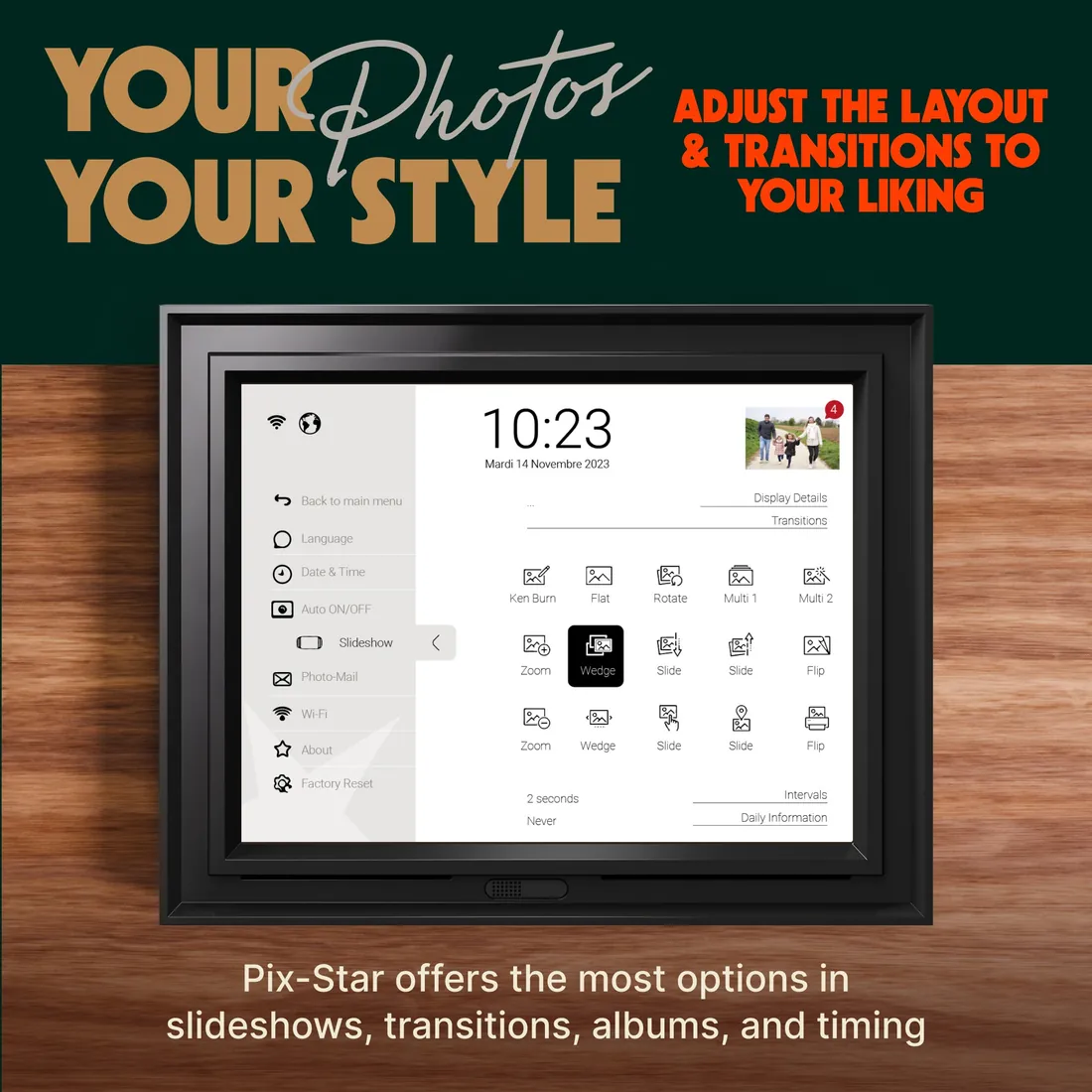
A slideshow that runs without assistance can be a better gift than a screen full of features. Earlier-model owner reports mention awkward menus and having to aim the remote precisely. Tom’s Guide also noted occasional remote delays on the older 15-inch frame; those observations are not a test of the current LUX 10.
- Configure a simple slideshow and sleep schedule before handing it over. Ask the recipient to pause, resume and change volume without prompting.
- Check menu labels from their normal chair, with their usual glasses. A 10.4-inch diagonal does not prove accessible text sizing or eldercare suitability.
- For a care-home gift, confirm the network first. Pix-Star’s FAQ says browser-based Wi-Fi login portals are not supported directly. Local USB/SD playback is an alternative when online delivery is unavailable.
Sources: Owners discuss older Pix-Star 10-inch framesTom’s Guide: older Pix-Star 15-inch reviewPix-Star support FAQ
Calendar and AI features: choose it for photos
Pix-Star advertises a calendar, reminders, weather and other extras. Those labels do not establish Google Calendar, Apple Calendar or Outlook event synchronization, two-way editing or household task assignment. If pickups and appointments are the main job, compare a family calendar display instead.
- Do not buy it expecting an AI scheduling assistant or a generative photo editor: the cited LUX 10 feature list does not establish either capability.
- Motion sensing and scheduled on/off can reduce unwanted screen time, but presence detection is not the same as ambient-light dimming. The current frames page advertises a PIR sensor; it does not provide a measured false-wake rate or prove automatic night brightness.
Sources: Pix-Star LUX 10 official listingPix-Star current frame specifications
Pix-Star vs Aura vs Skylight Frame
Choose around who will do the work: the relative maintaining several screens, the Google Photos album owner, or the person who simply wants to email a picture. Skylight Frame here means the photo frame, not Skylight Calendar.
| Option | Why consider it? | The boundary that matters | Sources |
|---|---|---|---|
| Pix-Star LUX 10 | Remote web settings, multi-frame groups and USB/SD playback without a recurring frame fee. | Current Google Photos import wording is not proof of automatic album updates. | Pix-Star LUX 10 official listingPix-Star remote multi-frame management |
| Aura | Current, explicit Google Photos automatic-album instructions. | Google Photos videos require a separate upload route; core LCD-frame sharing and storage have no required subscription. | Aura: Using Google PhotosAura Carver Mat photo sharing and storage |
| Skylight Frame | Basic email photo sharing for relatives who prefer attachments. | Frame Plus adds videos, albums and other tools. Email sharing does not equal a native Google Photos album connection. | Skylight: Sending photos by emailSkylight Frame Plus features |
Workflow comparison from current official documentation, not a side-by-side hardware test. Check the exact size and generation before buying.
Why Pix-Star earns 7.8—and which alternative to choose
At 7.8/10, Pix-Star is strongest when the remote family helper matters more than maximum photo detail. Pexar’s 8.0/10 assessment favors its sharper 2K display and local loading; Pix-Star includes remote administration that needs a paid plan on the Frameo-powered Pexar.
- Nixplay Modern W10K scores 7.2/10. Its existing family-sharing network may justify staying, but Pix-Star’s included cloud and web management are a stronger starting point for a new multi-home setup.
- For automatic Google Photos albums, Aura has clearer current instructions. Pix-Star earns no extra credit for unverified Google-specific automation.
- The high family and subscription scores describe photo sharing. Its calendar and AI scores remain low because slideshow extras do not replace a household organizer.
Sources: Pix-Star LUX 10 official listingPix-Star remote multi-frame managementAura: Using Google PhotosSitegeek: Pix-Star LUX 10 hands-on review
What does it cost over three or five years?
The US LUX 10 store displayed $139.99, alongside a $159.99 reference price, on October 28, 2026. Under its current no-recurring-fee terms, the frame-service charge adds $0 over three or five years. That is not the entire cost of ownership.
- At that displayed price, two frames cost $279.98 before tax and delivery. Three and five years have the same hardware-plus-required-plan subtotal if the current terms stay unchanged and neither frame needs replacing.
- Add electricity, internet, optional memory cards, any separate Google storage and replacement hardware. No electricity estimate is included because power draw was not measured.
- Unlimited cloud storage is different from the frame’s finite 16 GB local memory. Keep a separate original library; a cloud backup promise is not an archival-fidelity test.
Sources: Pix-Star LUX 10 official listingPix-Star family sharing and cloud terms
Wi-Fi 6 and a battery solve different problems
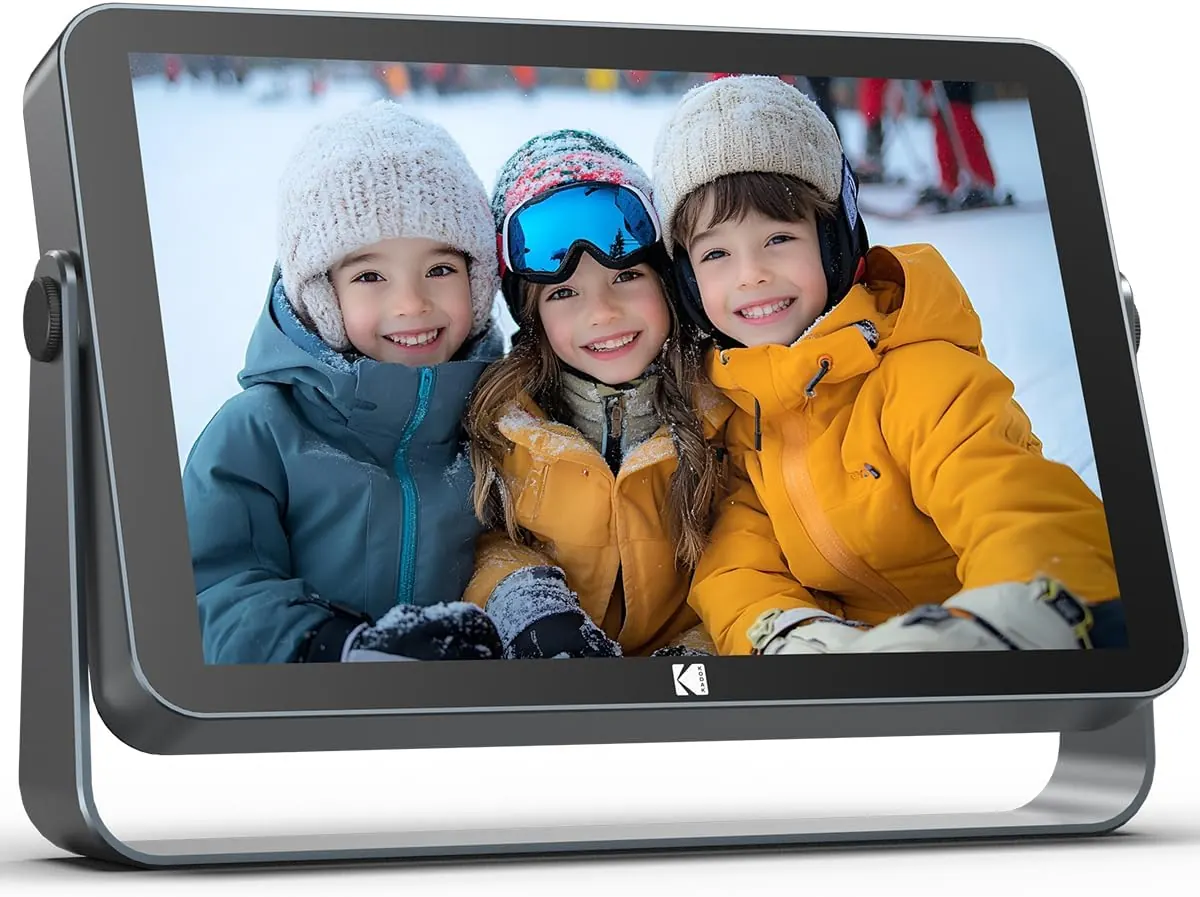
The current LUX 10 has dual-band Wi-Fi 6, as shown in the hardware table above. That describes the network connection, not freedom from a power lead. For a frame you want to move between rooms during a gathering, our KODAK battery-frame Watch examines the selected 109v offer and its event-use tradeoffs.
- Choose Pix-Star around remote settings, photo email and multi-home support. Choose temporary battery placement around the length of the actual session and access to charging.
- Remote delivery still depends on the sender’s upload, the service and the receiving network. A Wi-Fi 6 label does not establish an end-to-end upload-time advantage.
Sources: Pix-Star LUX 10 official listing
Our verdict
- Pix-Star LUX 10 is worth considering when remote family support, local playback and no required subscription matter more than a minimalist app or a shared calendar.
- For Google Photos-first buying, Aura currently has the clearer documented automatic-album workflow. Pix-Star’s broader sharing options remain useful even when you send downloaded photo files manually.
Common questions
Does Pix-Star automatically sync Google Photos?
Its current LUX 10 listing advertises Google Photos import and automatic updates for linked online albums, but does not clearly establish current Google-specific automatic sync. This review did not test an authorized account. Send downloaded image files if the connection is unavailable; see the Google Photos setup guide.
Does Pix-Star require a subscription?
The current LUX 10 offer includes cloud storage and remote features without monthly or annual frame fees. Internet, electricity, optional storage and future hardware replacement remain separate costs.
Can one person manage several Pix-Star frames?
Pix-Star advertises up to 25 frames. A multi-frame account can send group photo-mail to linked frames, while individual addresses remain available for pictures intended for one home.
Can Pix-Star show photos without Wi-Fi?
Pix-Star documents local USB/SD playback and continued display of already downloaded web-album pictures. New online photos and remote management need an internet connection.
Sources
Related reading
Set up the photo connection—or choose a calendar
Follow the connection your frame actually supports, then decide whether photos or a shared schedule matter more.
Compare the room’s main job
- How to Sync Google Photos to a Digital Photo FrameFollow the right setup for Aura, Nixplay, Cozyla, Pix-Star, Skylight or Frameo. See which connections update albums automatically and which send only the photos you select.
- Family Command Center or Calendar Frame?Choose a shared home screen by the problem it must solve: visible schedules, task ownership, family photos, or a configurable information wall.