
On this page
Quick answer
- Choose Aura Carver for frequent, larger uploads and a landscape display in a home with dependable Wi-Fi. Its listed $149 price includes unlimited photo storage under current terms.
- Choose a Frameo-powered model when a loaded slideshow must keep playing without Wi-Fi. Check the exact storage, screen, ports and hardware support before buying.
- Frameo Free allows 10 photos per send with repeat sends. Frameo+ allows 100. Frameo also has shuffle, so a complaint about repetition does not mean the setting is absent.
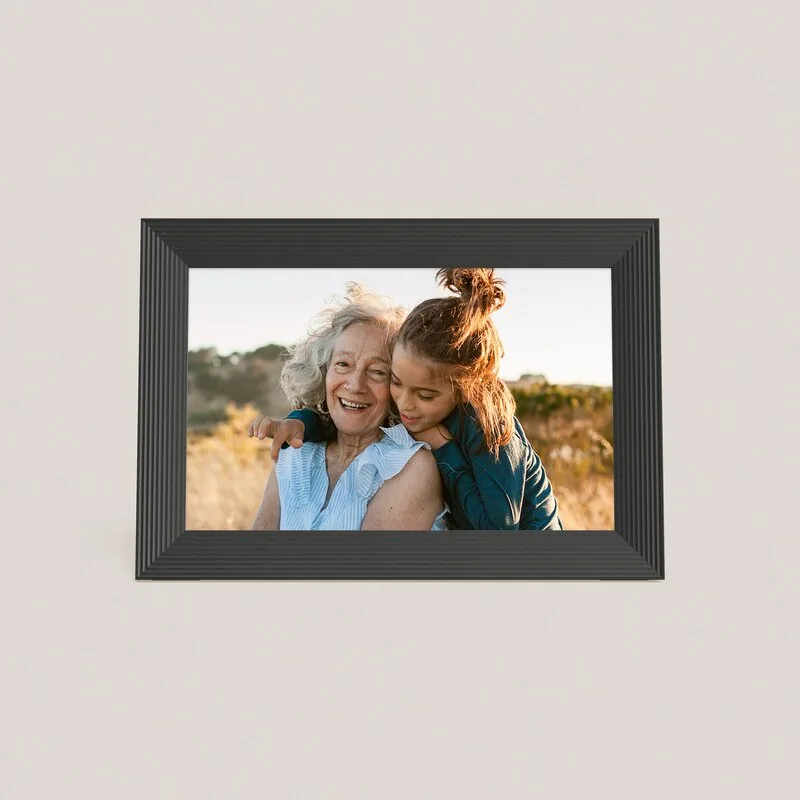
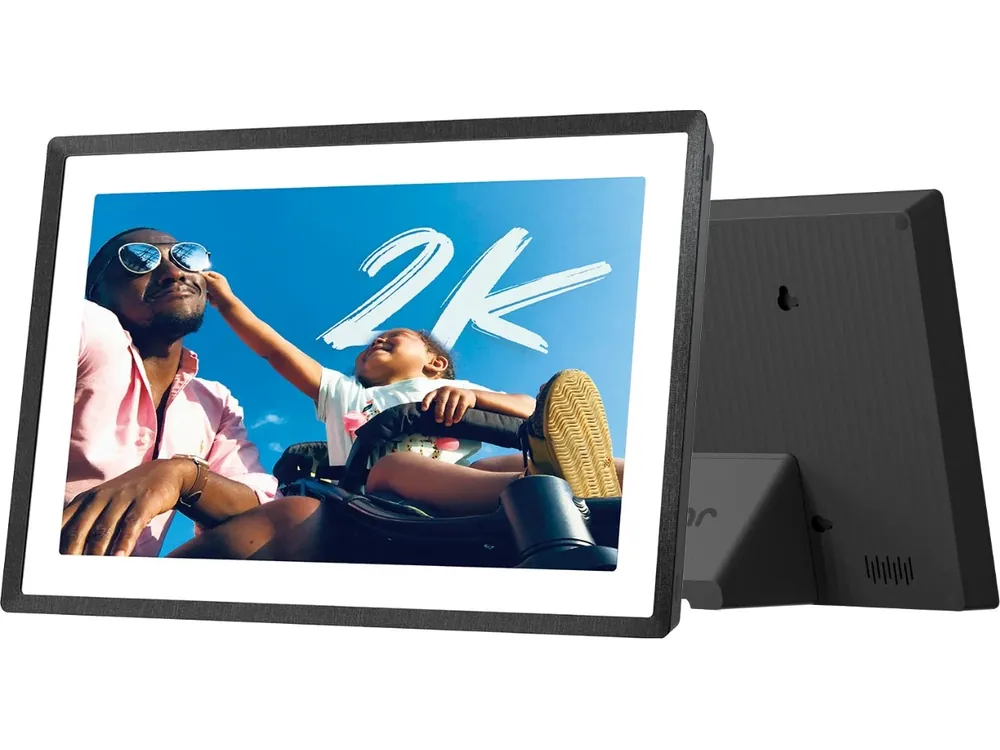
What are you actually buying at $150–170?
Aura Carver is a specific 10.1-inch, 1280 × 800 landscape frame listed at $149. Frameo is a platform used by different manufacturers. A 32GB claim belongs to a selected device, not to every Frameo frame. Before comparing two prices, write down the Frameo brand, model and seller that will handle a failed screen or power supply.
- Pexar 2K 11-inch is a useful named Frameo alternative with 2000 × 1200 resolution, 32GB and portrait rotation. Its current US product page showed $179.99 when checked, above this budget. Check the current seller’s price before treating it as a $150 alternative. The similarly shaped VivKeep Pro uses Pexar’s own app.
- At a strict $170 ceiling, compare the actual checkout price of a named Frameo model with Carver. A higher price is justified only by hardware or support you want. The Frameo app name alone cannot explain it.
| Buying question | Aura Carver | Pexar 2K 11-inch with Frameo | Sources |
|---|---|---|---|
| US listed price checked November 13 | $149 | $179.99, before any checkout promotion | Aura Carver specifications and US pricePexar 2K 11-inch specifications and US price |
| Screen and placement | 10.1-inch, 1280 × 800, landscape | 11-inch, 2000 × 1200, portrait or landscape | Aura Carver specifications and US pricePexar 2K 11-inch specifications and US price |
| Photo storage | Unlimited cloud storage under current terms | 32GB onboard plus documented SD/USB options | Aura Carver specifications and US pricePexar 2K 11-inch specifications and US price |
| Included phone sharing | No required frame subscription | 10 photos per send, repeat sends allowed | Aura Carver specifications and US priceFrameo Free, Plus and Premium |
Prices exclude tax and any shipping. Pexar represents one Frameo device. Other models can have different capacity, ports, software and warranty.
Is your Wi-Fi stable?
For a holiday home without internet or a relative whose router regularly drops out, choose a Frameo model that you can preload. Frameo documents continued playback offline, with an internet connection needed for new app transfers and updates. Aura’s US troubleshooting page says the frame shows the connection setup screen after 24 hours offline. That makes Carver a poor fit for an intentionally disconnected home, even if some photos are cached.
- For a distant recipient, the repair matters as much as the outage. Aura says Wi-Fi credentials cannot be changed remotely and an invited frame member must reconnect it in person.
- Carver uses 2.4GHz Wi-Fi. A multi-band router can provide that band, but a working phone connection on 5GHz alone does not establish that the frame can connect.
- Local Frameo playback does not deliver new pictures from relatives while the frame is offline. Arrange a periodic hotspot connection or an in-person media import if the recipient has no broadband.
Do you send 50 or more photos at once?
Sixty photos mean six sends on Frameo Free, or one selection within Frameo+’s 100-photo allowance. That is a count of batches, not an upload-speed result. The free limit is per send, so a parent sending three pictures each week may never need an upgrade. The relative digitizing an entire family album will feel the repeated selection and caption steps much more.
- Frameo+ costs $1.99 per month or $16.99 per year at the published US rates. Its 14-day trial renews unless canceled through your billing account. A downgrade retains the current plan until the billing period ends. Upgrading your sending account does not automatically give every other relative the same paid privileges.
- Aura supports much larger batches. Its upload troubleshooting guide recommends batches of up to 100, a powered phone and Wi-Fi. If an iPhone keeps originals in iCloud, downloading them to the phone can delay the transfer before the frame receives anything.
- Frameo lets you choose Settings → Slideshow → Photo display order → Shuffle. If pictures seem to repeat, compare the selected order and visible library. A short run of repeats is not evidence that shuffle is missing.
Do you want photos stored locally or in the cloud?
Aura’s cloud makes it convenient for several relatives to contribute to one growing collection. It also means accepting an account and a service as part of the frame. Aura says it does not offer a photo backup service, so keep your originals elsewhere. Unlimited uploads are a display benefit, not a replacement for your own photo archive.
- On Frameo, received photos are stored on the device. That is useful for offline viewing, but a failed device can still take the only copy with it. A compatible SD-card backup stores photos and settings for recovery. Keep a separate original library as well.
- An SD backup and an export for opening files on a computer serve different purposes. Check the restore and export options on the selected model before erasing a phone library.
- Frameo’s optional cloud backup changes the storage arrangement again. Local playback avoids needing the cloud for an existing slideshow, while remote sending still depends on working software and connectivity. Neither company can promise a permanent future service.
How many years do you plan to keep it?
A recurring fee is worth paying when it saves work you actually repeat. For a gift that gets a few photos each weekend, begin with the included sharing. For a frame manager who frequently sends a hundred holiday pictures or needs remote photo management, compare Frameo+ with the effort saved. Ask who will own the account, cancel a trial and help the recipient if the router changes.
- Pexar lists August 13, 2029 as the security-update cutoff for the PX-110 with Frameo. That is under three years after this comparison’s date. Its PX-110 Pexar App entry has a different cutoff. A five-year cost table does not mean five future years of supported software.
- For hardware problems, contact the manufacturer or seller of the Frameo frame. An app developer cannot supply a replacement panel. Check the model’s warranty, return route and update support before buying several units.
- Owner complaints are useful clues about setup and support, but they do not establish a comparative failure rate. The Frameo name spans different hardware, so model-specific evidence matters.
| Setup | Annual service | Three years including hardware | Five years including hardware | Sources |
|---|---|---|---|---|
| Aura Carver at $149 | $0 required | $149 | $149 | Aura Carver specifications and US price |
| Pexar at $179.99 with Frameo Free | $0 required | $179.99 | $179.99 | Pexar 2K 11-inch specifications and US priceFrameo Free, Plus and Premium |
| Same Pexar with Frameo+ annual plan | $16.99 | $230.96 | $264.94 | Pexar 2K 11-inch specifications and US priceFrameo Free, Plus and Premium |
Calculated at unchanged US prices before tax, shipping and optional media. Paid totals count three or five annual payments, without prorating a trial. They do not predict service prices or hardware lifespan.
What happens to iPhone photos, portraits and calendar events?
Both ecosystems document a phone route for HEIC. Frameo’s direct-import compatibility is narrower, with HEIC on the frame qualified by Android 10 or later. A file accepted through the iPhone app does not prove the same file will import from a memory card. Use the HEIC troubleshooting guide when a thumbnail, Live Photo or date order looks wrong.
- Carver pairs portrait photos on its landscape panel. Pexar can rotate physically. For a library dominated by tall phone portraits, compare a single portrait, a paired view and a crop before choosing the presentation you prefer.
- Pexar’s specified 2.4 million pixels are about 2.34 times Carver’s 1.024 million. That is resolution arithmetic, not a measured advantage in color, contrast or reflections. Panel finish and viewing distance still matter.
- Automatic portrait pairing is a photo-layout tool. It does not establish an AI assistant that understands or schedules family tasks.
- Calendar needs deserve their own comparison. Current Frameo plans include one synced calendar on compatible software, with more planning tools in Premium. Aura Carver is a photo frame. Read the Frameo Calendar guide if appointments are a purchase requirement.
Try the photo workflow before the return window closes
Use 60 original HEIC photos that include portraits, dark scenes, dates from different years and detailed faces. Send to one frame at a time with the same phone and Wi-Fi. Count visible photos on the frame, not just selections in the app. Keep the phone awake and note whether originals first have to download from iCloud.
- These steps are a home acceptance check. SmartFrameLab has not run the paired 60-file transfer or 24-hour outage trial on these units.
- Record model, software version, plan, selected files, failed files and the time when all 60 become visible. On Frameo Free, record each of the six sends.
- Check faces, cropping, rotation and chronological order with the same photos. Preserve originals so that an app conversion cannot become your only copy.
- After confirming delivery, disconnect the frame’s internet while leaving power connected. Check immediately, later that day and after 24 hours. Restore Wi-Fi and check that new photos arrive.
Which should you buy?
- Choose Carver if Wi-Fi is dependable, relatives send large batches and you want included cloud sharing at its listed $149 price.
- Choose a named Frameo model for a recipient who needs an offline slideshow or wants local media control. Inspect its exact screen and warranty. Pexar is a higher-resolution example if its current price fits your budget.
- Start with Frameo Free for occasional sends. Add Frameo+ when repeated large batches or remote management justify it, and choose Premium only for planning features you will use.
Common questions
Is Frameo really free?
Core photo sharing is free, with up to 10 photos per send and repeat sends allowed. Larger batches, longer app videos and cloud backup are among the optional Frameo+ features. The hardware itself is a separate purchase.
Does Frameo have shuffle?
Yes. Open Settings, Slideshow and Photo display order, then choose Shuffle. Date taken and Date received are other documented choices.
Does every Frameo frame have 32GB?
No. Capacity, display resolution and ports depend on the hardware model. The Pexar 2K 11-inch discussed here lists 32GB.
Related reading
Find the right photo-sharing route
Reviews and buying guides
- Pexar 2K 11-inch reviewHardware, local import and Frameo plan boundaries.
- How to choose a Frameo frameCheck exact hardware and the company supporting it.
- Frameo Calendar vs a calendar-first framePhoto display and shared planning solve different jobs.
- Aura vs Nixplay vs SkylightCompare other family-sharing routes.
Sources
- Aura Carver specifications and US price
- Pexar 2K 11-inch specifications and US price
- Frameo Free, Plus and Premium
- Frameo+ account features
- Aura loss of Wi-Fi connection
- Frameo offline playback
- Aura missing photos and upload troubleshooting
- Frameo supported media
- Frameo slideshow ordering
- Frameo SD-card backup
- Aura photo access, privacy and backup limitations
- Pexar model-specific security support dates
- Reddit owners on batch limits and repeated photos