
Comparison
Skylight vs DAKboard
A turnkey smart calendar frame compared with a more customizable dashboard display approach.
Skylight is simpler for most families; DAKboard is better for users who want customization.
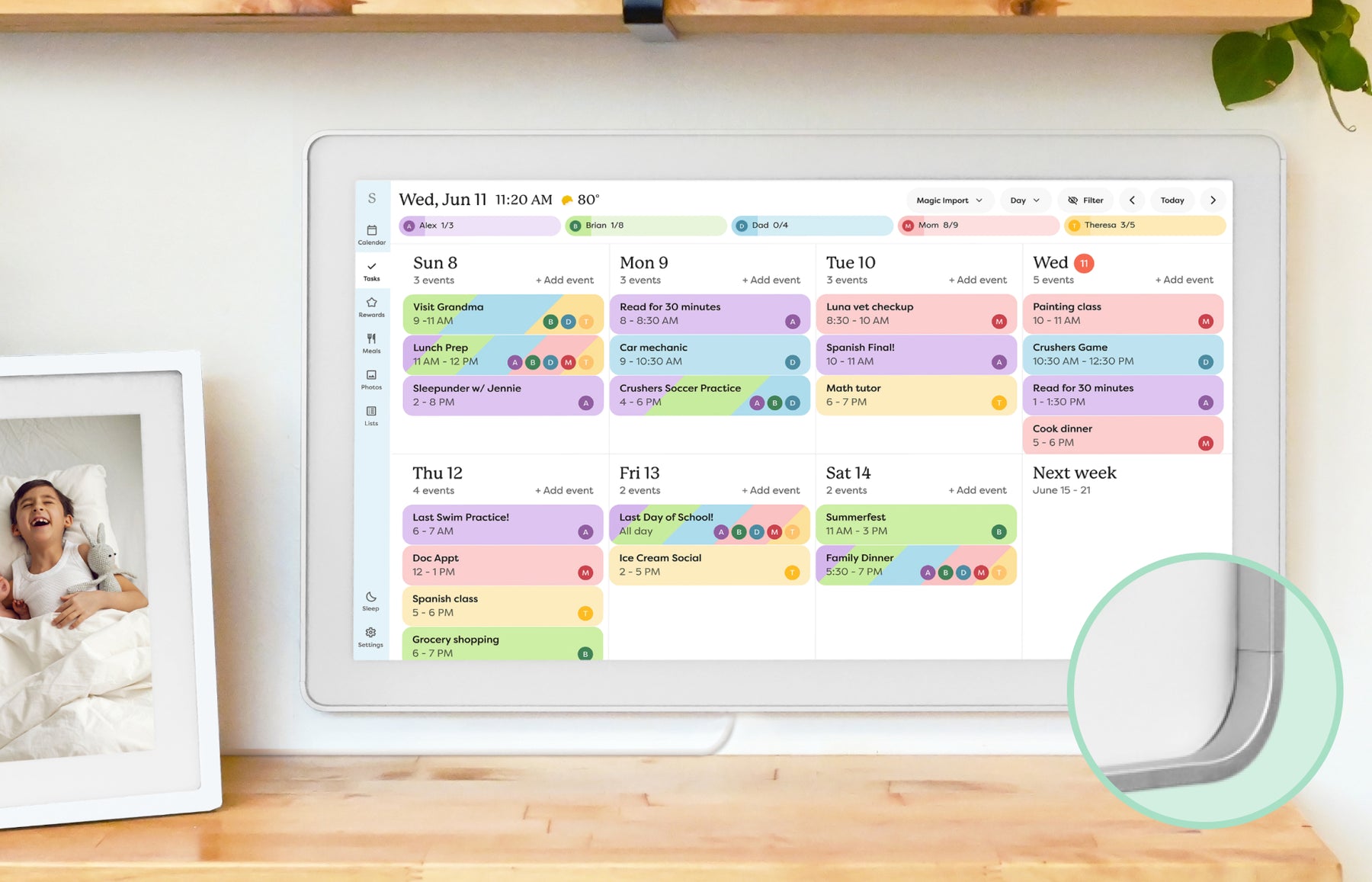
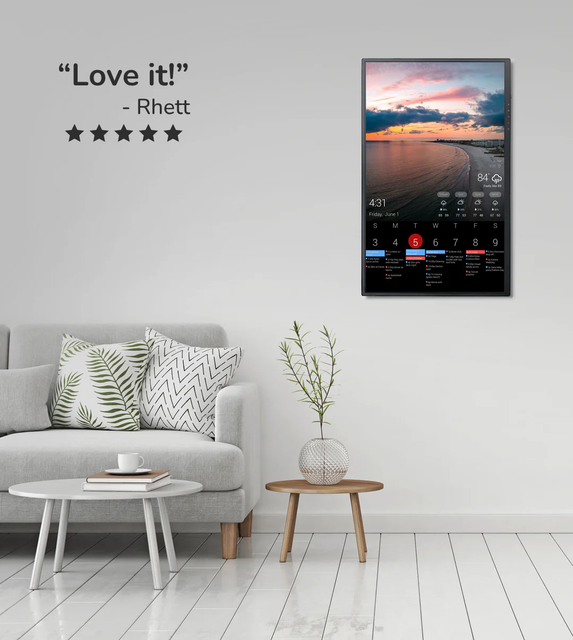
Quick answer
- Winner logic: Skylight is simpler for most families; DAKboard is better for users who want customization.
- Skylight fit: Choose Skylight if you want a consumer appliance-like calendar frame and are comfortable checking which advanced features depend on Plus.
- DAKboard fit: Choose DAKboard if you like configuring dashboards, widgets, and information views and want to compare Free, Essential, and Plus-style plan value directly.
- Source check: Skylight is Official + retailer sources · checked August 21, 2026. DAKboard is Official sources · checked August 29, 2026.
Decision path
Check the supporting pages before choosing.
Use these internal links to move from the side-by-side answer into product reviews, rankings, and buying guides.
Read the reviews
- Skylight Calendar ReviewFamilies who want a polished shared calendar with broad mainstream support and do not want to run a DIY dashboard.
- DAKboard Display ReviewHomes that want a configurable dashboard for calendars, photos, weather, chores, or mixed household information on one screen.
Best-pick context
- Best Smart Calendar FramesThe best smart calendar frames for families who want schedules, reminders, and routines visible at home.
- Best Digital Wall Calendars for FamiliesCompare the best digital calendars and digital wall calendar displays for home by schedule visibility, chores and routines, sync, placement, subscription pressure, and source confidence.
- Best Smart Frames Without Subscription PressureA source-refreshed buyer guide comparing the free core workflow, optional paid tools, exact-model limits, app polish, and support confidence behind no-subscription calendar claims.
- Best AI Photo Frames and Family DisplaysA careful look at smart frames where AI should be judged by useful household outcomes, not buzzwords.
Buying guides
- DAKboard Alternatives for Family DashboardsHow to compare DAKboard against simpler smart calendar frames, family command centers, and eCalendar-style wall displays.
- Skylight Calendar Alternatives: Choose by Household NeedLooking for a Skylight alternative? Compare the strongest paths by what your household needs instead: lower subscription pressure, routines, dashboard control, Android flexibility, photo sharing, or large-wall visibility.
- Google Calendar Dashboard Wall Display GuideBuild the screen view first: compare Google Calendar dashboard templates and real home examples, then choose wall-display hardware.
- Best Google Calendar Wall Displays for FamiliesA source-backed product shortlist for families choosing a dedicated Google Calendar wall display or shared schedule screen.
Quick choice
Choose Skylight
Choose Skylight if you want a consumer appliance-like calendar frame and are comfortable checking which advanced features depend on Plus.
Choose DAKboard
Choose DAKboard if you like configuring dashboards, widgets, and information views and want to compare Free, Essential, and Plus-style plan value directly.
Setup, sync, and subscription pressure
This is the practical decision layer for families comparing Skylight and DAKboard. The strongest choice is not the product with the longest feature list; it is the one your household can set up, keep synced, and justify over time.
| Decision point | Skylight Calendar | DAKboard Display | Editorial read |
|---|---|---|---|
| Primary job | A simpler shared family calendar with photo-frame appeal. | A configurable home dashboard that can combine calendars, photos, widgets, and information views. | Start with whether the household wants appliance-like setup or dashboard control. |
| Setup burden | Lower setup burden for mainstream calendar-frame buyers. | Higher setup burden because layout, widgets, hardware path, and plan tier matter more. | DAKboard is stronger only if someone will maintain the dashboard after setup. |
| Google Calendar dashboard fit | Good when the visible schedule is the main job. | Stronger when Google Calendar needs to sit beside weather, photos, smart-home data, or custom widgets. | DAKboard belongs in the Google Calendar dashboard cluster more than the simple calendar-frame lane. |
| Plan value | Plus value depends on whether the family uses Skylight paid features weekly. | Plan value depends on customization needs, number of screens, widgets, and display management. | Compare total cost by recurring jobs, not just by hardware price. |
- This comparison does not change SmartFrameLab rankings. It clarifies whether DAKboard should be treated as a dashboard alternative or a direct calendar-frame alternative.
- DAKboard source pages and pricing language can change; verify current plan tiers, supported widgets, and hardware availability before buying.
Feature comparison
| Category | Skylight Calendar | DAKboard Display |
|---|---|---|
| Best for | Families who want a polished shared calendar with broad mainstream support and do not want to run a DIY dashboard. | Homes that want a configurable dashboard for calendars, photos, weather, chores, or mixed household information on one screen. |
| Calendar | Designed around household calendar visibility and routine coordination. | Calendar display is a core reason to consider it. |
| Photo frame | Photo-frame use is part of the broader family display experience. | Can serve photo and dashboard roles depending on configuration. |
| AI / agent | AI and automation features should be evaluated by practical family tasks, not marketing copy. | Not primarily evaluated as an AI family agent today. |
| Subscription | Review current free and paid-plan differences before buying. | Plan value depends on customization needs. |
| Source status | Official + retailer sources · checked August 21, 2026 | Official sources · checked August 29, 2026 |
Common questions
What is the best DAKboard alternative for most families?
For families who want a simpler calendar-first appliance, Skylight is the easier comparison point. For households that want routines and responsibilities, Hearth is a stronger command-center alternative. For Android and eCalendar-style shoppers, Apolosign or Dragon Touch may be relevant.
Is DAKboard better than Skylight for Google Calendar?
DAKboard can be better for a configurable Google Calendar dashboard with widgets. Skylight is usually easier when the family mainly wants a visible calendar with less setup work.
Should I choose a DAKboard alternative if I dislike setup?
Yes. If ongoing configuration sounds like work, compare simpler calendar frames or family command centers before choosing DAKboard.
Final recommendation
The better choice depends on the screen's main job. If your family needs visible scheduling, choose the calendar workflow that feels easiest to maintain. If the screen is also a photo frame, routine board, or dashboard, weigh those jobs before chasing the highest spec.