
Comparison
Skylight vs Dragon Touch
A category-leading smart calendar frame compared with a no-subscription-positioned eCalendar-style alternative.
Skylight is safer for mainstream polish; Dragon Touch is stronger when price, size choice, and no-subscription positioning matter more.
Quick answer
- Winner logic: Skylight is safer for mainstream polish; Dragon Touch is stronger when price, size choice, and no-subscription positioning matter more.
- Skylight fit: Choose Skylight if you want the more familiar calendar-first ecosystem and gift-ready setup.
- Dragon Touch fit: Choose Dragon Touch if you want a multi-size eCalendar-style option and are willing to verify app polish and paid-function boundaries.
- Source check: Skylight is Official + retailer sources · checked August 21, 2026. Dragon Touch is Official sources · checked August 29, 2026.
Decision path
Check the supporting pages before choosing.
Use these internal links to move from the side-by-side answer into product reviews, rankings, and buying guides.
Read the reviews
- Skylight Calendar ReviewFamilies who want a polished shared calendar with broad mainstream support and do not want to run a DIY dashboard.
- Dragon Touch Digital Calendar ReviewFamilies comparing lower-cost, no-subscription-positioned digital calendar frames with broad calendar sync.
Best-pick context
- Best Smart Calendar FramesThe best smart calendar frames for families who want schedules, reminders, and routines visible at home.
- Best Digital Wall Calendars for FamiliesCompare the best digital calendars and digital wall calendar displays for home by schedule visibility, chores and routines, sync, placement, subscription pressure, and source confidence.
- Best Smart Frames Without Subscription PressureA source-refreshed buyer guide comparing the free core workflow, optional paid tools, exact-model limits, app polish, and support confidence behind no-subscription calendar claims.
- Best AI Photo Frames and Family DisplaysA careful look at smart frames where AI should be judged by useful household outcomes, not buzzwords.
Buying guides
- Skylight Calendar Alternatives: Choose by Household NeedLooking for a Skylight alternative? Compare the strongest paths by what your household needs instead: lower subscription pressure, routines, dashboard control, Android flexibility, photo sharing, or large-wall visibility.
- Smart Calendar Frame Without SubscriptionHow to compare no-subscription and low-subscription smart calendar frames without ignoring app polish, support, paid-feature boundaries, and ownership risk.
- Are No-Subscription eCalendar Frames Actually Better?A practical comparison of Dragon Touch, Aluratek, Apolosign, and Cozyla through setup effort, app polish, support quality, and long-term value.
- Dragon Touch Calendar Sizes: 10.1 to 32 Inch GuideCompare Dragon Touch 10.1, 15.6, 21.5, 24, 27, and 32-inch Digital Calendar sizes by room, viewing distance, wall-mount limits, and the family workflow you need.
Quick choice
Choose Skylight
Choose Skylight if you want the more familiar calendar-first ecosystem and gift-ready setup.
Choose Dragon Touch
Choose Dragon Touch if you want a multi-size eCalendar-style option and are willing to verify app polish and paid-function boundaries.
Feature comparison
| Category | Skylight Calendar | Dragon Touch Digital Calendar |
|---|---|---|
| Best for | Families who want a polished shared calendar with broad mainstream support and do not want to run a DIY dashboard. | Families comparing lower-cost, no-subscription-positioned digital calendar frames with broad calendar sync. |
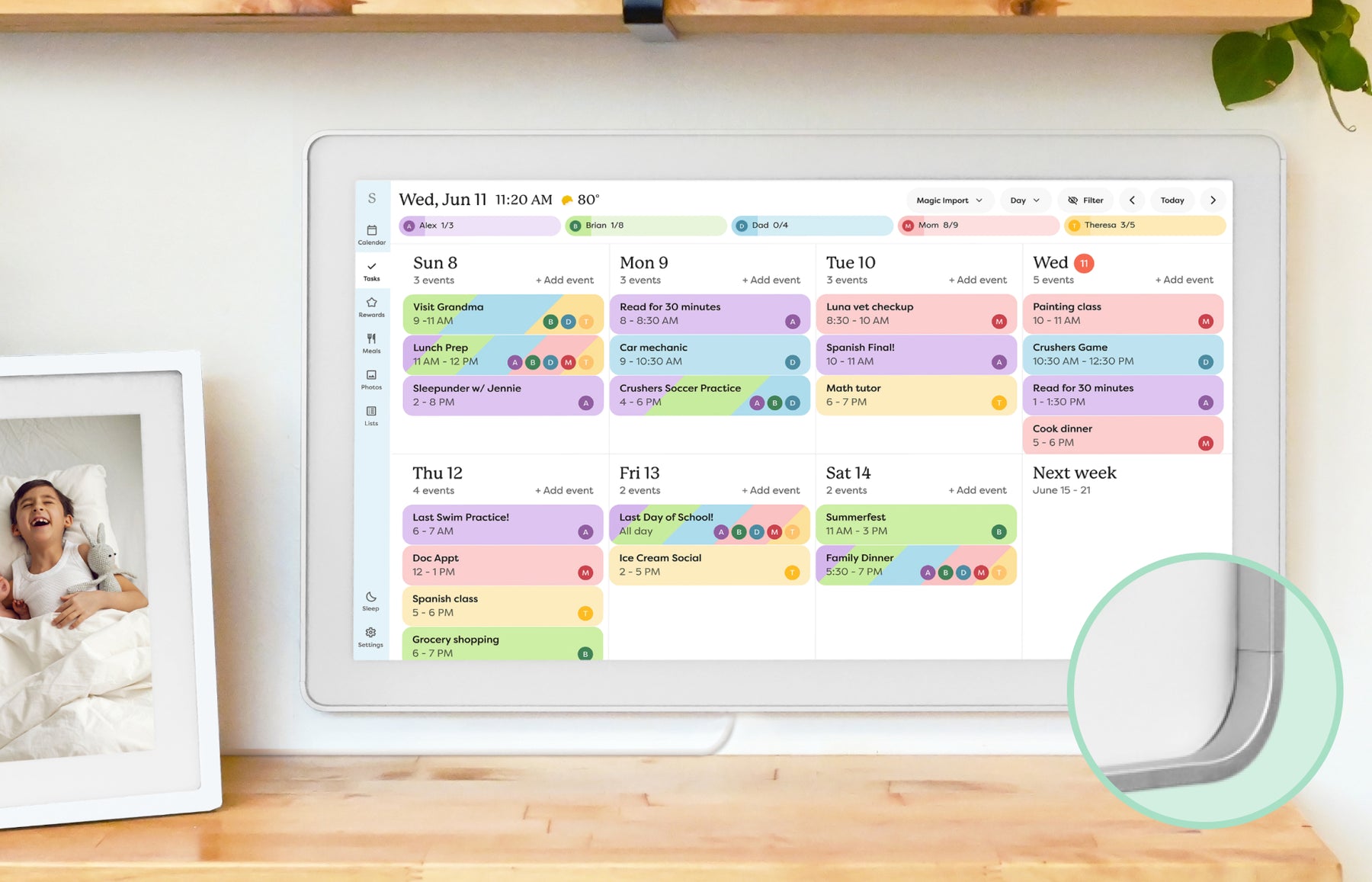
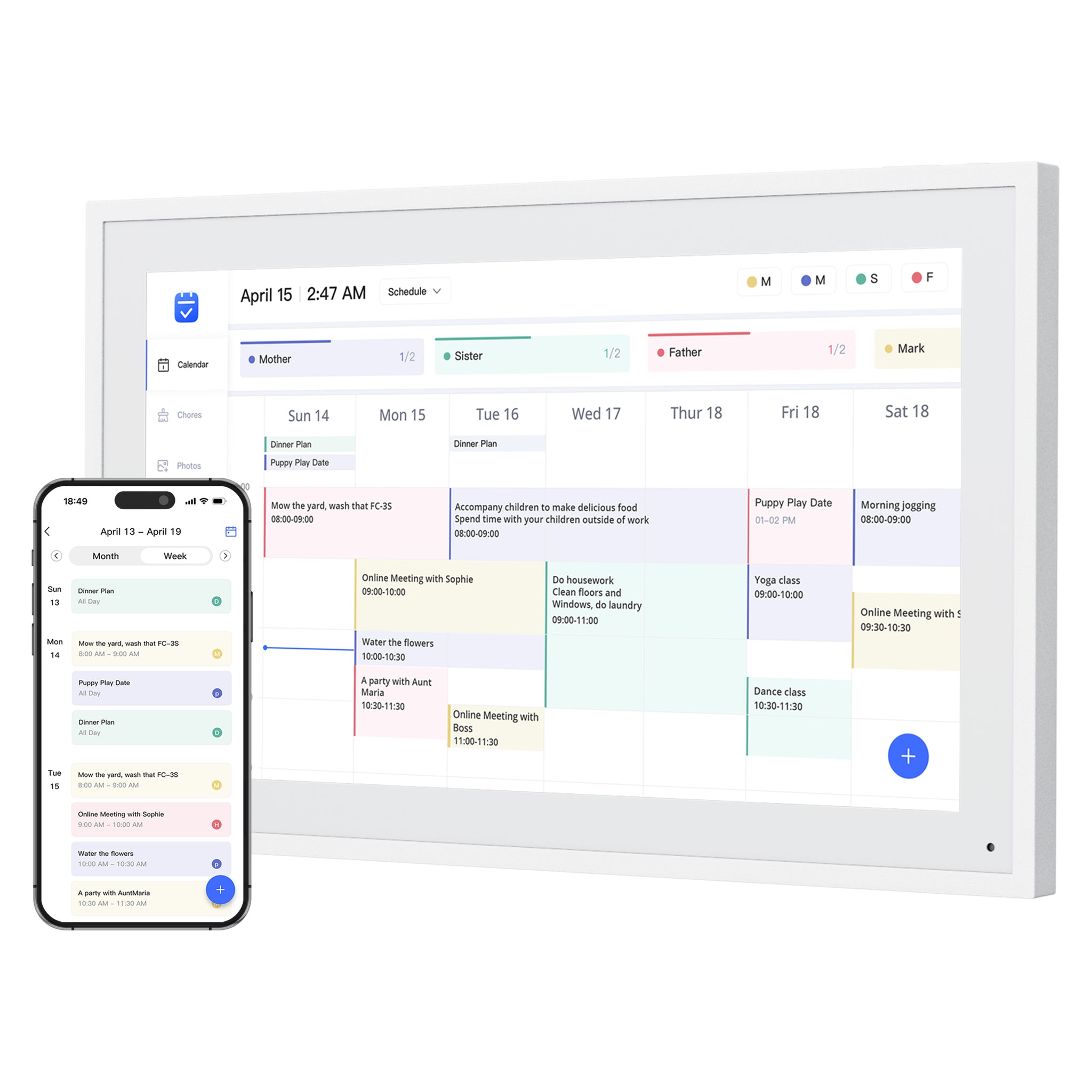
| Calendar | Designed around household calendar visibility and routine coordination. | Official copy describes eCalendar app setup with iOS, Google, and other calendar integrations; existing research also tracks Outlook, Yahoo, Cozi, and public sharing link support. |
| Photo frame | Photo-frame use is part of the broader family display experience. | Positioned as a digital calendar and photo frame hybrid with family photo display use. |
| AI / agent | AI and automation features should be evaluated by practical family tasks, not marketing copy. | Better treated as a practical eCalendar product than an AI family assistant. |
| Subscription | Review current free and paid-plan differences before buying. | Official positioning emphasizes no subscription fees; paid functions such as Magic Import should still be checked before purchase. |
| Source status | Official + retailer sources · checked August 21, 2026 | Official sources · checked August 29, 2026 |
Final recommendation
The better choice depends on the screen's main job. If your family needs visible scheduling, choose the calendar workflow that feels easiest to maintain. If the screen is also a photo frame, routine board, or dashboard, weigh those jobs before chasing the highest spec.